
You log in to the Rupeezy app with your registered mobile number, an OTP (or TOTP, if you've set it up), and your Rupeezy MPIN — there's no separate username or password.
How do I log in?
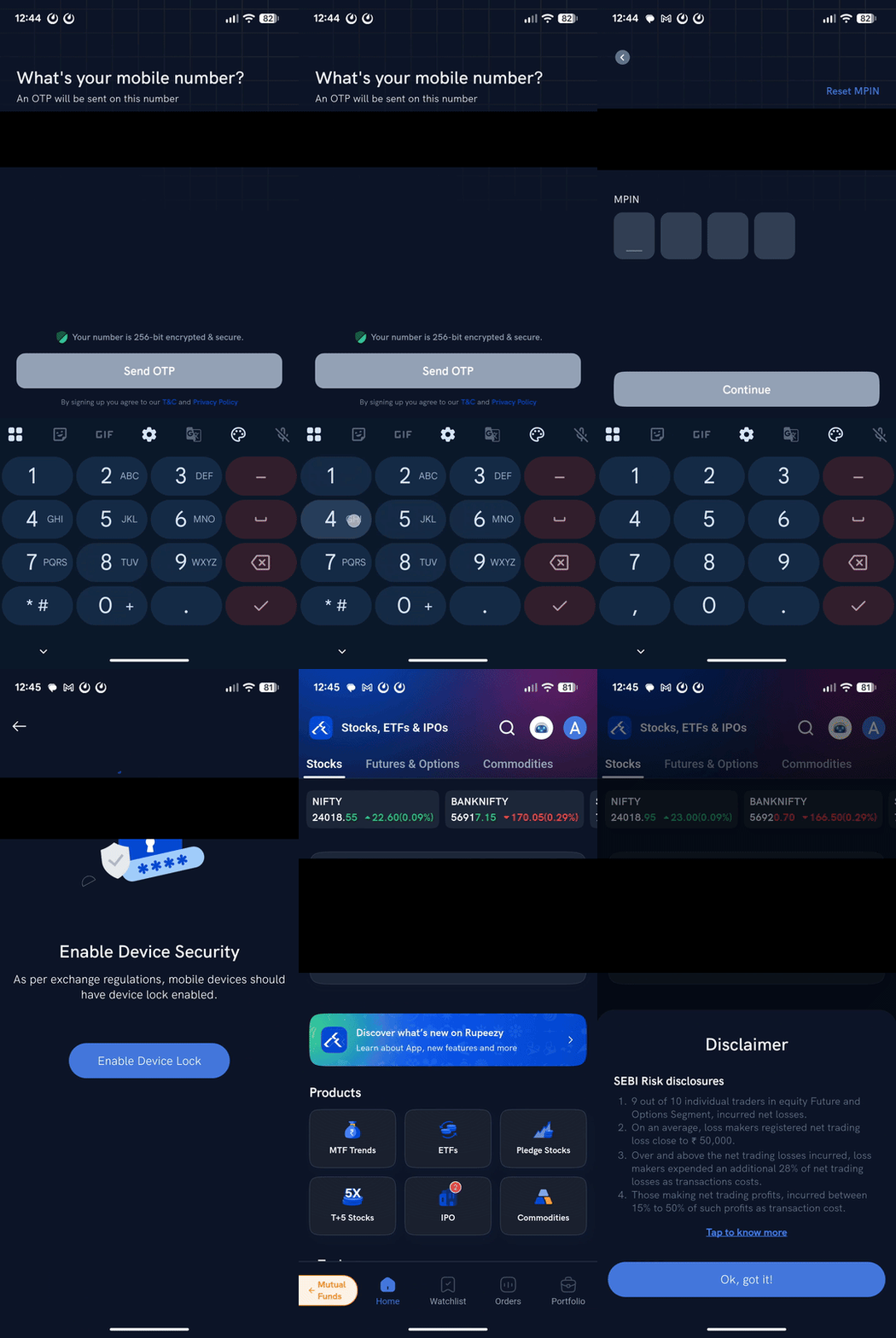
1. Open the Rupeezy app and tap Login.
2. Enter your registered mobile number and tap Send OTP.
3. Enter the OTP you receive by SMS or email. If you've set up TOTP, the app asks for your TOTP code instead — tap Login with OTP if you'd rather use an OTP that time.
4. Enter your Rupeezy MPIN and tap Continue.
That's it — you land on your home screen. If your device doesn't have a screen lock set, Rupeezy asks you to Enable Device Lock first — app login is disabled until your phone has a lock. Once a lock is set, this isn't a step you'll see on every login.
What is TOTP, and do I need it?
TOTP is an optional, faster alternative to OTP — a 6-digit code from an authenticator app instead of an SMS/email OTP. See How do I set up TOTP for app login? to set it up. If you haven't, you just use OTP every time.
Things to keep in mind
- The same mobile number and login work across the Rupeezy app, Rupeezy web, Dock and the TV terminal.
- Your Client Code isn't a login credential — you never type it to sign in. See What is my user ID to log in to Rupeezy's trading platform?
- Never share your OTP, TOTP or MPIN with anyone claiming to be Rupeezy support — support will never ask for it.