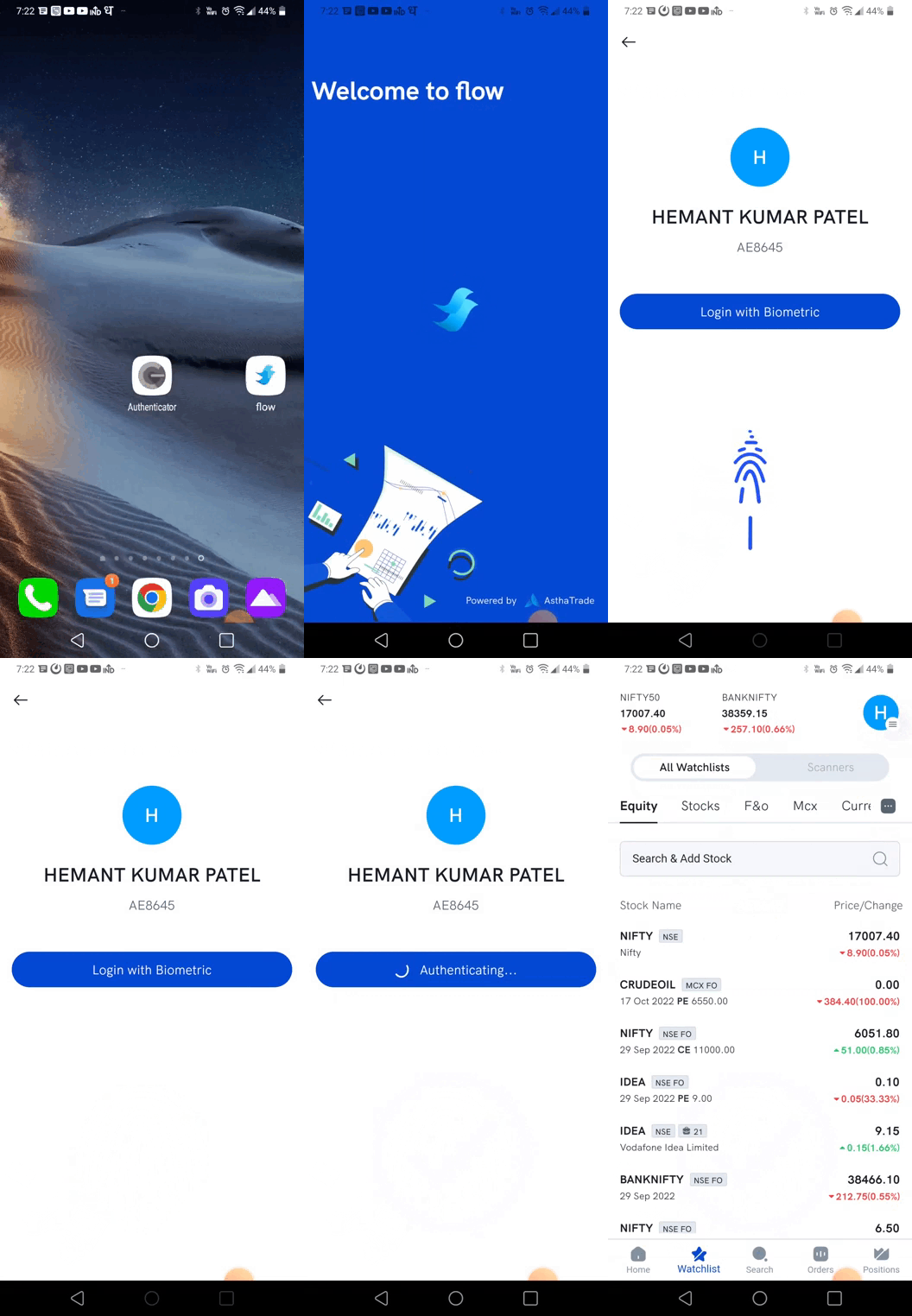
Two Factor Authorisation (TFA) is required from 1st October 2022. TFA is a two step security process where users are verified using two different authentications. TFA will add an extra layer of security to protect your account from unauthorized access. Apart from the OTP sent to your registered mobile number, TOTP is offered as an additional verification method for login.
TOTP is defined as a time based One Time Password generated on an app on your phone. It is similar to OTP you receive as SMS or email for logging in to various applications. For TOTP you need to download a TOTP app on your phone. The OTP is time based and generated for 30 seconds. After the lapse of 30 seconds, a new TOTP is generated every 30 seconds.
TOTP is an independent password that is generated on specific TOTP apps like:
- Google Authenticator Android IOS
- Microsoft Authenticator Android IOS
- Authy Android IOS
- LastPass Authenticator Android IOS
Please download any of these applications from App Store or Play Store for TOTP authentication.
For 1st Time Login to Rupeezy App or Web
Note: The same login works across the Rupeezy app (including mutual funds), TradingView Terminal, DOCK and Diet.
-
Go to Login
-
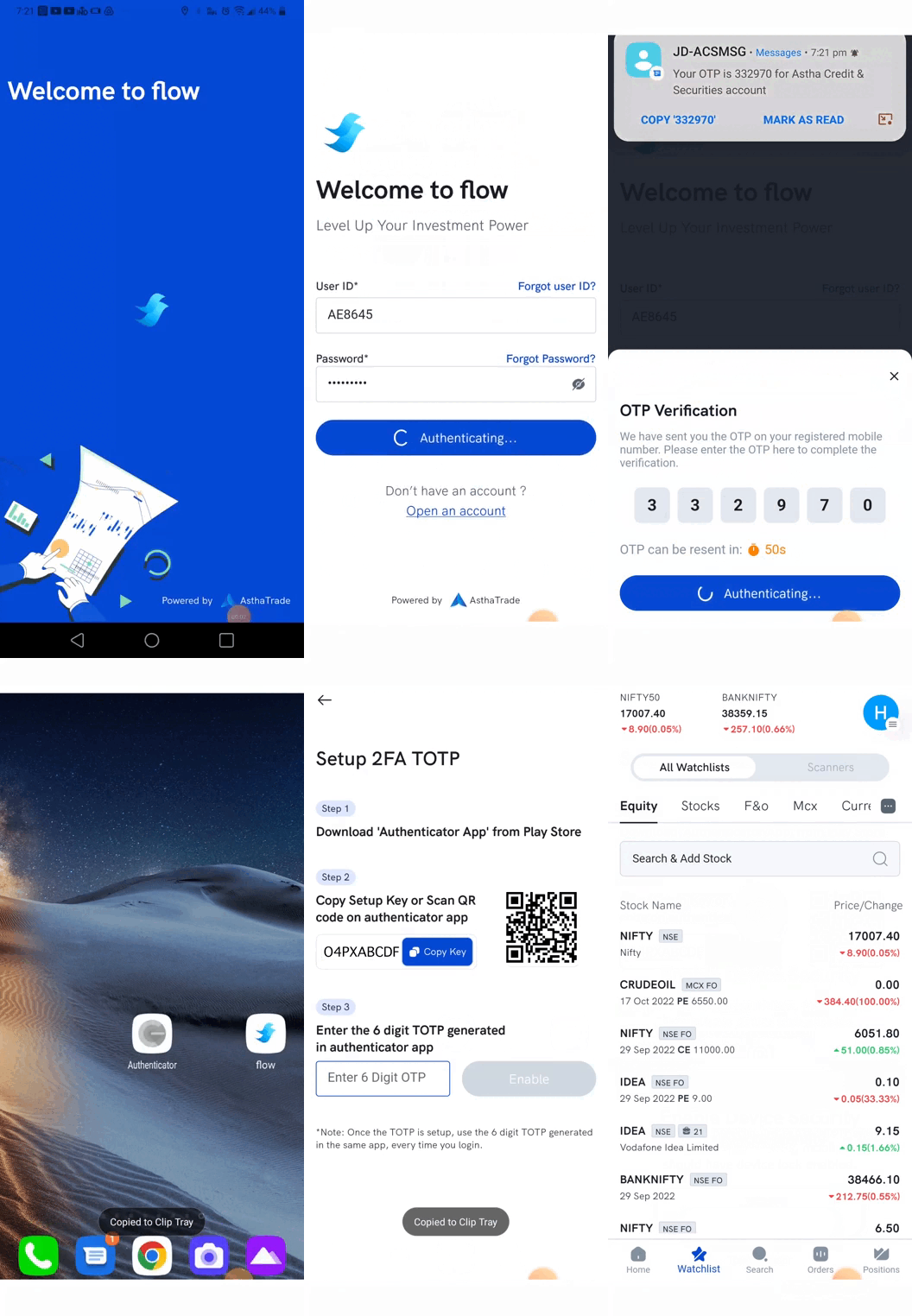
Enter your registered mobile number and tap ‘Send OTP’
-
Enter the OTP received by SMS or Email
-
Click on ‘Enable TOTP’
Note: It can be skipped, to login only through OTP in future, but it is recommended for better user experience and security
Go to the Authenticator app on your phone, click on add account (+ sign in the bottom right of the google authenticator) and either:
- scan the QR code shown in the Flow screen, or
- enter the setup key, present on the flow screen, in the authenticator app
Your Astha account will be added and the 6 digit TOTP will now be visible which changes every 30 seconds. Enter this TOTP in Astha mobile app or web to login to the Astha account
For 2nd time login in the mobile app
You’ll need to setup or use the phone unlock to access Astha Account. You can enable biometric (fingerprint, face) authorisation on your mobile device if it is supported.
To know how to set up fingerprint authorization on Android, visit Here
and for Face ID on iOS, visit Here.