
To apply for an IPO on Rupeezy, open IPOs in the app, tap Apply on the issue you want, fill in your investor type, price, number of lots and UPI ID, and submit. Your application is placed once you approve the UPI mandate in your UPI app.
How do I apply for an IPO on the Rupeezy app?
1. Go to the IPOs tile on the home screen, under Products.
2. Find the IPO under the Active tab, which lists issues open for bidding, and tap Apply.
3. Fill in the application form:
- Investor type — Individual, Employee or HNI, plus Existing Shareholder where you're eligible. See How do I apply for an IPO in the shareholder or employee category?
- Price — tick Cut-off Price to bid at the final issue price, or clear it to enter your own price within the price band. HNI applicants, and everyone on an SME IPO, must enter their own price — see What is the cut-off price in an IPO application?
- Number of lots
- UPI ID — the one you'll approve the payment mandate with.
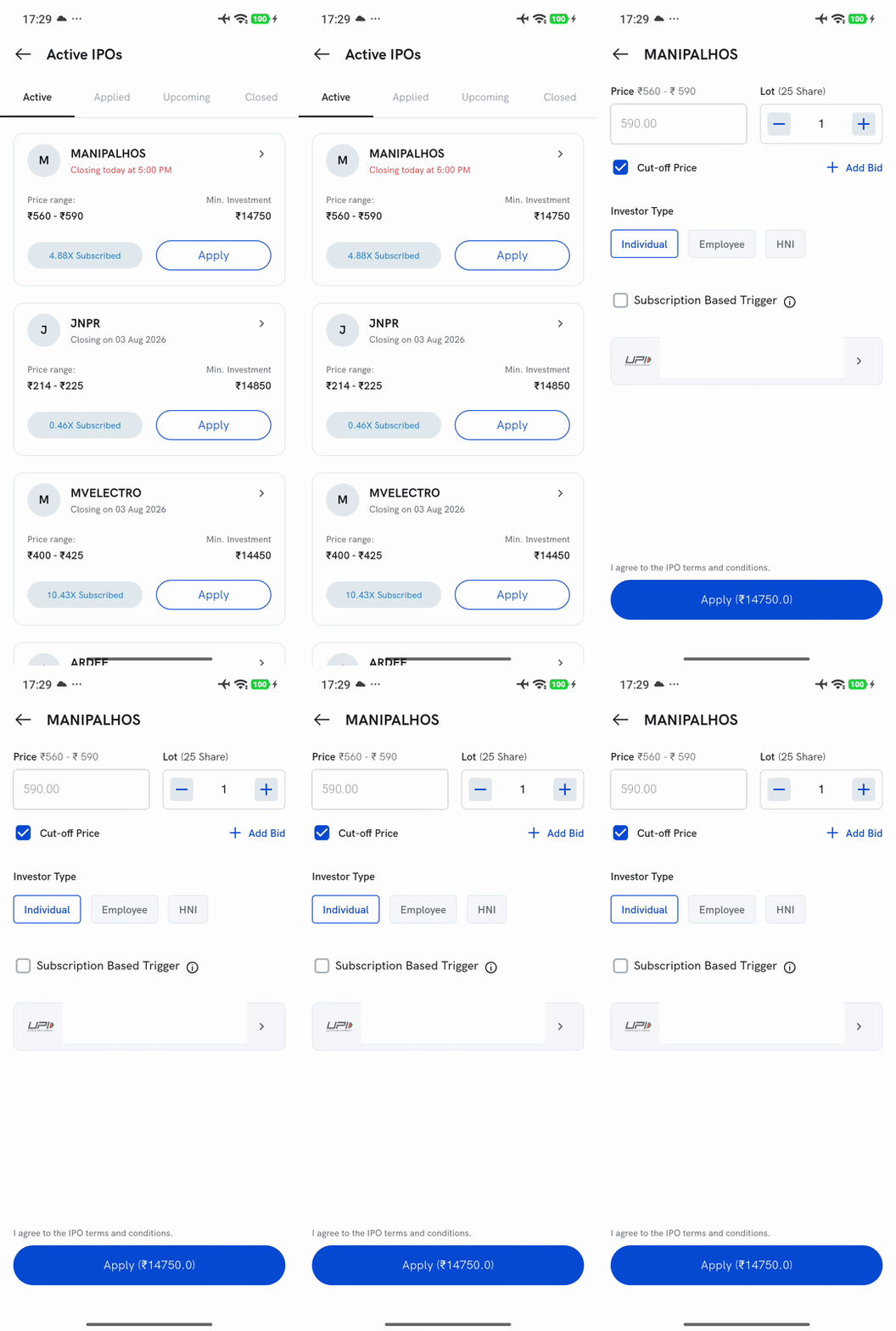
4. Agree to the terms and conditions, then tap Apply.
5. Approve the mandate in your UPI app. Your application is placed only once you approve it, so do it right away.
Things to keep in mind
- Your UPI ID must be active and linked to your own bank account.
- An application on Rupeezy can't be for more than ₹5 lakh, the UPI limit for IPO applications — the app won't accept a larger bid.
- If you aren't allotted shares, the blocked amount is released back to your bank account — see When will I get my money back after an IPO?
- To bid before an IPO opens, see How do I pre-apply for an IPO?. To change or withdraw an application, see How do I modify an IPO application? and How do I cancel or withdraw an IPO application?