
Pre-applying means placing your IPO bid before the IPO officially opens for bidding, instead of waiting for opening day — tap Pre-Apply instead of Apply on an IPO that hasn't opened yet. You don't have to be online the moment an IPO opens, or keep tracking its subscription status yourself.
How do I pre-apply for an IPO?
Follow the same steps as How do I apply for an IPO? — the button just reads Pre-Apply instead of Apply for an Upcoming IPO.
- Fill in the IPO application form as usual — price, lot count, investor category and UPI ID.
- Optionally, tick Subscription Based Trigger and enter the subscription multiple you want to wait for (e.g. 5 for 5x subscription) if you'd rather wait for a subscription level than pre-apply outright.
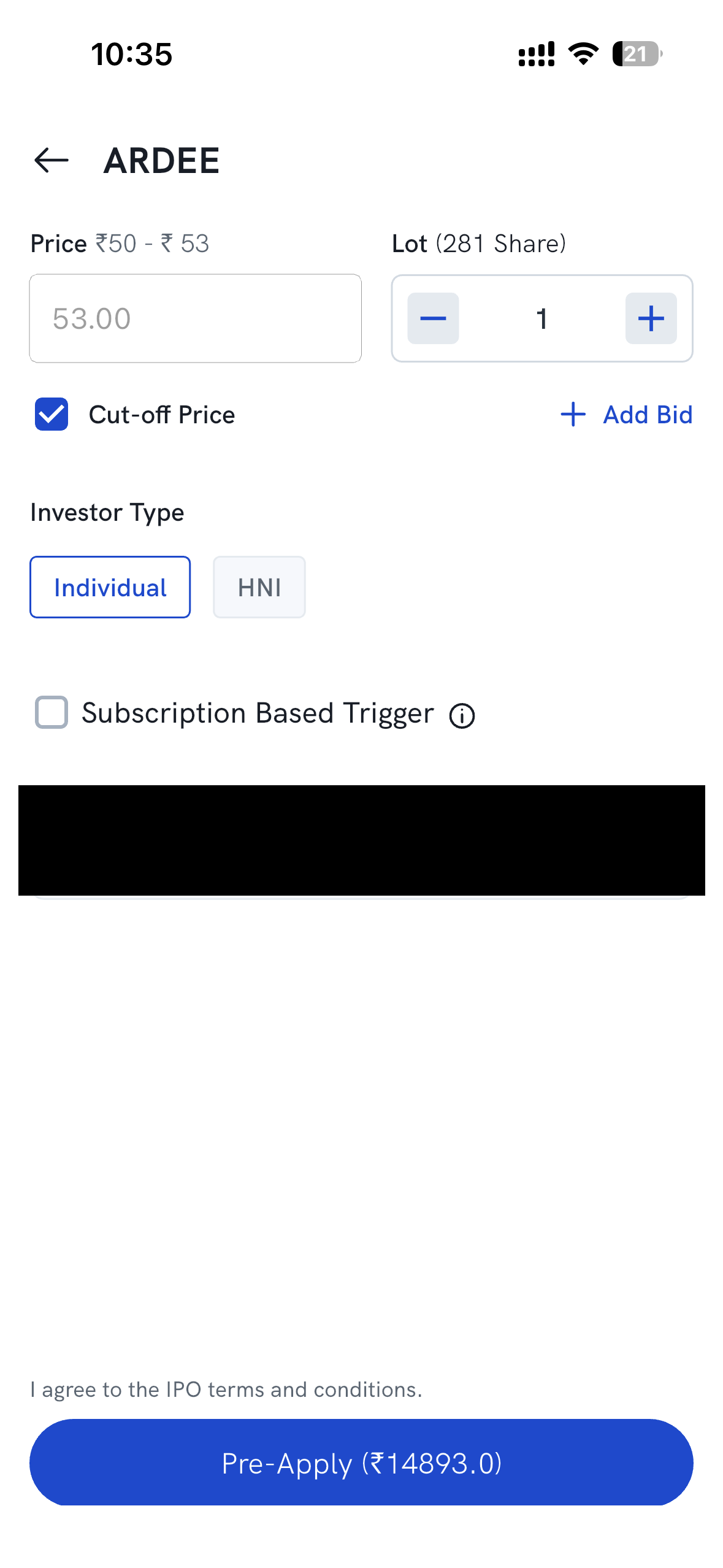
- Agree to the IPO terms and conditions, then tap Pre-Apply.
When is my pre-applied bid actually placed?
- Without a trigger, your application is submitted once the IPO opens for bidding, and the UPI mandate request reaches your UPI app at around 10:00 AM on the first day of bidding. Approve it then — your bid isn't complete until you do.
- With a Subscription Based Trigger, your application is placed automatically once the trigger is reached, and you'll then need to approve the UPI mandate. If the trigger is never reached, the application is never placed and no mandate is raised.
You can track it afterwards under your applied IPOs — see How do I check my IPO application status?
Note: Pre-applying doesn't give any allotment advantage — allotment still follows the normal process after the issue closes. See Can I improve my IPO allotment chances?