
-
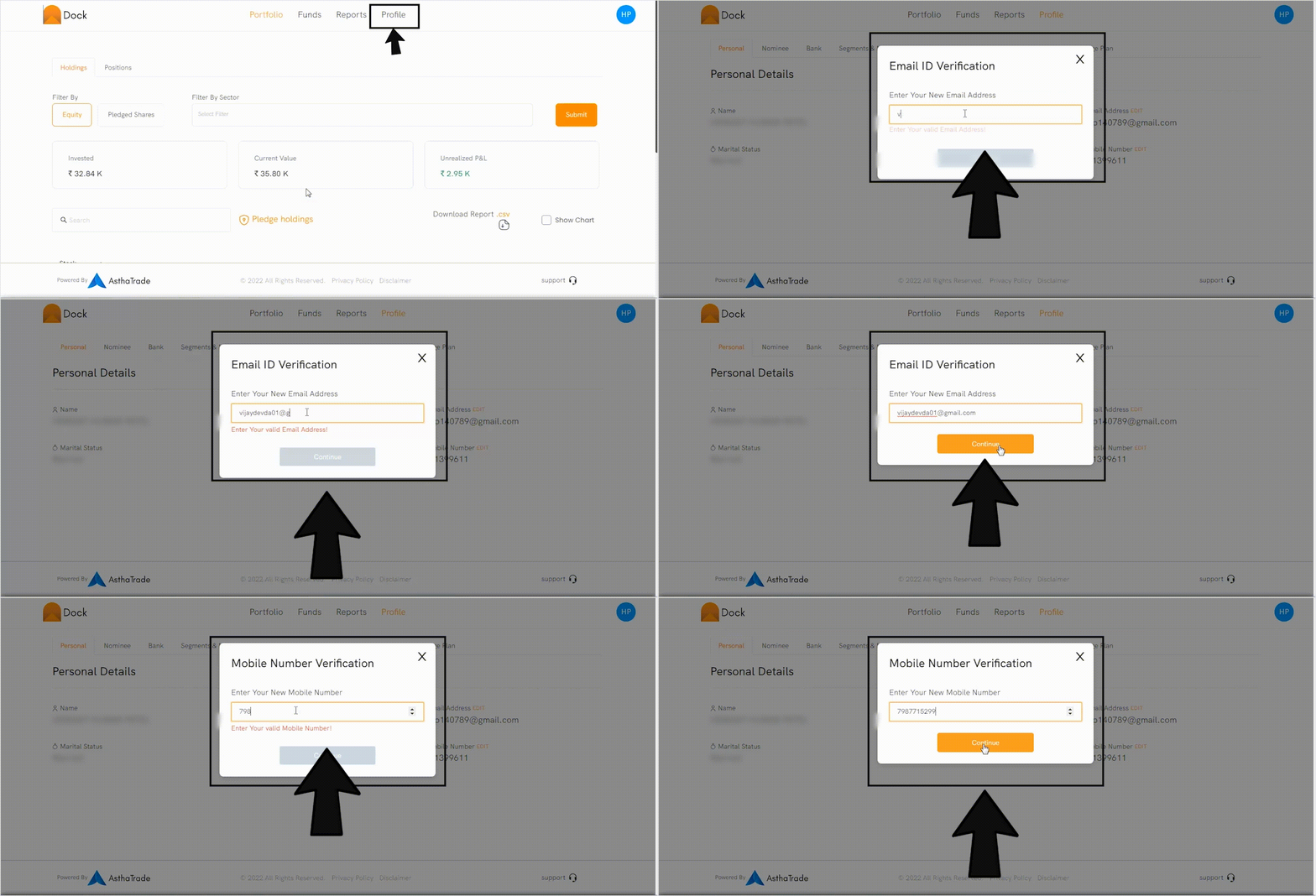
Visit your Dock app
-
Click the ‘Profile’ tab.
-
Go to Mobile Number, and click ‘Edit’
-
Enter the new mobile number and click ‘Continue’
-
You will receive an OTP to verify new details.
-
Enter OTP.
The details will be updated within 24 hrs. Check the video below for steps.
For the charges, please click here