
You can't turn TOTP off yourself from the Rupeezy app. Settings has a Reset TOTP option, but it only regenerates your TOTP — a new QR code and setup key to scan into your authenticator app — it does not switch your login back to OTP-only. To disable TOTP completely, you need to reach out to Rupeezy support.
Why isn't there a "Disable TOTP" option in Settings?
TOTP is optional only at the point you first set it up — during enrollment you can skip it and log in with just the OTP sent to your registered mobile number instead. See How do I set up TOTP for app login?. Once you've enabled it, though, the only self-serve option under Account > Settings is Reset TOTP — there's no companion toggle to turn it back off.
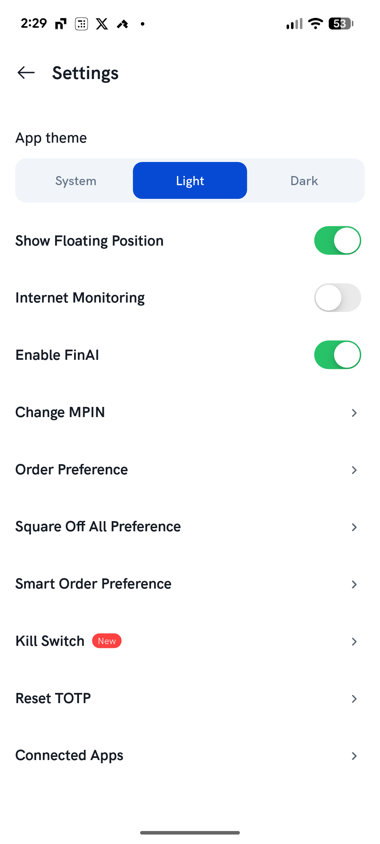
What does "Reset TOTP" do, then?
Tapping Reset TOTP opens the same enrollment screen you saw the first time you set up TOTP — a fresh QR code and setup key, and a field to enter the 6-digit code plus your MPIN to confirm. Use this if you've lost access to your old authenticator entry (a new phone, a deleted app) and need to re-link a fresh one — not if your goal is to stop using TOTP.
How do I turn TOTP off completely?
Contact Rupeezy support to have TOTP disabled on your account. Two-factor authentication itself stays on either way — SEBI requires it — so once TOTP is removed you'd go back to logging in with your registered mobile number and an OTP, the same as before you ever turned TOTP on. On Rupeezy web, 2FA works exactly the same way — see Do I need to set up 2FA to log in to Rupeezy web?.