
Search NIFTY or BANKNIFTY from your Watchlist, pick the exact expiry and strike you want from the results, and tap +, the same way you'd add any Futures & Options (F&O) contract on Rupeezy.
How to add a Nifty or Bank Nifty option to your Watchlist
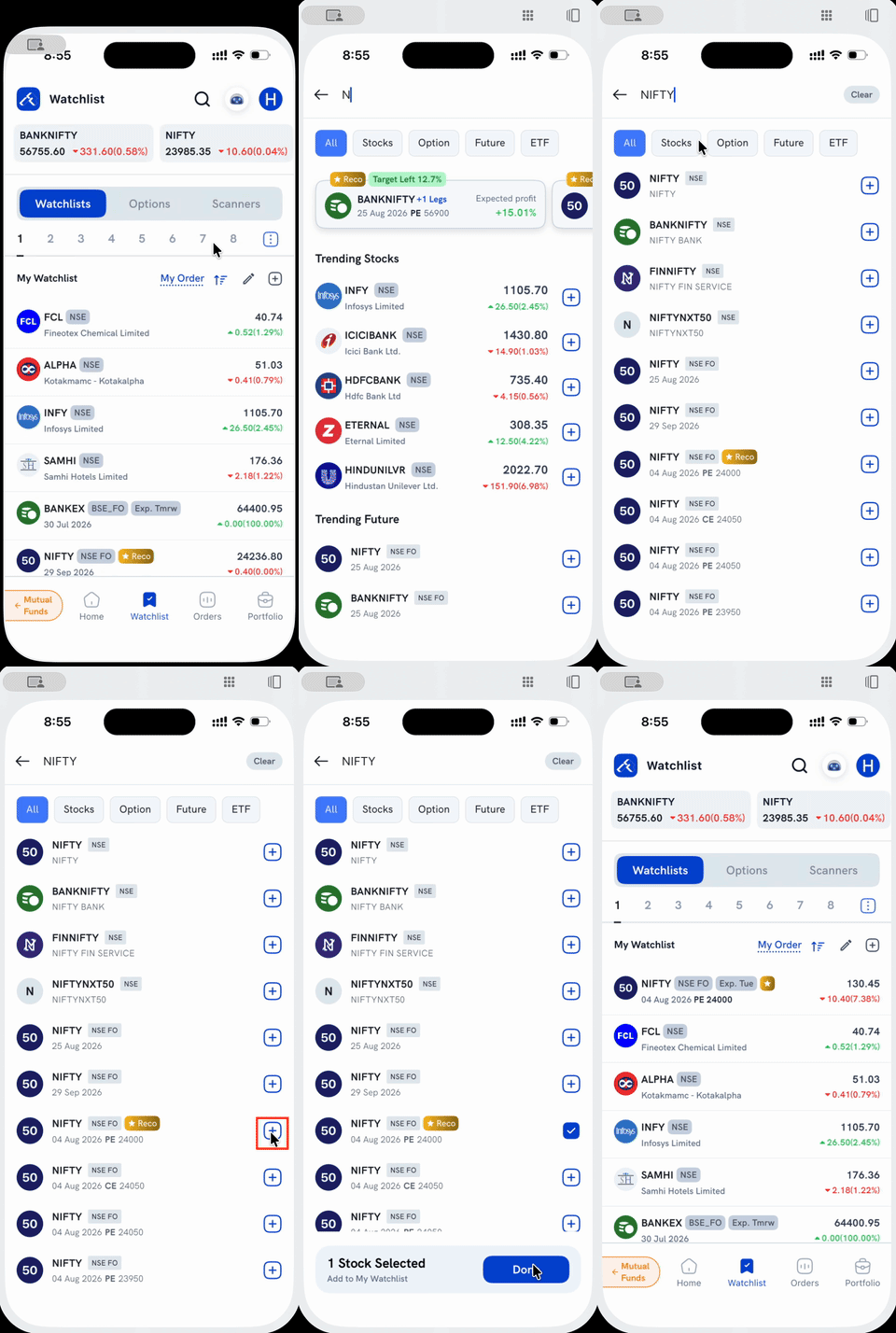
1. Tap the search icon on the Watchlist screen. If you haven't typed anything yet, a Trending Future section already surfaces NIFTY and BANKNIFTY futures as quick shortcuts, but for options, search still gets you there faster.
2. Type "NIFTY" or "BANKNIFTY" and every matching option contract on that index shows up in the results. Each row already lists its expiry date, strike, and CE/PE, tagged NSE FO. Tap the Option filter tab above the results if you want to hide the index, stock, and futures rows and see only options.
3. Tap the + next to the exact strike and expiry you want. It turns into a checkmark, and you can select more than one contract this way before adding them together.
4. Tap Done on the bar at the bottom. You're taken back to your Watchlist, a confirmation appears, and the option now shows up in your list with its expiry and strike.
Things to keep in mind
- NIFTY and BANKNIFTY each have many option contracts live at once. Every strike, for every expiry, is a separate row in search, so double-check the expiry and strike before tapping + so you don't track the wrong one.
- The + only adds the contract to your Watchlist. It doesn't place an order. Tap the contract's row itself to open its detail screen and trade it.
- Want to compare strikes side by side instead of adding them one at a time? Use the Option Chain.