
An Iceberg order lets you place a large F&O order in smaller pieces, called legs, so the full quantity never shows in market depth. Rupeezy sends the first leg to the exchange, and sends the next one only after the previous leg has been fully executed. For stocks, the same goal is met differently: the order screen has a Disclosed Qty field instead.
How does an Iceberg order work?
Say you want to buy 1,800 units of a Nifty option. Instead of one order for 1,800, you place an Iceberg order with 6 legs of 300 each. Rupeezy sends the first 300 to the exchange. Only when all 300 are bought does it send the next 300, and so on until all six legs are done. At any moment, the market sees only the leg that's currently at the exchange.
Iceberg orders are available on the F&O segment of NSE and MCX, as Limit orders only — you can't use Iceberg with a Market order. You can split an order into 2 to 10 legs.
How do I place an Iceberg order?
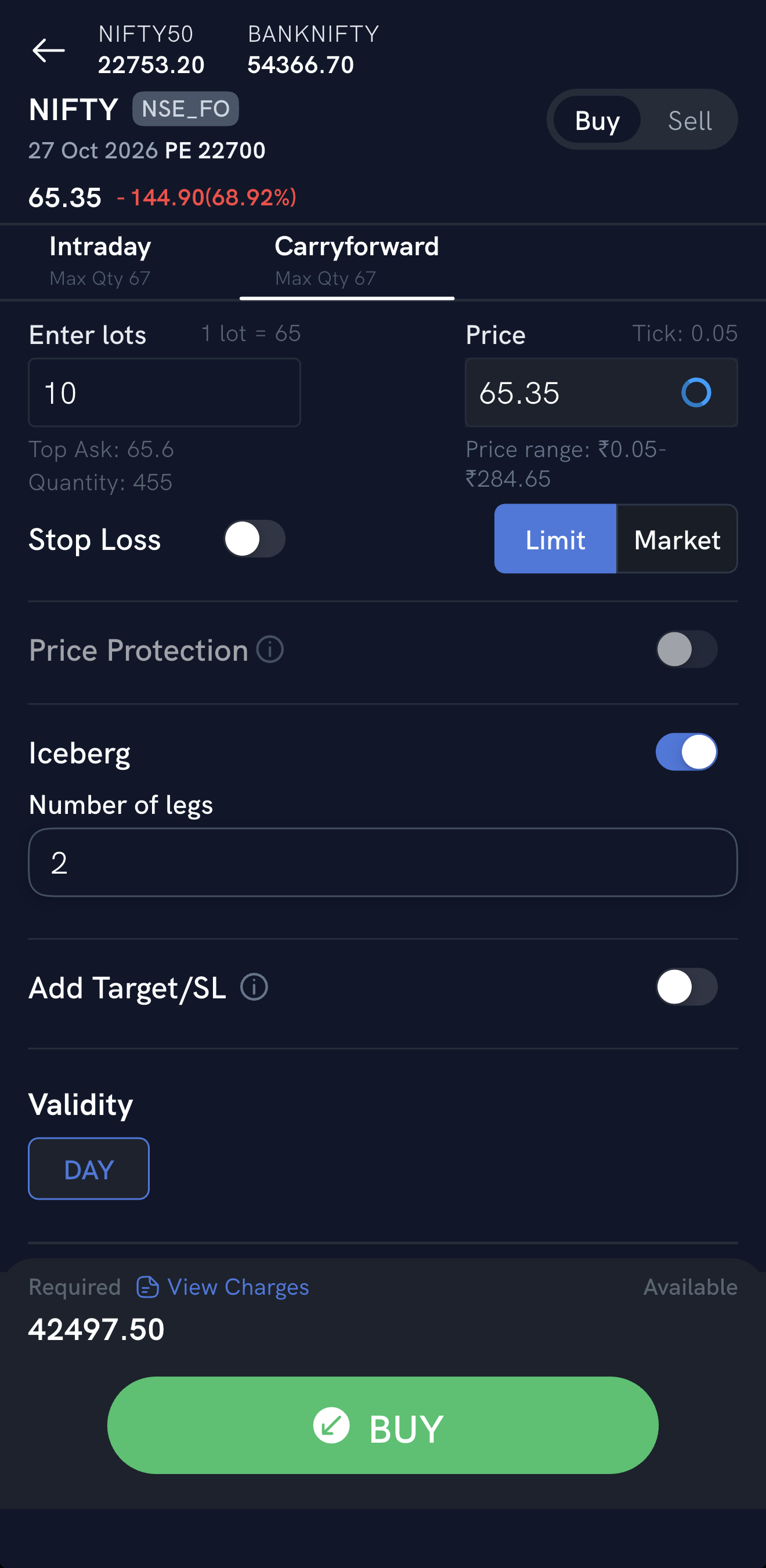
- Open the order screen for the F&O contract and choose Intraday or Carryforward.
- Enter the number of lots, select Limit and enter the price.
- Turn on Iceberg and enter the Number of legs.
- Tap Buy or Sell.
How do I hide part of a stock order?
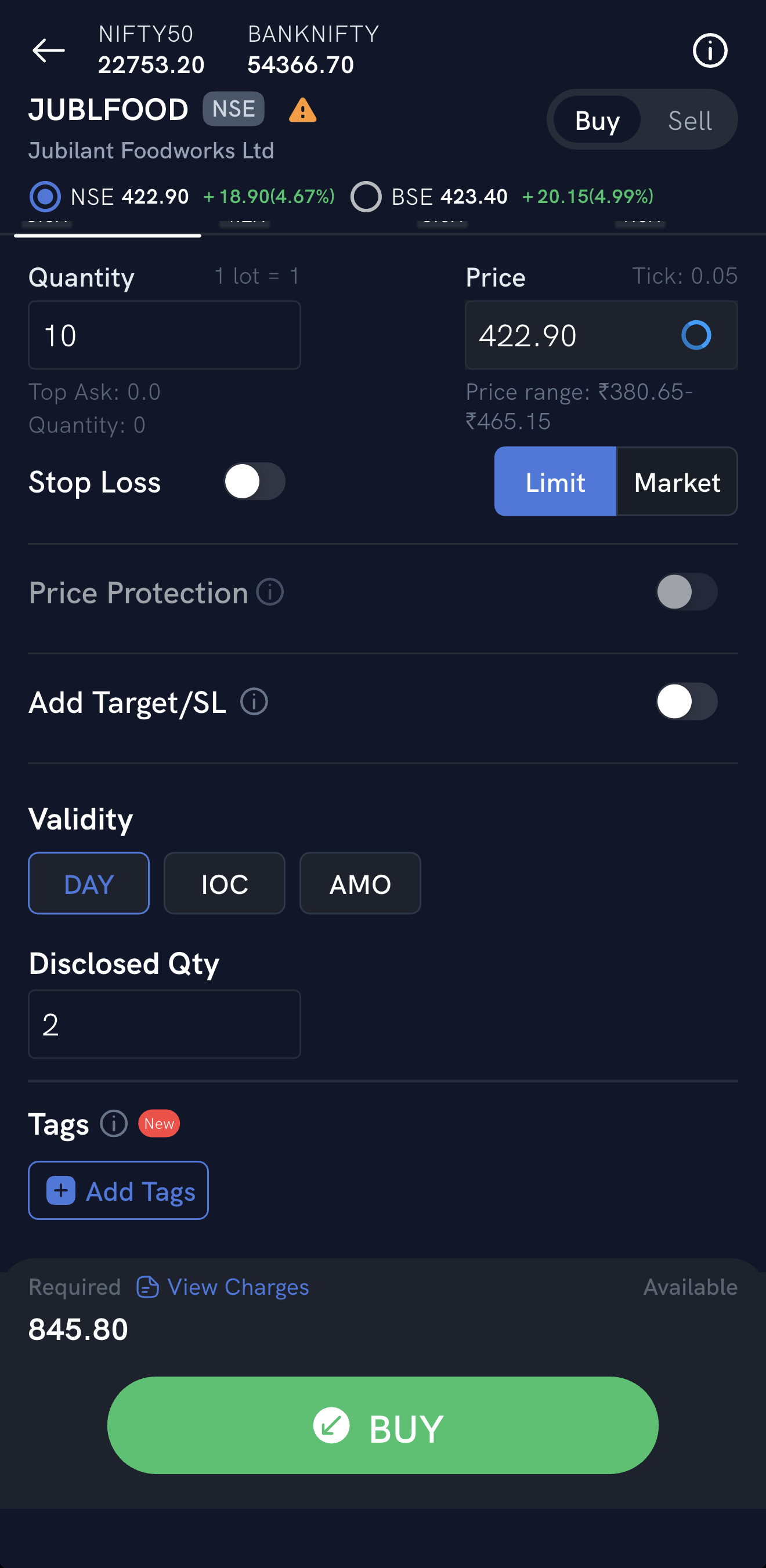
Stocks don't use Iceberg. Instead, enter a Disclosed Qty on the order screen. The exchange shows only that much of your order in market depth at a time, and reveals the next slice as each one fills. All of it is a single order at the exchange. For how disclosed quantity works, and the exchange's minimum (at least 10% of the order quantity for equity), see What is disclosed quantity?
How do I modify or cancel an Iceberg order?
-
Tap on the Iceberg order from the “Pending” order screen
-
Tap on the “Modify” button and modify the price
-
Tap the “Buy” or “Sell” button. Only the remaining non-executed quantity and legs price will be modified e.g. if an iceberg order had 6 legs out of which 2 legs have already been executed then modifying the price will change the price of current leg and the remaining 3 non executed legs
-
To cancel the Iceberg order tap on the Iceberg order from the “Pending” order screen
-
Tap on the “Cancel” button. Only the remaining non-executed quantity and legs will be cancelled. For instance, If we take an iceberg order with 6 legs, where 2 legs have already been executed and half the quantity of the current leg is executed, cancelling the order would entail cancelling half the quantity of the current leg and the remaining 3 legs.
Things to keep in mind
- Margin isn't blocked for the whole quantity up front. It's blocked leg by leg, as each leg is sent to the exchange. For example, if a 1,000-unit order is split into 10 legs of 100, margin is blocked for the first 100 only; once that leg fills, margin is blocked for the next 100, and so on.
- Each leg is a separate order, so brokerage is charged per executed leg. An order executed in 6 legs is charged as 6 orders.
- Iceberg isn't the same as order splitting, which sends all the split orders to the exchange together.