
On Rupeezy, market events and announcements — dividends, bonuses, splits, results, rights issues, AGMs and more — show up in the Corporate Action tool, which you can filter by event type, index or date.
How do I see market events and announcements on Rupeezy?
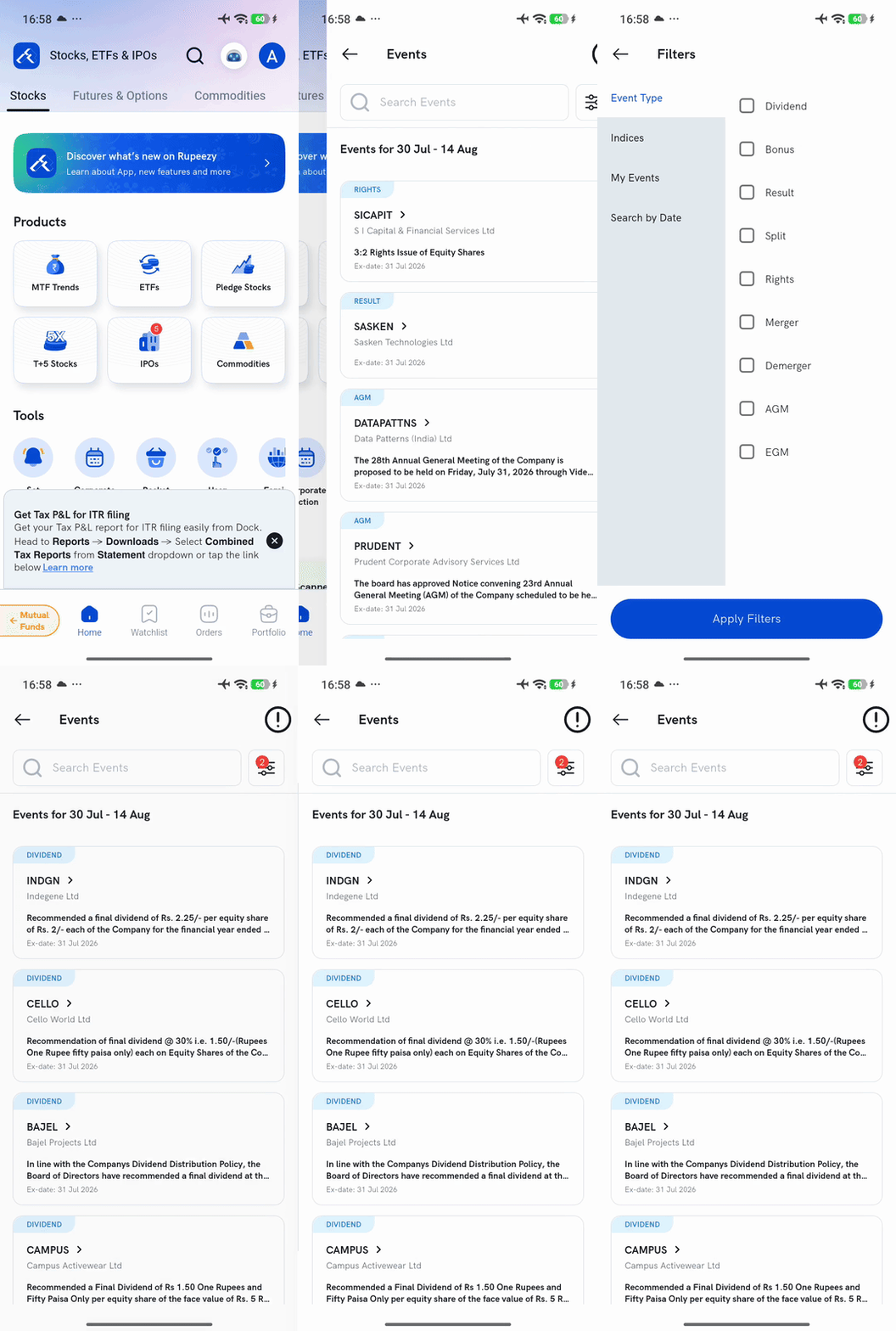
1. On the Home screen, scroll to the Tools section and tap Corporate Action.
2. Browse the Events list — each event shows the company, its event type (for example Dividend or AGM), a short description, and the Ex-date.
3. Tap the filter icon to narrow the list down. You can filter by:
- Event Type — Dividend, Bonus, Result, Split, Rights, Merger, Demerger, AGM, EGM
- Indices — for example Nifty 50, Nifty 200, Nifty Bank
- My Events, or Search by Date (a From–To range)
4. Tap Apply Filters to see just the events you picked.
What kinds of events show up here?
The Events list covers company-level announcements — Dividend, Bonus, Result, Split, Rights, Merger, Demerger, AGM and EGM. Each entry names the company, summarises the announcement, and shows the ex-date — the cut-off that decides eligibility, so check it before you act on anything you see here.
Things to keep in mind
- These are corporate announcements, not general market news — for price/volume-based alerts on a specific stock or index, use alerts instead.
- Corporate-action markers also appear directly on a stock's own chart timeline (a D for dividend, an S for a split) — see How do I view corporate actions on Rupeezy? for that view.