
On the Rupeezy app, you can exit a holding or square off a position in a couple of taps — tap the holding or position, then tap Exit or Square Off. Both open an order screen already filled in with your quantity, ready for you to review and confirm.
How do I exit a holding quickly?
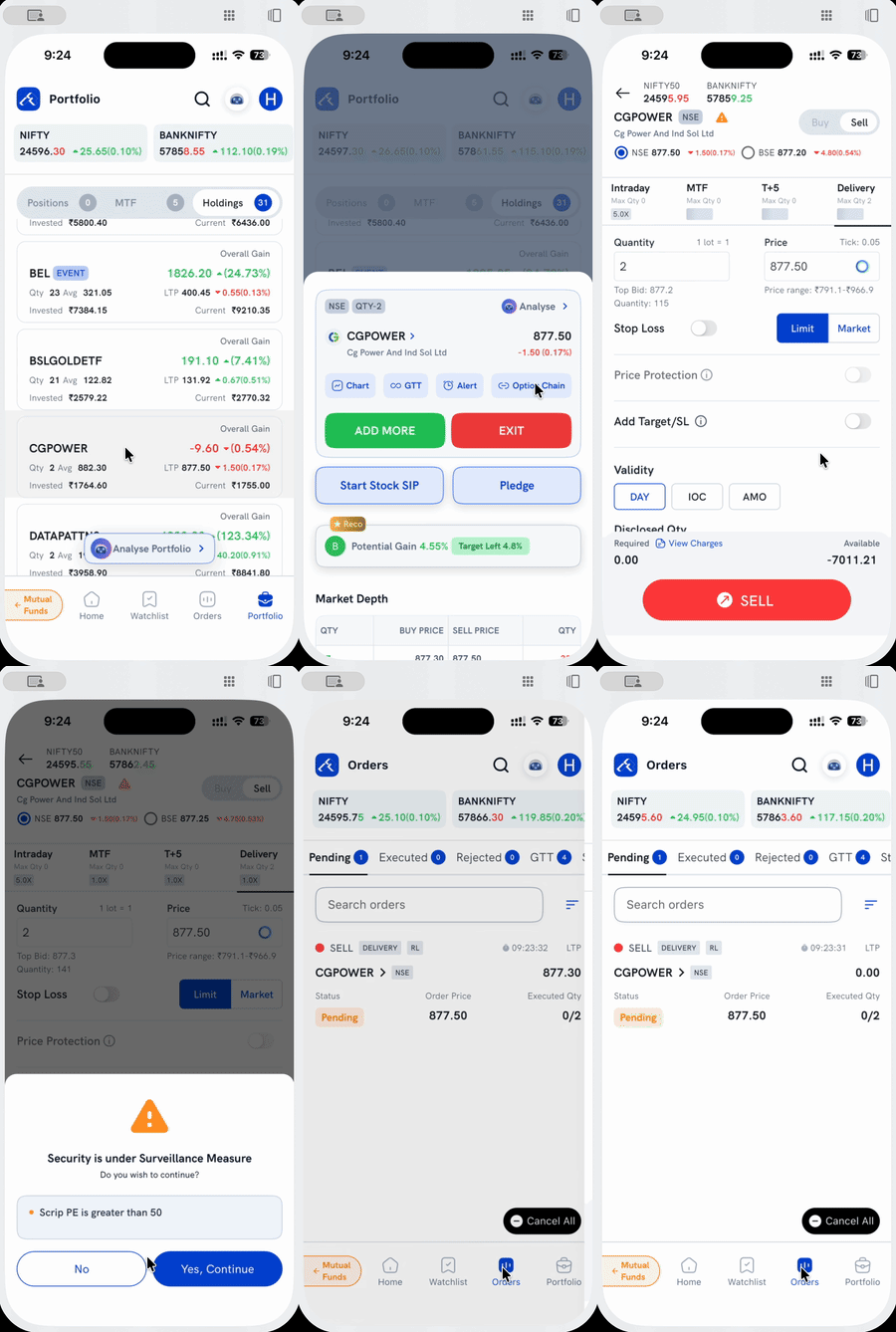
1. Open Portfolio → Holdings and tap the holding you want to exit — its card expands.
2. Tap Exit. This opens the sell order screen, pre-filled with your full holding quantity under Delivery.
3. Review the price (or switch to Market) and tap Sell.
4. Confirm, if prompted. A stock under an exchange surveillance measure (ASM/GSM) shows a one-time "Do you wish to continue?" prompt first — tap Yes, Continue.
Your sell order then sits in Orders → Pending until it executes.
How do I square off an open position quickly?
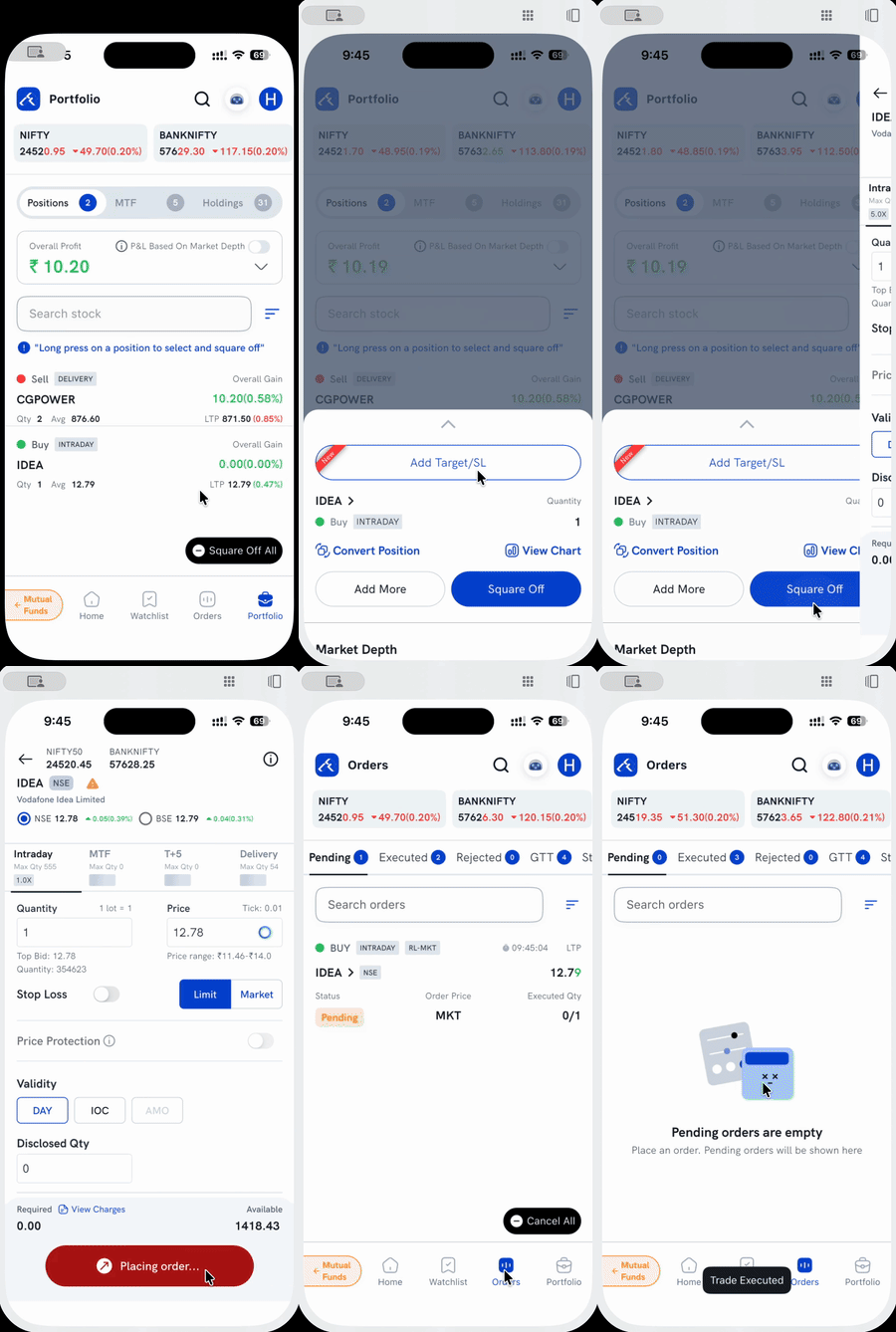
1. Open Portfolio → Positions and tap the position you want to close — its card expands.
2. Tap Square Off. This opens the same kind of pre-filled order screen, with the quantity and Buy/Sell already set to close the position under its product type (Intraday, MTF, T+5, or Delivery).
3. Review and tap Sell/Buy to place the order.
This closes one position at a time. To square off several positions together, or every open position in one go with Square Off All, see How do I square off positions on the Rupeezy app?
Things to keep in mind
- Exiting a holding or squaring off a position places a regular order — it's still subject to the usual margin and market rules, and isn't an instant cancellation.
- A stock under ASM or GSM surveillance shows a confirmation prompt before either flow completes — this applies to any order on that stock, not just a quick exit.