
Pre-applying means placing your IPO bid before the IPO officially opens for bidding, instead of waiting for opening day — tap Pre-Apply instead of Apply on an IPO that hasn't opened yet.
How to Pre-Apply for an IPO
Follow the same steps as How do I apply for an IPO? — the button just reads Pre-Apply instead of Apply for an IPO that hasn't opened yet.
-
Fill in the IPO application form as usual — price, lot count, investor category and UPI ID.
-
Optionally, tick Subscription Based Trigger and enter the subscription multiple you want to wait for (e.g. 5 for 5x subscription) if you'd rather wait for a subscription level than pre-apply outright.
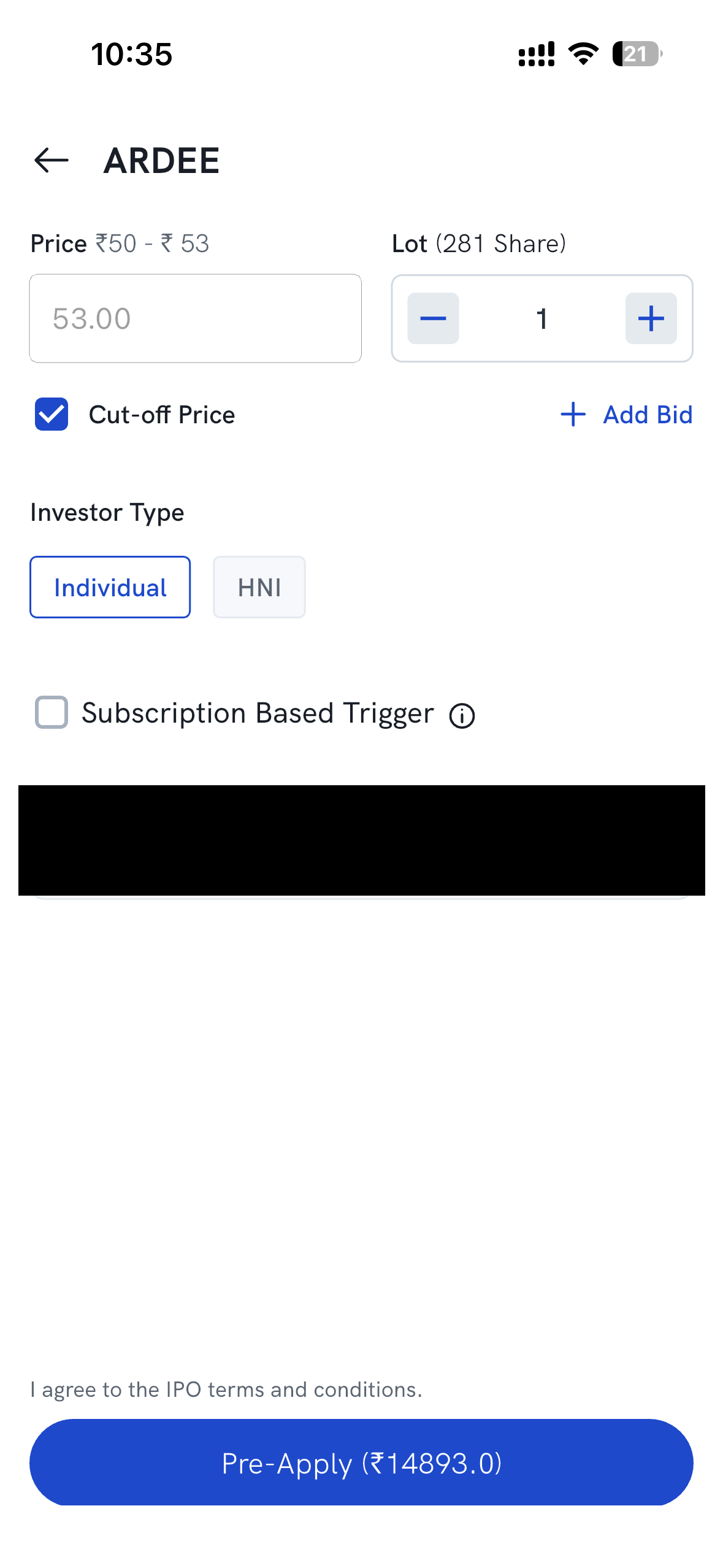
- Agree to the IPO terms and conditions, then tap Pre-Apply.
-
If you set a Subscription Based Trigger: ✅ once the trigger is reached, your application is placed automatically and you'll then need to approve the UPI mandate; ❌ if it's never reached, the application is never placed and no mandate is raised.
-
If you didn't set a trigger, your application is submitted once the IPO opens for bidding.
This way, you don't have to be online the moment an IPO opens, or constantly track the subscription status yourself.