
Your IPO mandate request doesn't show up inside the Rupeezy app — it's a UPI collect request that lands in whichever UPI app you used to apply (Google Pay, PhonePe, ICICI iMobile, BHIM, and so on). You have to open that app and approve it there before the bidding window closes, or your bid won't go through. This is the same "approve the mandate in your UPI app" step described in How do I apply for an IPO? — this article walks through what that step actually looks like.
How do I find and accept my IPO mandate on Google Pay?
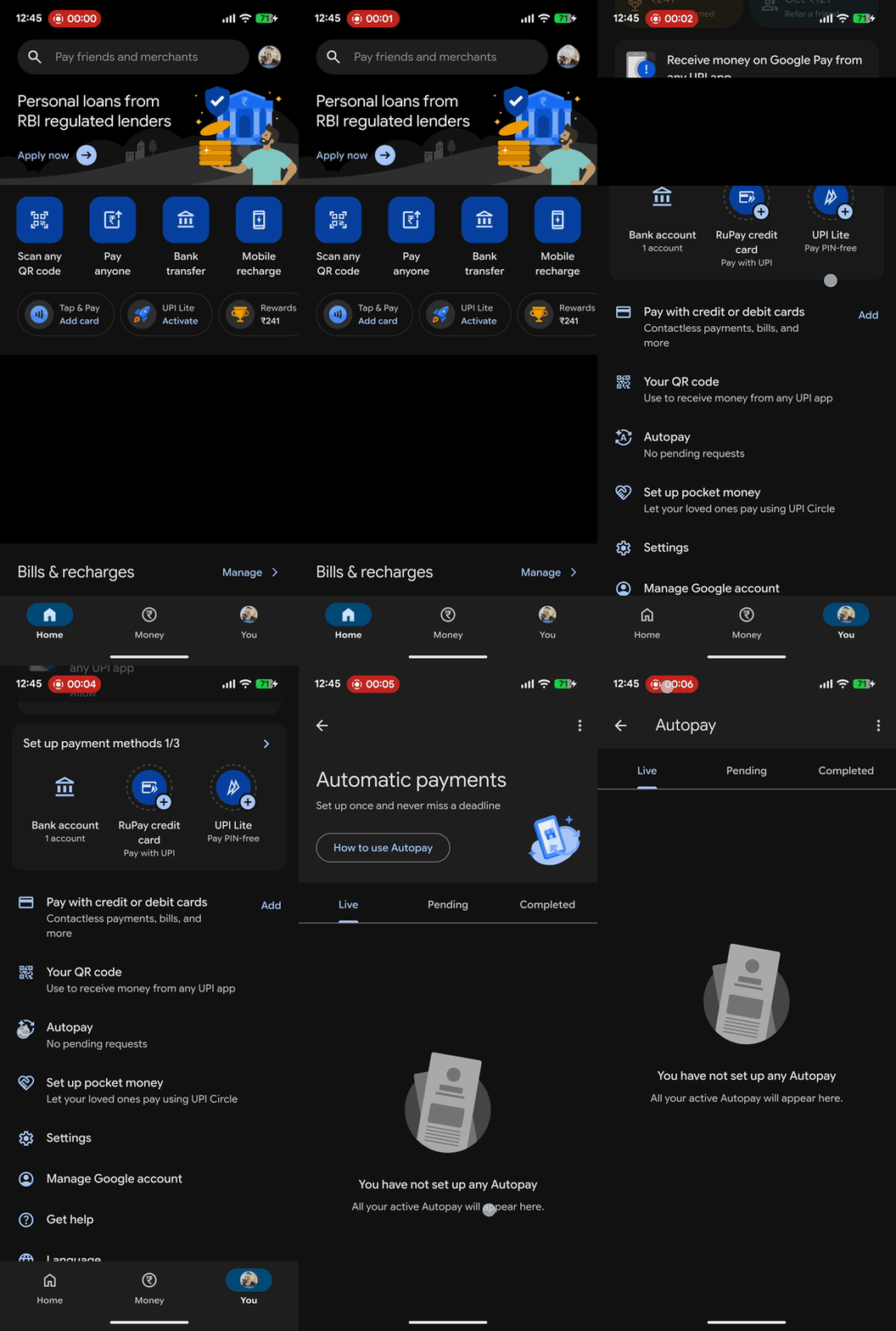
1. Open Google Pay and tap "You" — the tab on the bottom right, next to Home and Money.
2. Scroll down and tap "Autopay." This opens a screen with three tabs: Live, Pending, and Completed.
3. Switch to the "Pending" tab. Your IPO mandate request appears here, named after the exchange reference number and the IPO company (for example, "NSE 1785914325 / ardeeindustrieslimited…"), with the amount blocked and an Action required tag:
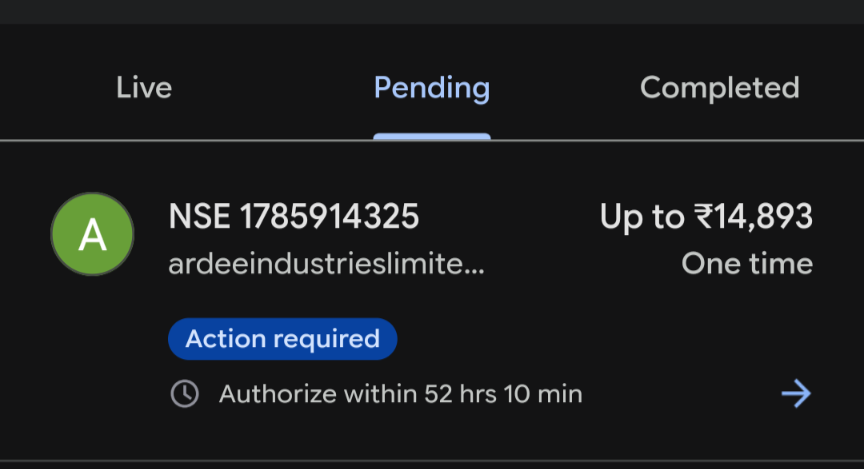
4. Tap the request and authorize it with your UPI PIN before the countdown shown on the card (for example, "Authorize within 52 hrs 10 min") runs out.
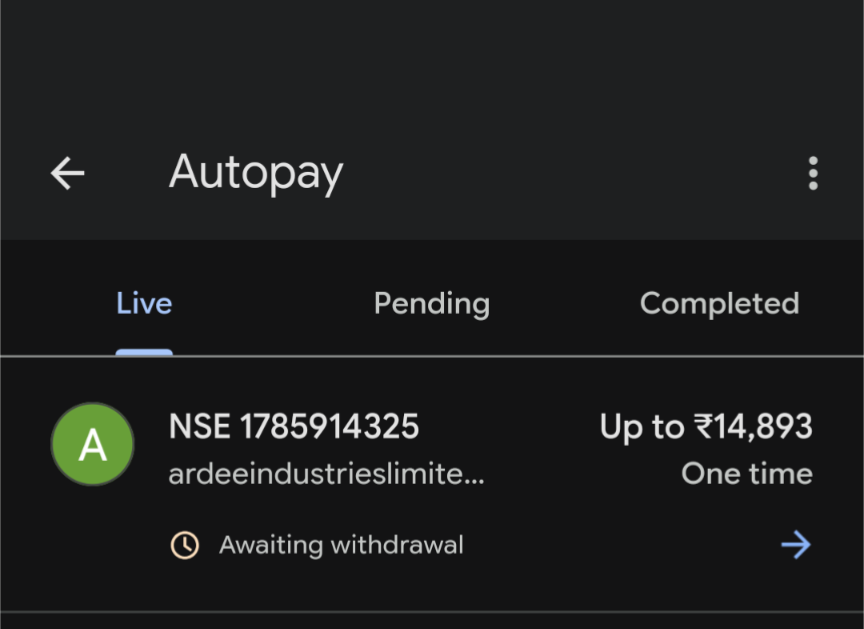
Once you've authorized it, the request moves to the Live tab and shows "Awaiting withdrawal" until your bank actually debits the blocked amount:
How do I find and accept my IPO mandate on PhonePe?
How do I find and accept my IPO mandate on ICICI iMobile?
How do I find and accept my IPO mandate on BHIM?
Things to keep in mind
- The mandate can arrive with a delay. If nothing shows up in your UPI app right after applying, give it some time before assuming something's wrong.
- Authorize before the countdown ends. Missing the window means the mandate — and your bid — fails, even if your application on Rupeezy itself went through.
- Double-check the reference number if you've applied more than once (for example, after cancelling and re-applying) — accepting a mandate tied to the wrong application can leave the wrong bid funded.
- If Rupeezy's own status still looks stuck after you've approved the mandate in your UPI app, that's usually just a sync delay — see "Why is the IPO mandate status not updated on Rupeezy?"
- If the mandate fails only after your shares are allotted, that's a separate, bank-side debit issue — see "Why did my UPI mandate fail even though my IPO was allotted?"