
Yes — you can bid at up to 3 different price-and-lot combinations in the same IPO application on Rupeezy, using + Add Bid on the application form. This is useful if you'd rather spread your chances across a few price points within the band instead of a single price.
How to Add More Than One Bid
-
On the IPO application form (Apply or Pre-Apply), tap + Add Bid to add another price and lot row (Bid 2, then Bid 3). Each bid can independently use the cut-off price or a custom bid.
-
To remove a bid, tap the trash icon next to it.
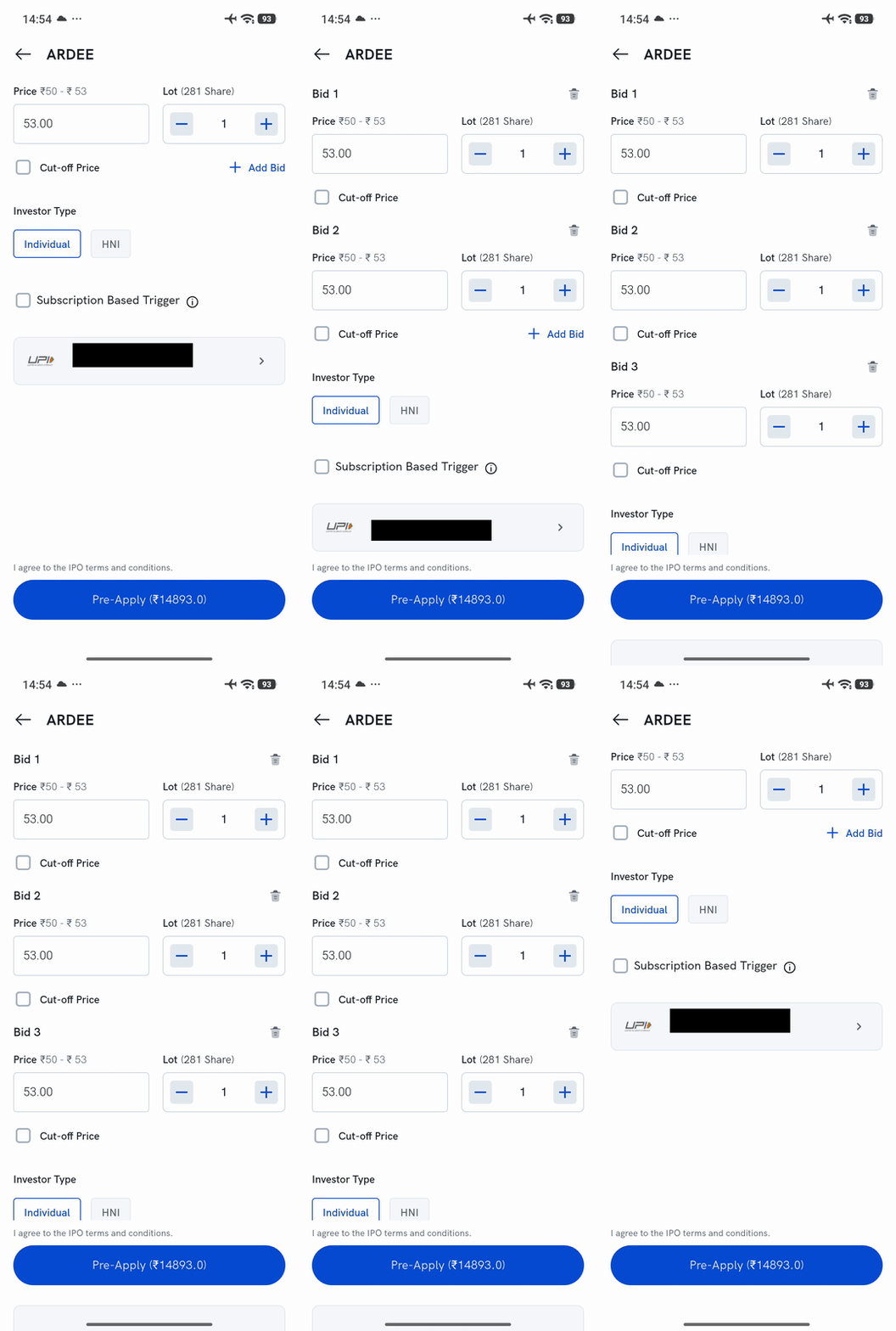
- Continue with the rest of the application (Investor Type, UPI ID) as usual, then agree to the terms and tap Apply/Pre-Apply.