
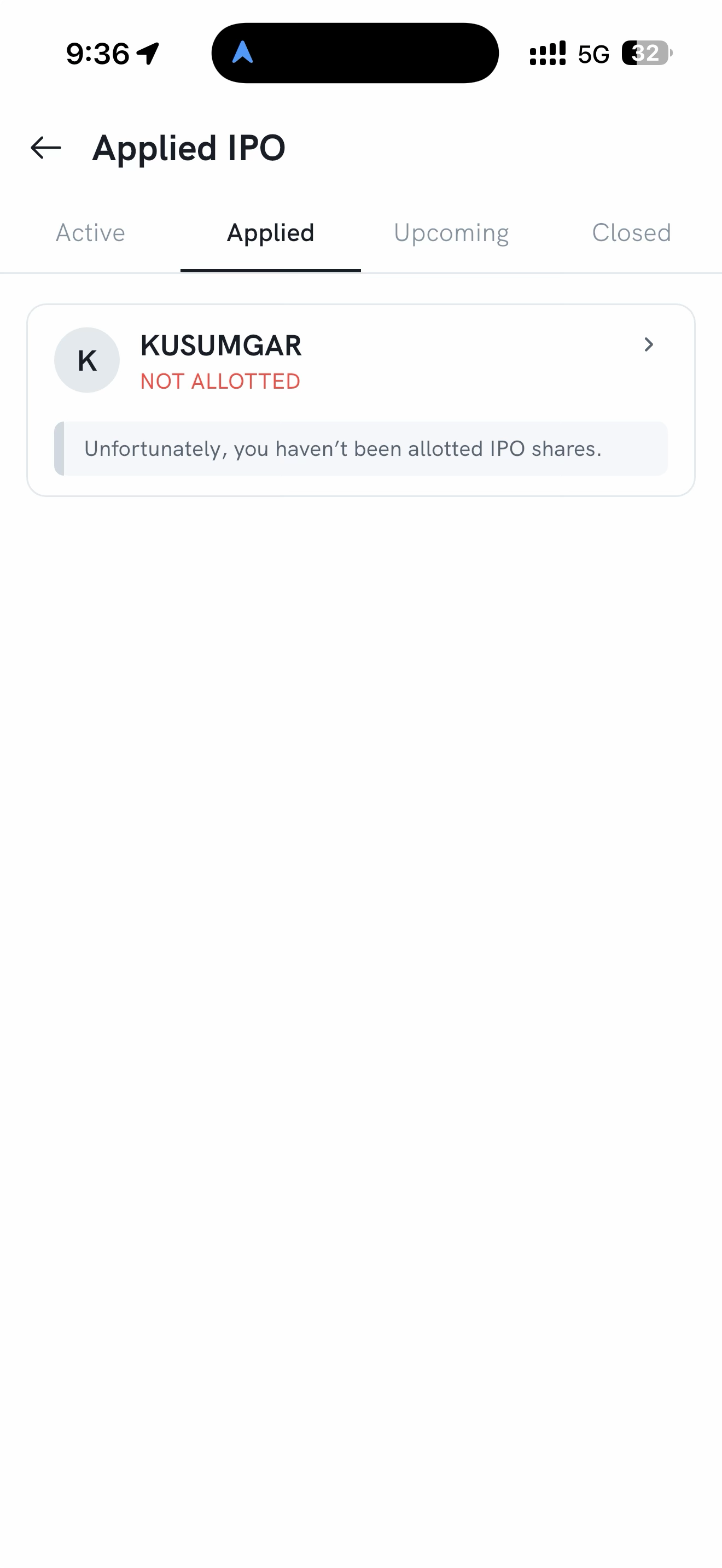
You can track an IPO you've applied for in the Rupeezy app on the Applied IPO screen, under the Applied tab, where each application shows its current status. After allotment, an application you didn't get shares in shows as NOT ALLOTTED. To confirm a final allotment or a fund release, you can also check with your bank or the IPO's registrar (RTA).
How to check your IPO application status on the Rupeezy app
- Log in to the Rupeezy app.
- Go to the IPO section from the home screen.
- Open the Applied IPO screen. It has four tabs—Active, Applied, Upcoming, and Closed.
- On the Applied tab, find your application and tap it to view its details.
What does the status mean?
-
NOT ALLOTTED — you weren't allotted any shares in this IPO. You'll see the message "Unfortunately, you haven't been allotted IPO shares." Your blocked amount is released—see When will I get my money back after an IPO?.
-
Allotted — you were allotted shares. The allotted amount is deducted from the blocked funds and the shares are credited to your demat account before listing.
Note: For the confirmed allotment result, the registrar's own allotment check or your bank statement is the source of truth.
Things to keep in mind
- If your application never went through (rejected), no money was blocked—see Why was my IPO application rejected? for the reasons and what to do.
- To apply for a new IPO, or to modify or cancel one that's still open, see How do I apply for an IPO?.