
How you transfer shares from your Rupeezy demat account depends on which depository the destination demat account is with. Your Rupeezy demat is held with NSDL. If the destination account is also with NSDL, you transfer online using SPEED-e. If the destination account is with CDSL, you transfer using a Delivery Instruction Slip (DIS).
Tip: You can usually tell the depository from the destination demat account number — NSDL accounts begin with "IN" followed by digits, while CDSL accounts are a 16-digit number.
Before you start
You'll need two IDs for your Rupeezy demat account:
- DP ID:
IN303420— this is the same for every Rupeezy demat account. - DP Client ID — this one is unique to you. In the Rupeezy app, tap your profile, then View Profile, to see your DP Client ID (shown next to your Client Code).
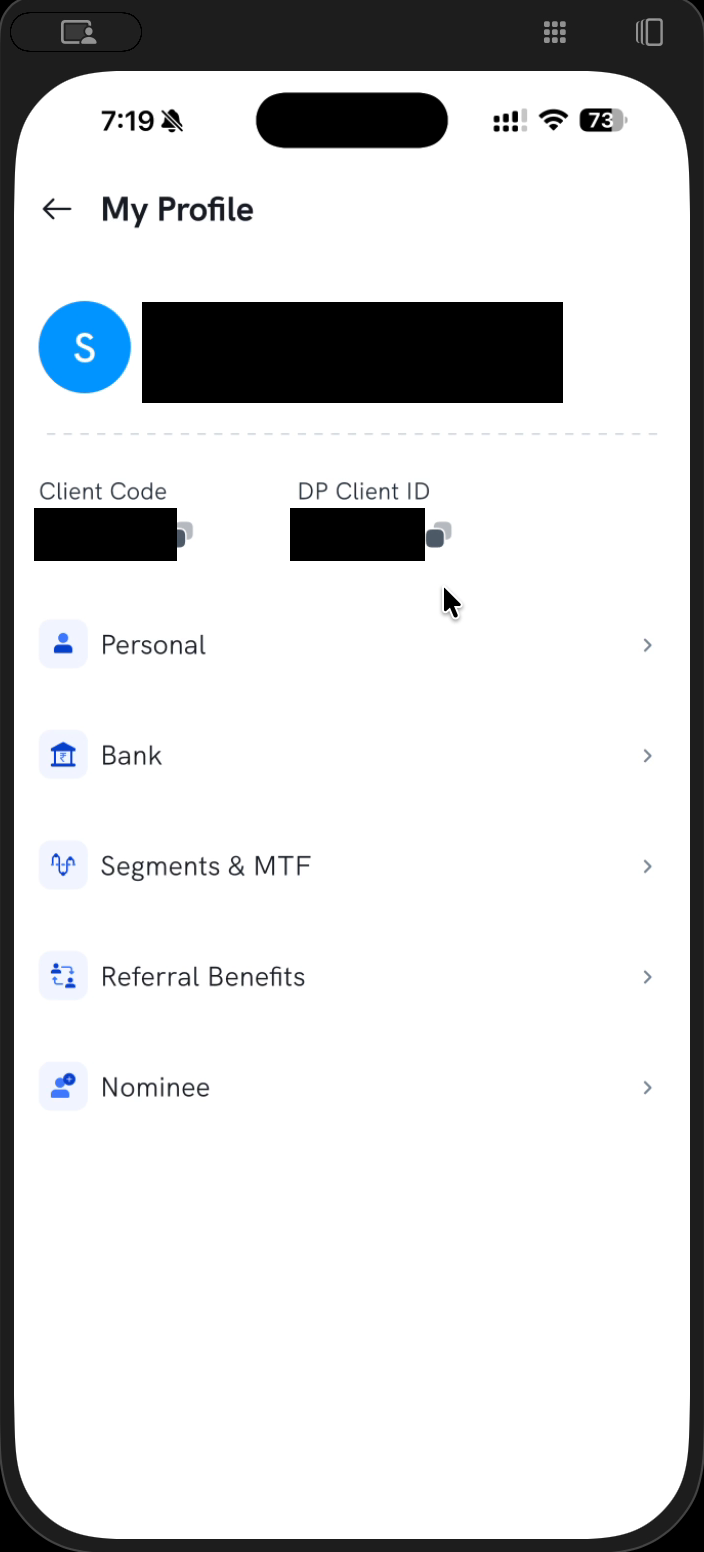
Also have the destination demat account's details ready.
Transferring to another NSDL account (online via SPEED-e)
SPEED-e works on a desktop or laptop only — it cannot be done from the mobile app.
- Register on NSDL e-services — go to NSDL e-services and complete User Registration (enter DP ID
IN303420, your DP Client ID, registered email, date of birth and other basic details). At the end you'll receive a registration number — copy it. - Send us the registration number for authorisation — raise a support ticket with your registration number, and we'll authorise your SPEED-e registration from our end.
- Submit the transfer on SPEED-e — once authorised, log in to SPEED-e on your desktop/laptop and create the transfer to the destination demat account.
- Confirm with an OTP — after you submit the request, we process it from our end; you confirm the transfer with an OTP, and the shares move to the destination account.
Transferring to a CDSL account (using a DIS slip)
For a transfer to a CDSL demat account, you use a physical Delivery Instruction Slip (DIS):
- Request a DIS booklet — raise a support ticket requesting a DIS booklet. We will courier it to you.
- Fill in the DIS — once you receive the booklet, fill in the destination demat details along with the ISIN and quantity of the shares you want to transfer.
- Submit the DIS to us — hand over / send the completed slip to us and we'll process the transfer.
What are the charges?
A transfer to another demat account is charged the same as your pay-in charges. For the exact amount, see our pricing page or your charges summary.
Need help?
If you run into any issue during the transfer, raise a support ticket and we'll help you complete it.