
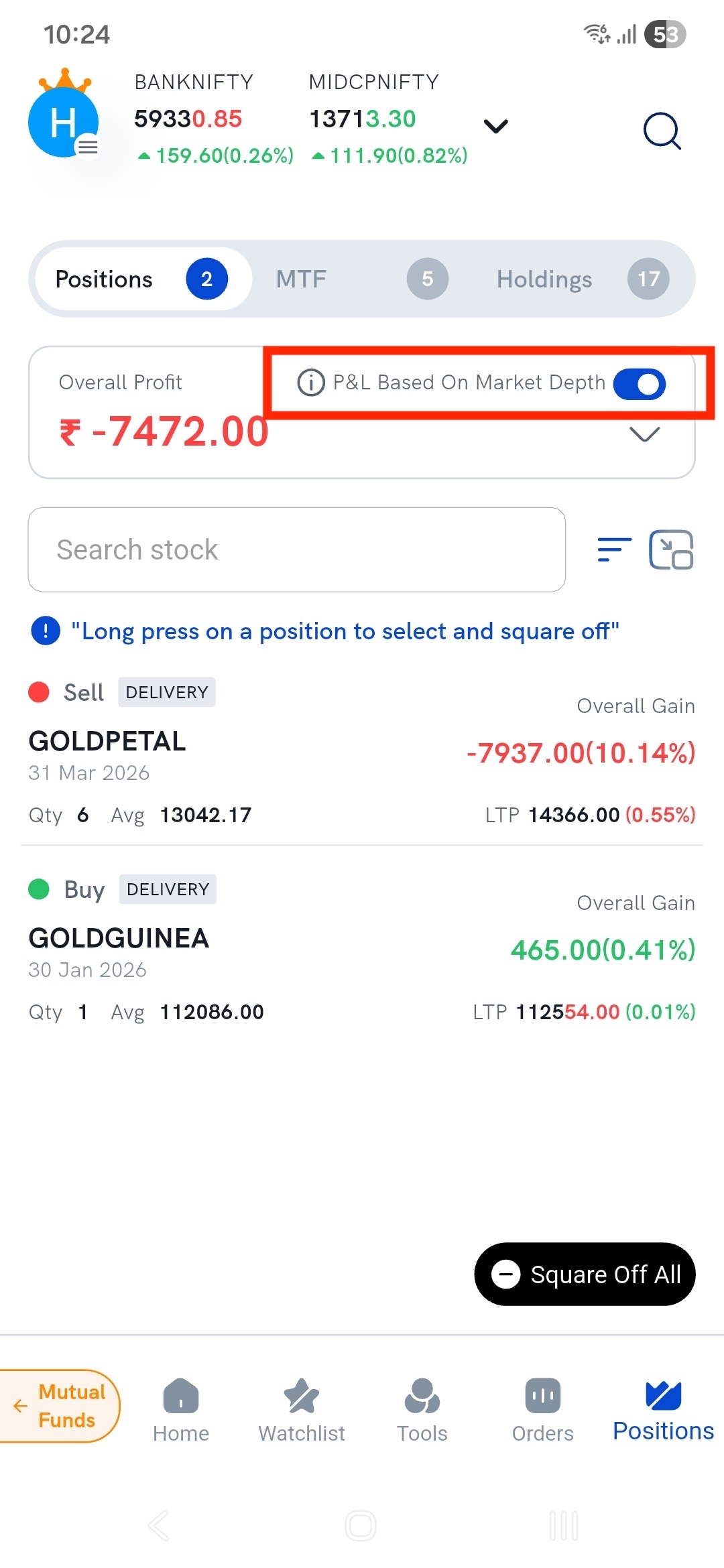
P&L based on market depth values your open positions at the prices you could actually exit at right now, instead of at the last traded price. It's a toggle on the Positions screen, next to Overall Profit.
The difference matters because the P&L you normally see assumes you can sell your entire position at the last traded price. Often you can't — and the bigger your position, or the thinner the stock, the further apart the two numbers get.
Why the P&L you see isn't the P&L you get
Your P&L is normally worked out as:
P&L = (LTP − Buy price) × Quantity
The LTP (last traded price) is simply the price of the most recent trade that happened. It's history. It tells you what someone else paid a moment ago, not what you can get now.
What you can actually get is in the market depth — the live list of buyers and sellers, each with a price and a quantity. If you're selling, you sell into the buy side. And each of those buyers only wants a limited number of shares.
How the calculation works
Rather than assuming one price for your whole position, this feature works down the order book quantity by quantity, filling your exit against real buyers until your entire position is accounted for. Then it prices your P&L off that blended result.
Take this real MRF depth screen. The LTP is ₹1,36,135, but look at the buy side — the best bid is ₹1,36,100, and only one share is wanted at that price:
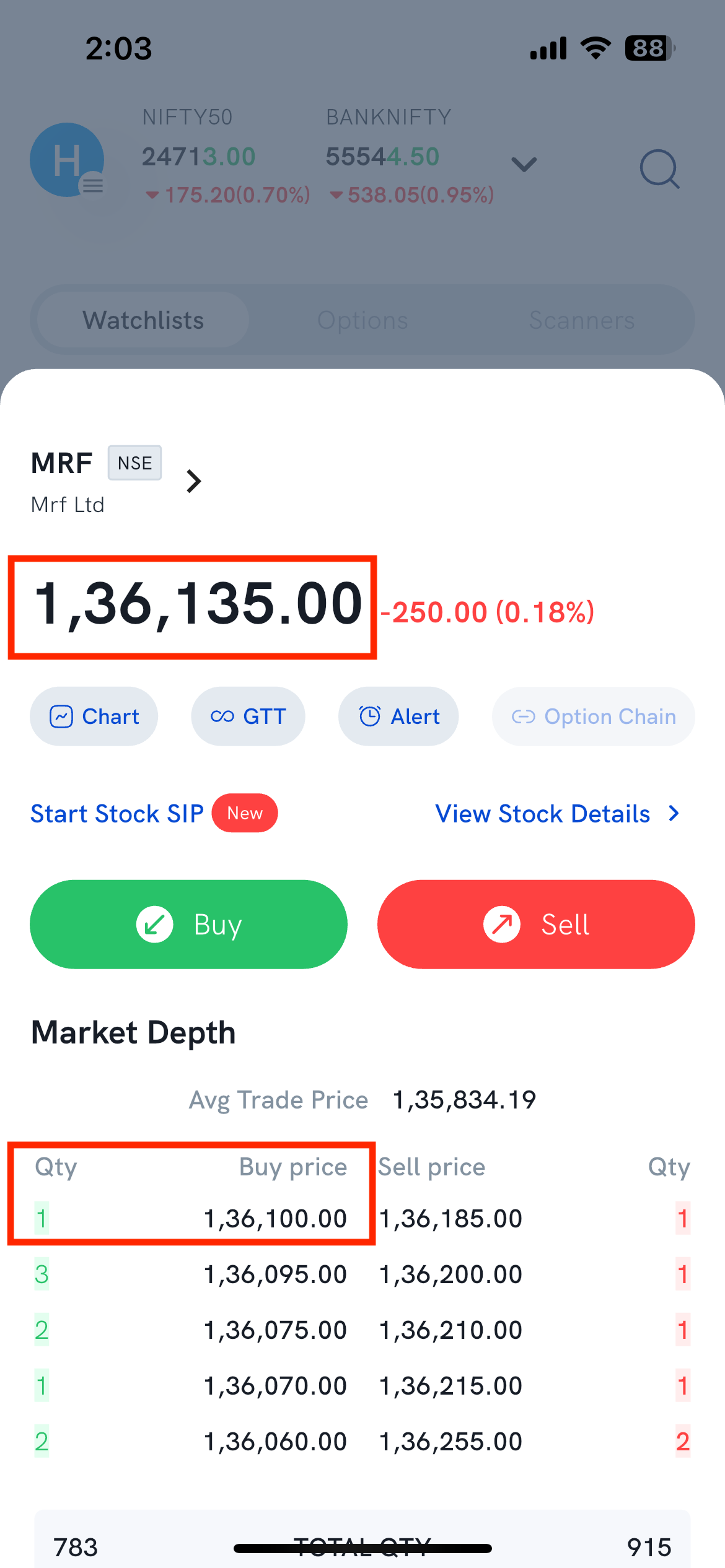
Say you hold 5 shares and want out now. You don't get ₹1,36,135 five times. You get filled down the ladder:
| Buyers waiting | Price | Value |
|---|---|---|
| 1 share | ₹1,36,100 | ₹1,36,100 |
| 3 shares | ₹1,36,095 | ₹4,08,285 |
| 1 share | ₹1,36,075 | ₹1,36,075 |
| 5 shares | ₹1,36,092 average | ₹6,80,460 |
Valued at the LTP, those 5 shares look like ₹6,80,675. Exited against the real book, they're worth ₹6,80,460 — about ₹215 less, before any charges. Turn the toggle on and it's the second number you see.
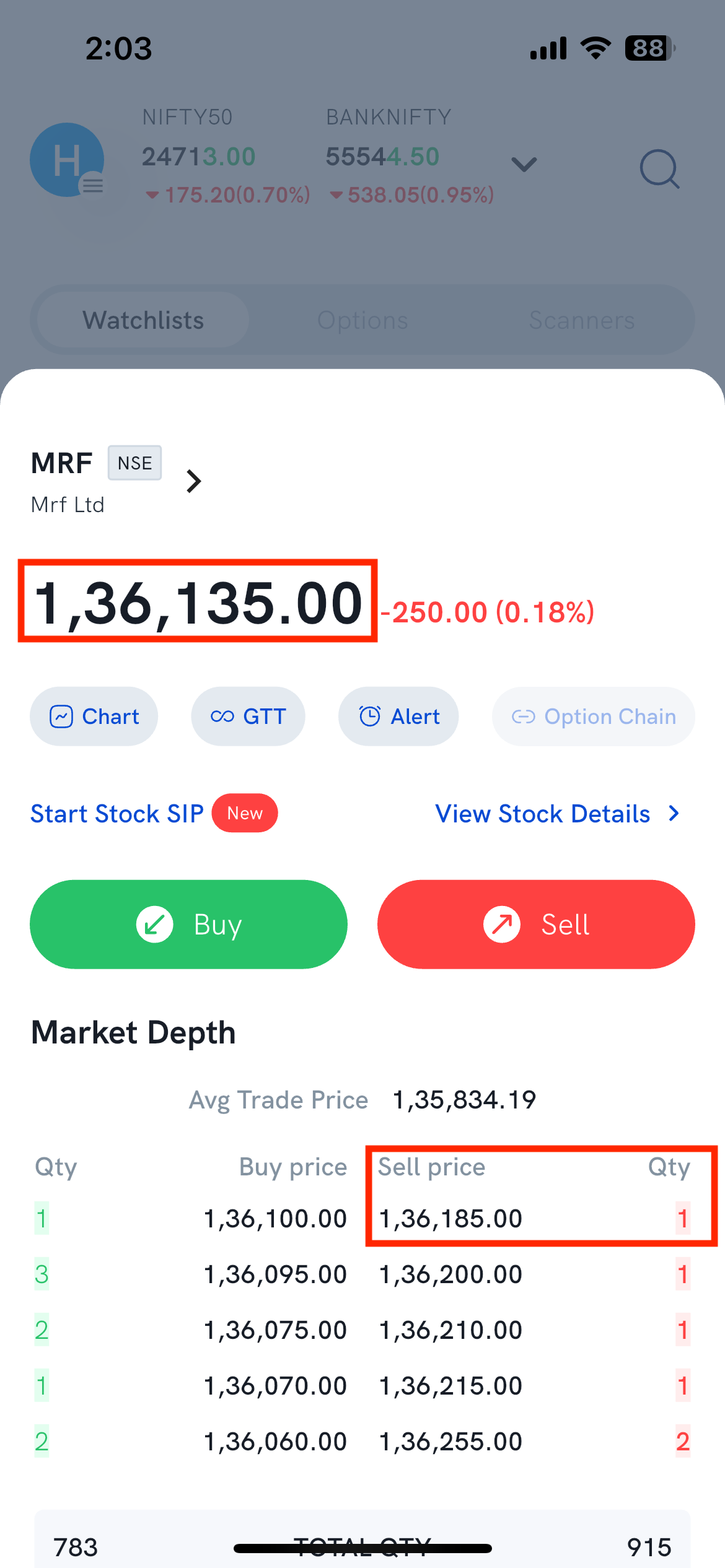
Short positions are handled the same way, on the other side of the book. To close a short you have to buy, so the walk runs down the sell side instead — starting at ₹1,36,185 here, already ₹50 above the LTP before you buy a single share.
When does this make a real difference?
The gap grows with two things: how large your position is and how thin the stock is.
- It matters most in illiquid and high-priced stocks, SME scrips, deep out-of-the-money options and far-month contracts — anywhere only a handful of shares sit at each price — and whenever you're squaring off a large quantity at once.
- It barely matters in a small position in a heavily traded large-cap, where thousands of shares sit at the best price and your whole exit fills at one level.
So if you trade liquid stocks in small size, expect the two numbers to look nearly identical. That's not the feature failing — it's telling you your exit is clean.
How do I turn it on?
On the Positions screen, use the P&L Based On Market Depth toggle next to Overall Profit. Your Overall Profit and each position's gain switch to depth-based values while it's on.
It's off by default, so you have to turn it on yourself the first time. After that it stays on — including the next time you open the app — until you switch it off.
The toggle applies to the Positions tab only. The MTF and Holdings tabs next to it keep showing LTP-based values.
Things to keep in mind
- It's a live estimate, not a guaranteed price. Market depth changes second to second — the buyers shown now may be gone when your order reaches the exchange.
- A large order can move the price itself. If your quantity is big relative to what's on the book, your own selling can push the price down as it fills.
- Charges aren't included. Brokerage, STT and other charges come off separately — see what charges will I pay.
- Only the best five price levels are used. That's the depth the exchange feed shows. If your position is larger than the total quantity in those five levels, the remainder is valued at the last level shown — the lowest of the five bids when you're selling to exit a long, or the highest of the five asks when you're buying to exit a short.
- To understand the underlying screen, see what is market depth and how do I view it. If a completed order filled across several prices, that's the same mechanism from the order side — see why was the order executed at different price points.