
A Trailing Stop-Loss (TSL) on Rupeezy is a stop-loss whose trigger price moves automatically when the price moves in your favour. You set it in the SL leg of a GTT order: turn on Trailing SL and set a Trail Jump, and each time the LTP moves that much in your favour, the SL trigger moves by the same amount. Unlike a fixed stop-loss, it never moves back.
How does a trailing stop-loss work?
The SL moves by the Trail Jump each time the LTP rises by that amount (for a sell SL order) or falls by that amount (for a buy SL order). It only ever moves in the favourable direction — it doesn't reverse when the price moves against your position. You can set the Trail Jump in points or in percent.
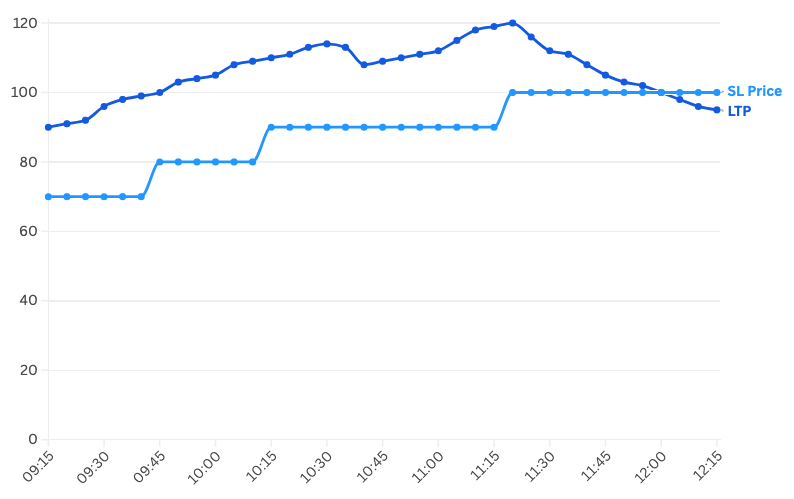
Example: a sell SL order
Say a stock is at ₹90. You set the initial SL at ₹70 and the Trail Jump at ₹10.
- The LTP rises to ₹100 (a ₹10 jump), so the SL moves up by ₹10, to ₹80.
- The LTP falls back to ₹90. The SL stays at ₹80 — it doesn't move down.
- The LTP rises to ₹120, so the SL moves to ₹100. If the LTP then falls back to ₹100, the SL is hit.
Example: a buy SL order
Say a stock is at ₹90. You set the initial SL at ₹110 and the Trail Jump at ₹10.
- The LTP falls to ₹80 (a ₹10 jump), so the SL moves down by ₹10, to ₹100.
- The LTP rises back to ₹90. The SL stays at ₹100 — it doesn't move up.
How do I place a trailing stop-loss order?
Trailing SL is part of GTT orders and can be set only in the SL leg. Only Market orders are allowed in the SL leg, to maximise the chance of execution. You can place one from two places.
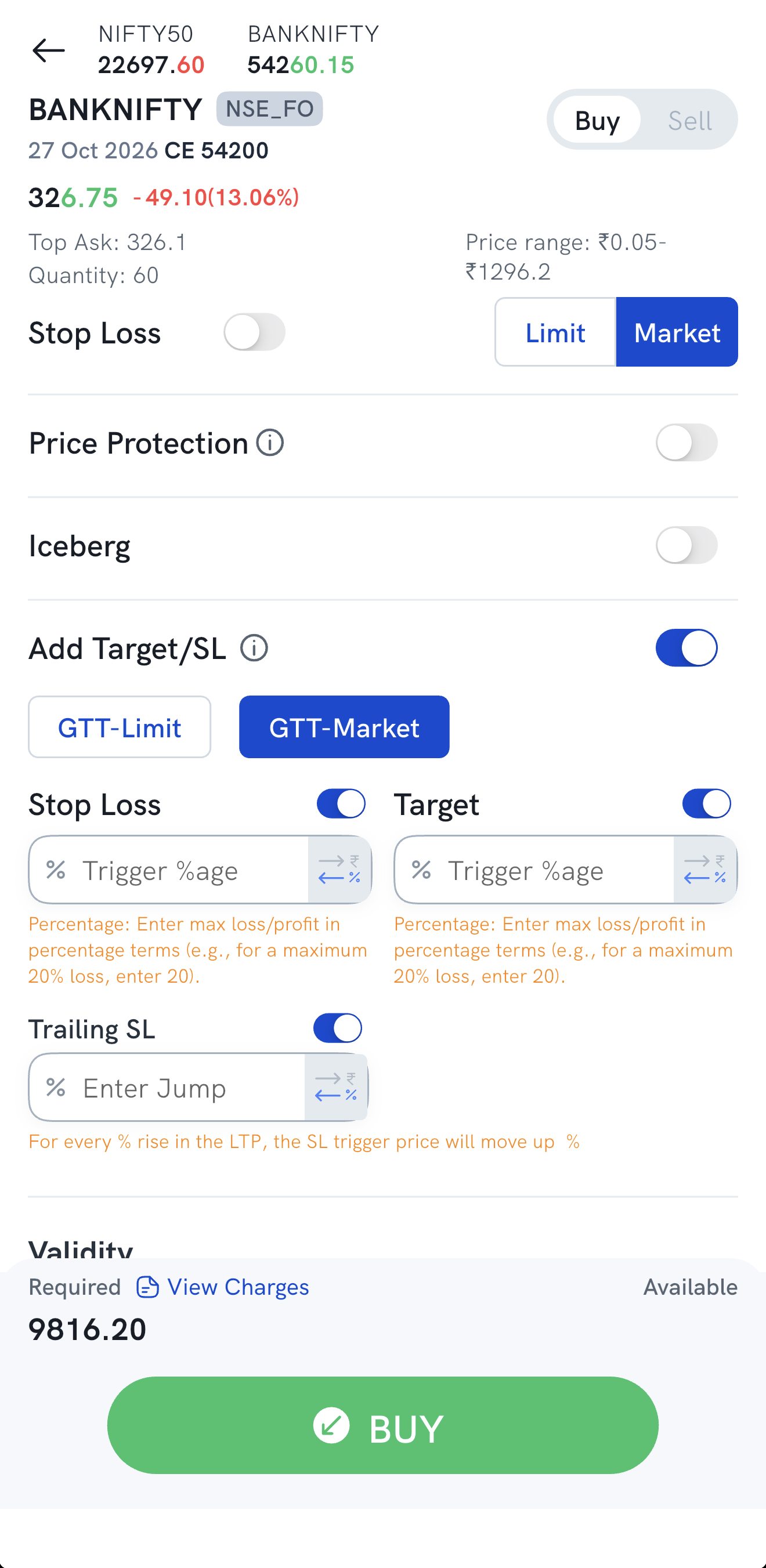
From the order placement screen
- Open the order placement screen for the stock or contract.
- Turn on Add Target/SL and select GTT-Market. GTT-Limit doesn't support Trailing SL.
- Turn on Stop Loss and enter your SL trigger. It's a percentage by default; tap the ₹/% switch beside the field to enter a price instead.
- Turn on Trailing SL and enter the Trail Jump in the Enter Jump field, as a percentage or in ₹.
Trailing starts once the main leg order is executed. For example, if the Trail Jump is ₹15 and your main leg executes at ₹100, your SL moves by ₹15 only when the LTP hits ₹115.
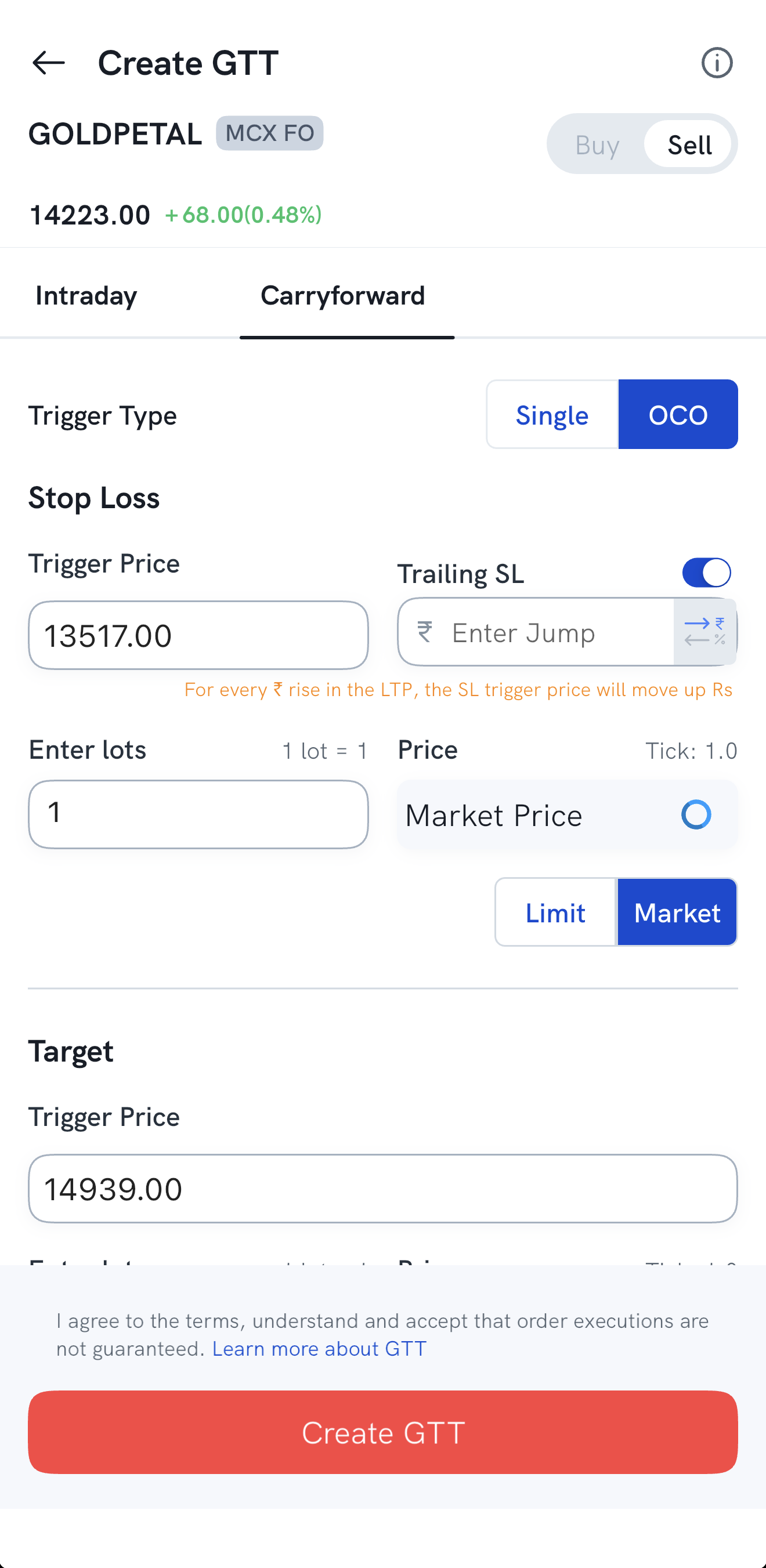
From the Create GTT screen
- Tap Create GTT, or tap Add Target/SL on a position in the Positions screen.
- In the SL leg, turn on Trailing SL.
- Enter the SL trigger price and the Trail Jump.
Trailing begins from the LTP at the time you place the order. For example, if the LTP is ₹100 when you place it and the Trail Jump is ₹15, your SL moves by ₹15 only when the LTP hits ₹115.
How do I modify or cancel a trailing stop-loss order?
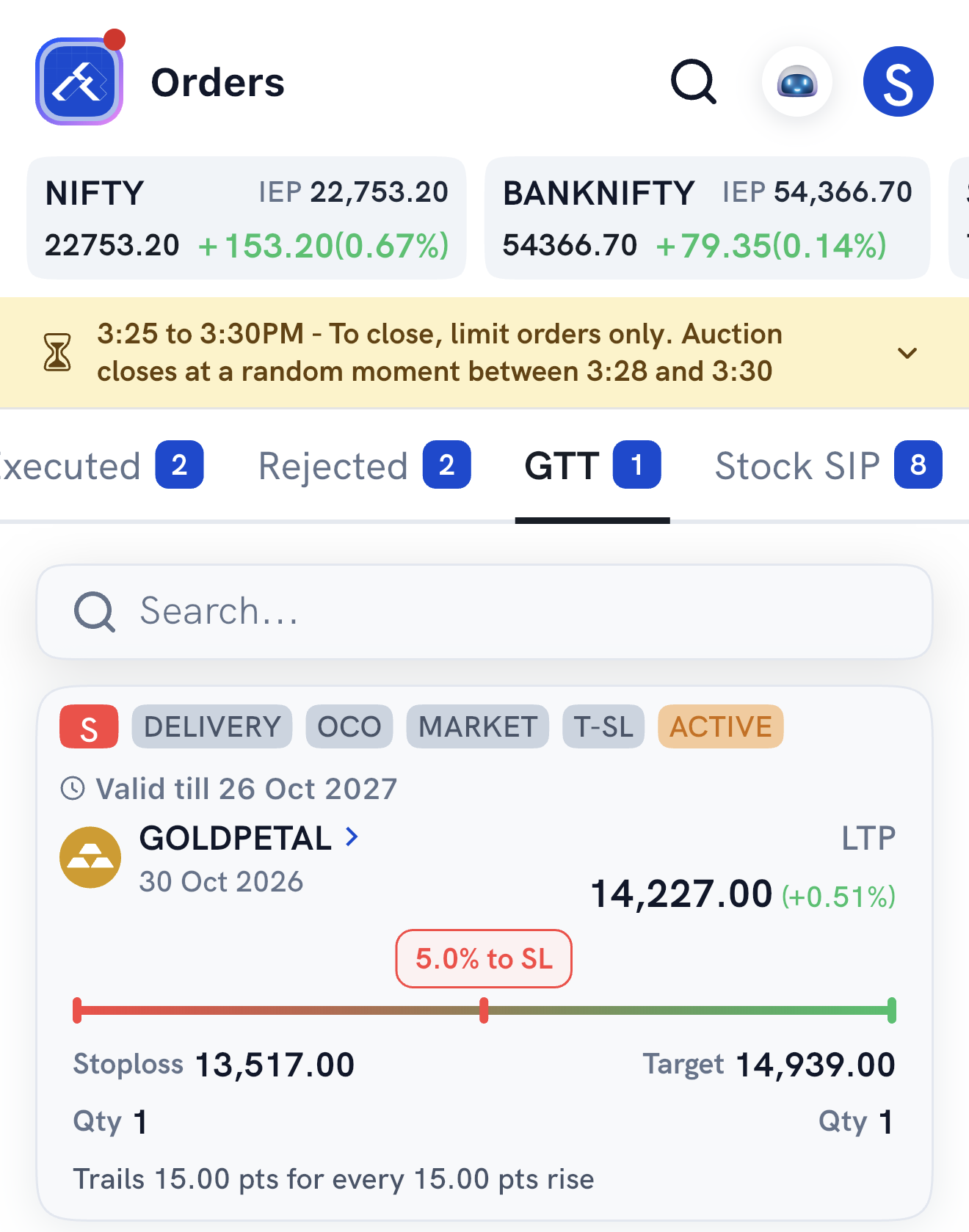
- Go to the GTT tab in Orders.
- Tap the trailing stop-loss order — it's tagged T-SL.
- Tap Modify or Cancel.
When you modify the order, the trailing logic resets and the LTP at that moment becomes the new reference price. For more on changing GTT orders, see How do I modify a GTT order?
Things to keep in mind
- As with other GTT orders, execution is not guaranteed.
- Trailing SL is available across all segments (Equity, NSE/BSE F&O, MCX) and product types (Intraday, MTF, T+5, Delivery).
- Your margin or position is not checked when you place a TSL order. It's checked only when the trigger condition is met.
- A TSL follows all the other rules and limits of GTT orders.