
On the Rupeezy app you can manage an active SIP from its own details page — change the instalment amount or date, pause it for a few instalments, resume a paused one, or delete it to stop all future instalments. Every one of these happens from Portfolio → SIPs → tap the SIP.
Where do I manage my SIP?
Open the Rupeezy app and go to the Portfolio tab. Tap the SIPs toggle at the top to see all your active SIPs, then tap the one you want to manage to open its SIP Details page. Every action below starts here — the page has an Edit SIP button and a Delete/Pause SIP button pinned at the bottom.
How to modify a SIP (amount or date)
Use Edit SIP to change your instalment amount, SIP date or frequency.
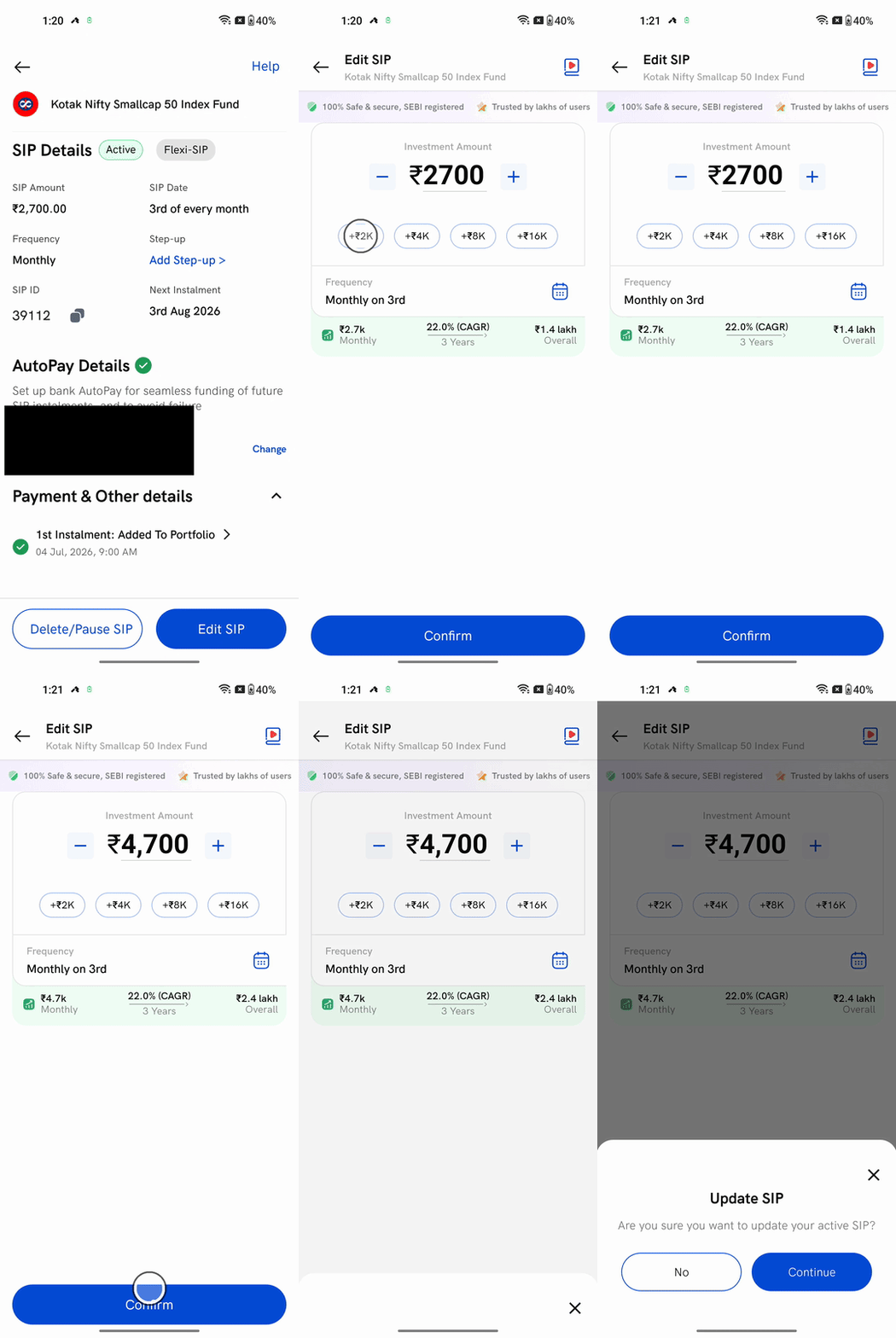
1. Tap Edit SIP on the SIP Details page.
2. Change the amount — use the −/+ buttons or the quick-add chips (+₹2K, +₹4K …). To change your SIP date or frequency, tap the calendar icon next to Frequency.
3. Tap Confirm, then Continue on the Update SIP confirmation.
Your SIP updates to the new amount or date. You can't edit a SIP within 2 days of its next instalment date — make that payment first, and the change applies from the following instalment.
How to pause a SIP
Pausing skips a set number of instalments without deleting the SIP — useful when you need a short break rather than to stop for good.
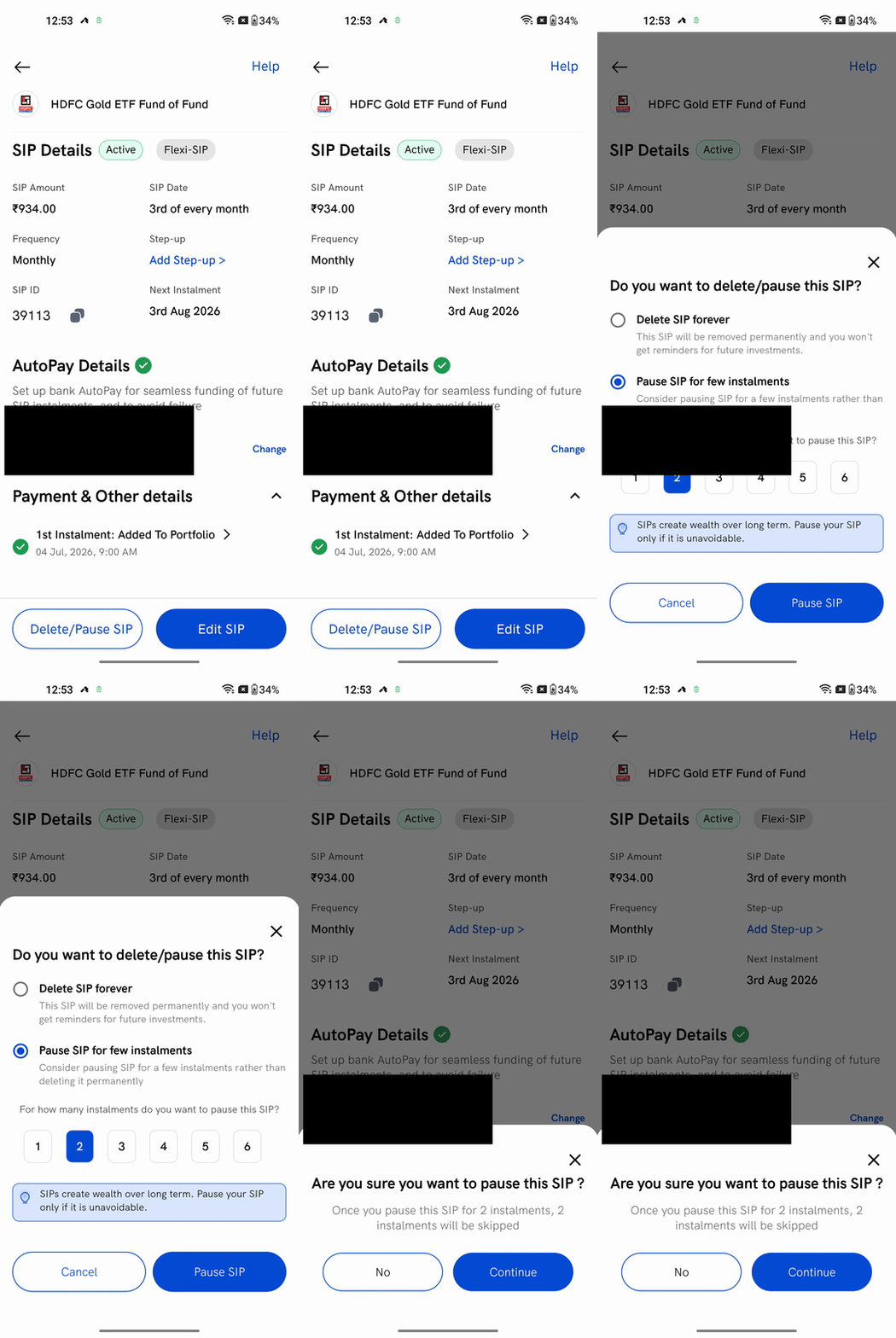
1. Tap Delete/Pause SIP, then choose Pause SIP for few instalments.
2. Pick how many instalments to pause — anywhere from 1 to 6.
3. Tap Pause SIP, then Continue to confirm.
The SIP now shows as Paused, and its next instalment date moves forward by the number of instalments you skipped.
How to resume a paused SIP
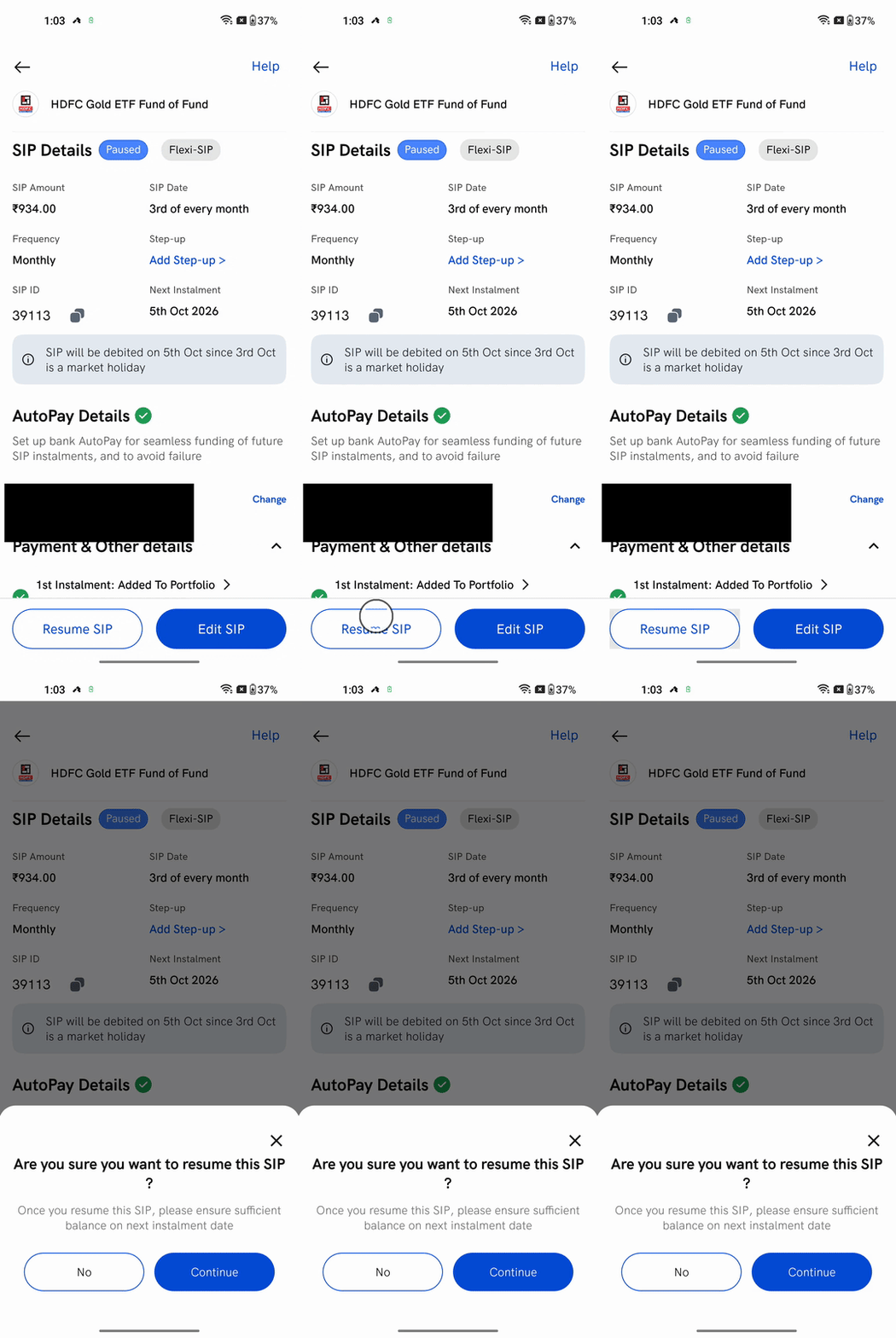
Open the paused SIP and tap Resume SIP, then Continue. The SIP goes back to Active and starts again on its next instalment date — so keep enough balance in your AutoPay bank for the upcoming instalment.
How to delete (stop) a SIP
Deleting a SIP stops all future instalments. It does not sell the units you've already bought — it only halts new investments.
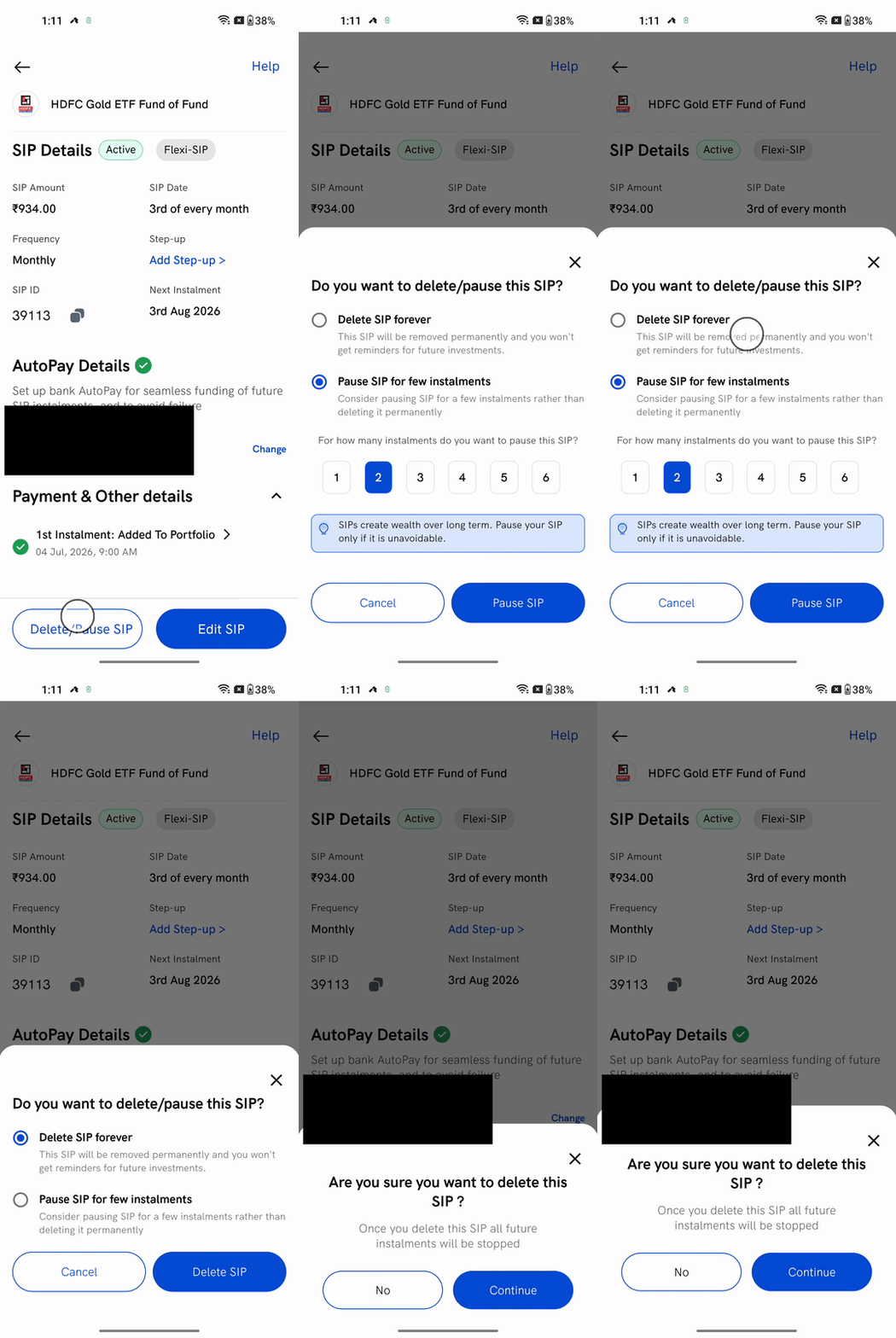
1. Tap Delete/Pause SIP, then choose Delete SIP forever.
2. Tap Delete SIP, then Continue on the Are you sure? confirmation.
The SIP is removed and you'll stop getting reminders for it. The money you've already invested stays in the fund — to take it out, redeem your units from your Mutual Funds portfolio whenever you like.
Things to keep in mind
- Editing, pausing and resuming apply to Flexi-SIPs — the standard SIP you set up in the app. An AMC SIP can only be deleted; it can't be paused or edited.
- Deleting a SIP never sells your units. It only stops future instalments — redeem separately when you want the money.
- To raise your instalment automatically as your income grows, set up an Automatic Step-up SIP instead of editing the amount each time.
- To change the bank your instalments are debited from, see How to change the AutoPay bank for your SIP; you can check your AutoPay (mandate) status anytime.
- New to SIPs? See How to start a SIP on Rupeezy.