
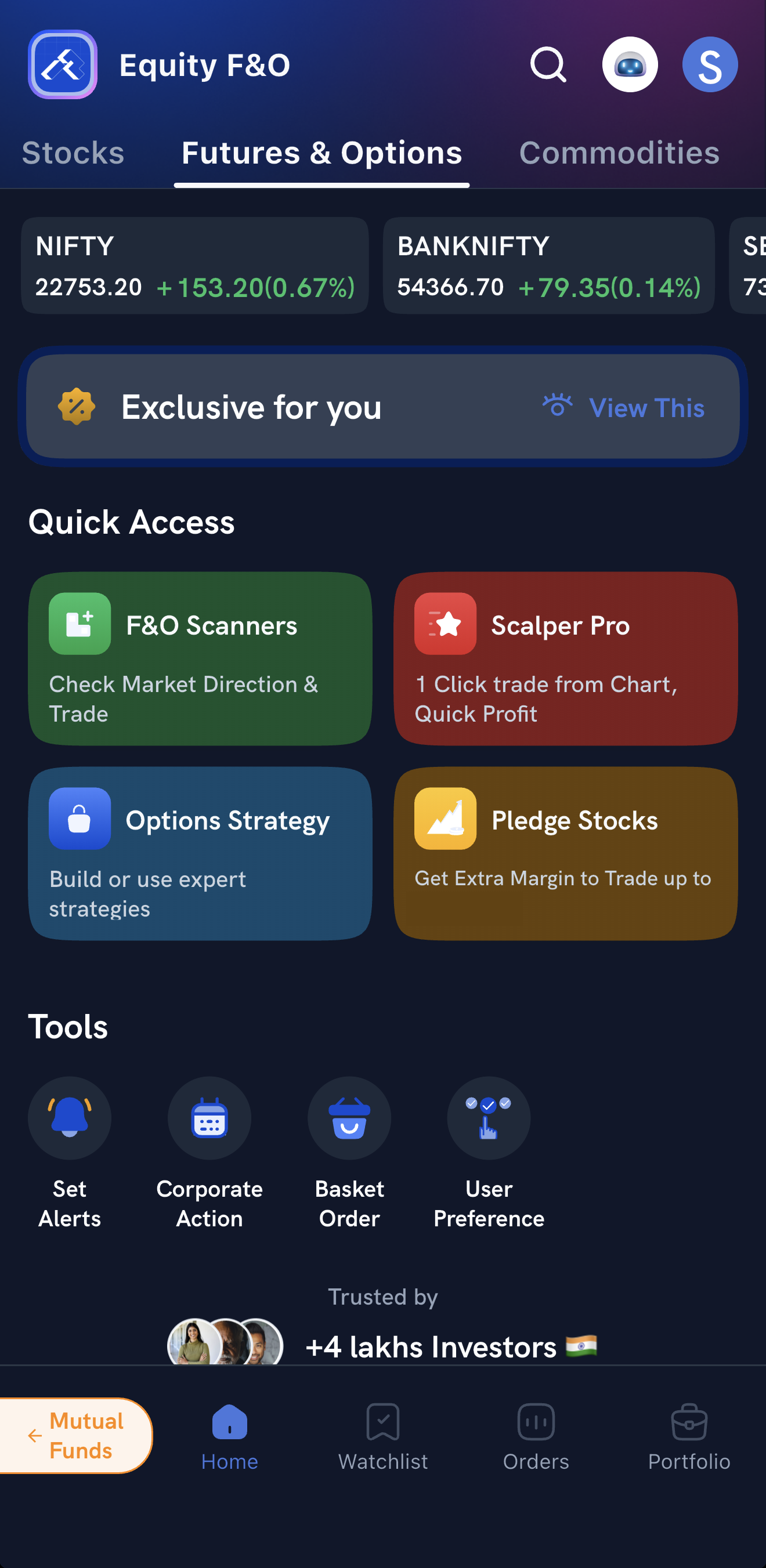
The Rupeezy app has two options-strategy tools, both under Options Strategy on the Home screen's Futures & Options tab. Strategy builder suggests strategies based on where you think the market is heading, and Strategy store lists ready-made strategies. With both, you can check the payoff graph and the Greeks before placing every leg in one go.
How do I open the strategy tools?
On the Home screen, open the Futures & Options tab and tap Options Strategy under Quick Access. From there, choose Strategy builder or Strategy store.
How do I build a strategy with Strategy builder?
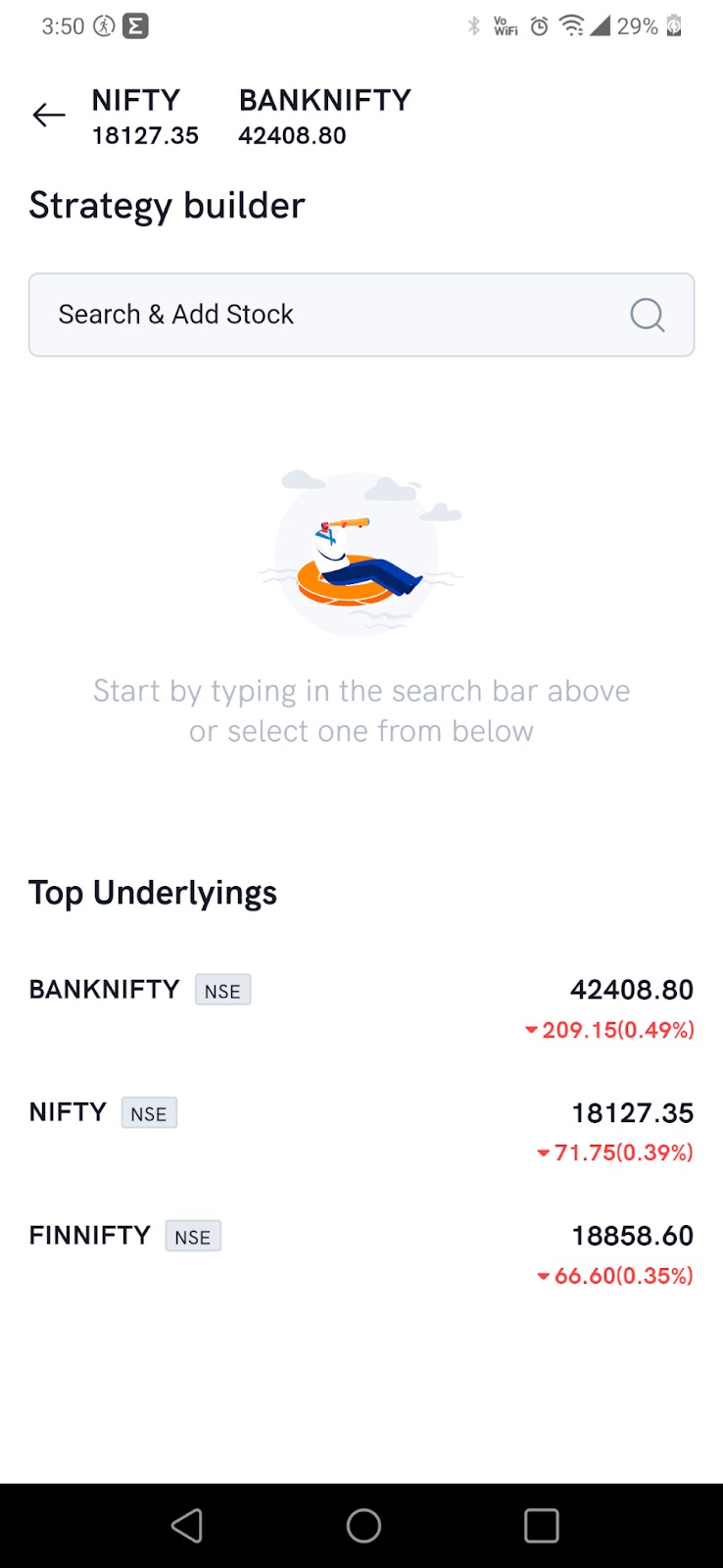
1. Open Strategy builder and pick the underlying. Search for a stock or index, or pick one of the top underlyings.
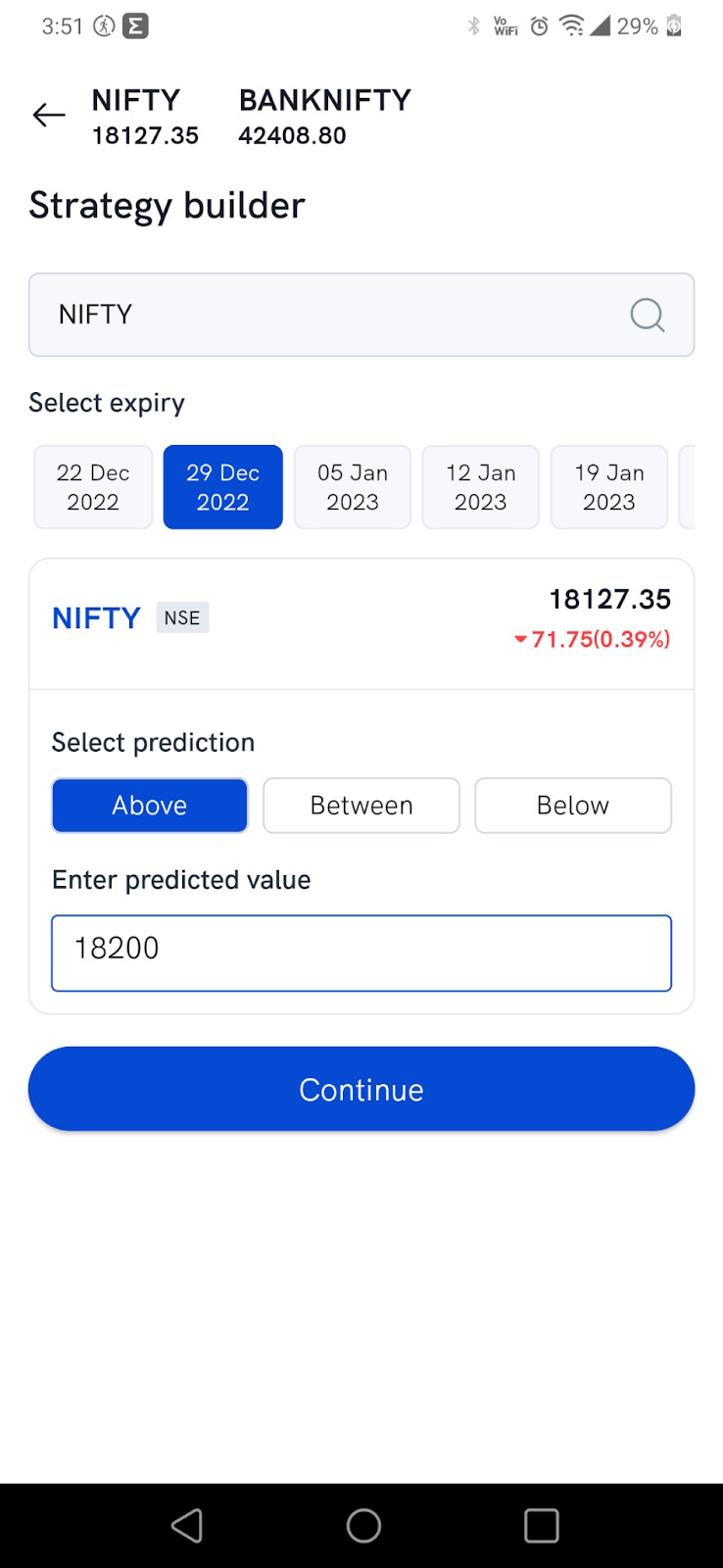
2. Enter your market view. Select the expiry, choose whether you expect the price to end Above, Between or Below a level, enter the value, and tap Continue.
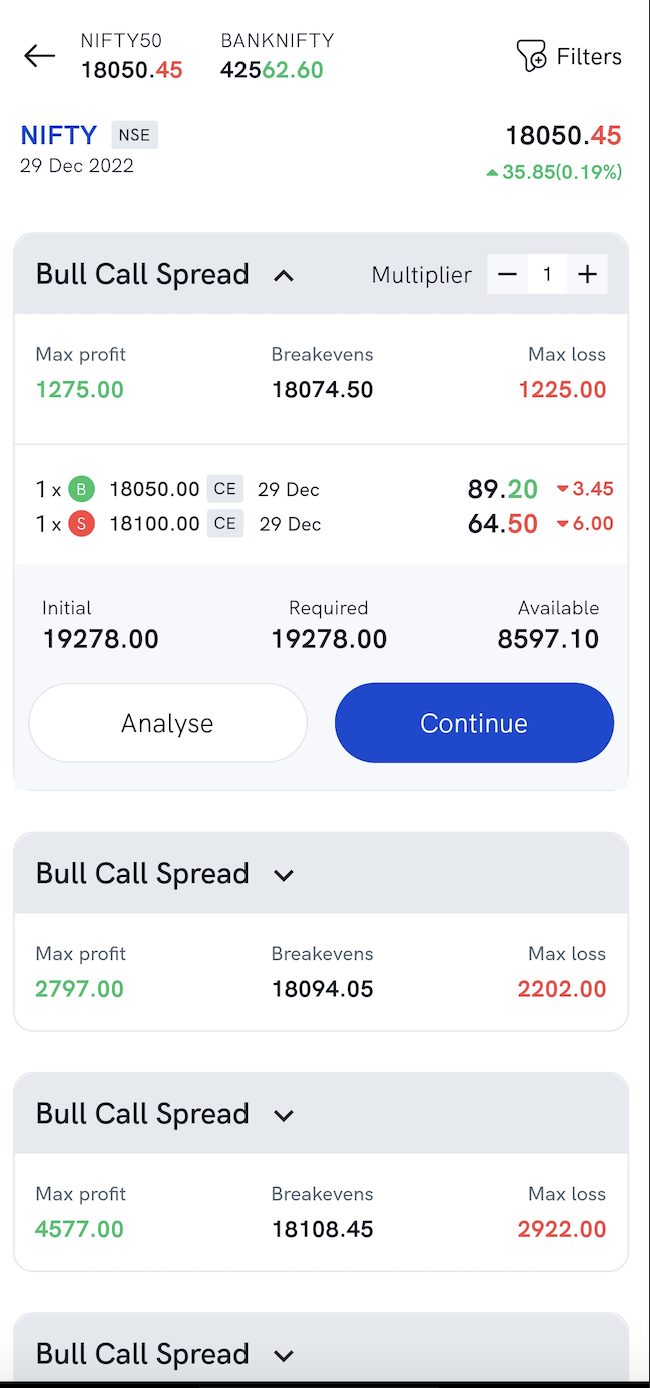
3. Choose from the suggested strategies. Each suggestion shows its maximum profit and loss, its breakeven points, and the initial, required and available margin. Use Filters at the top to narrow the list. To trade more lots in the same ratio, raise the Multiplier with +; it starts at 1.
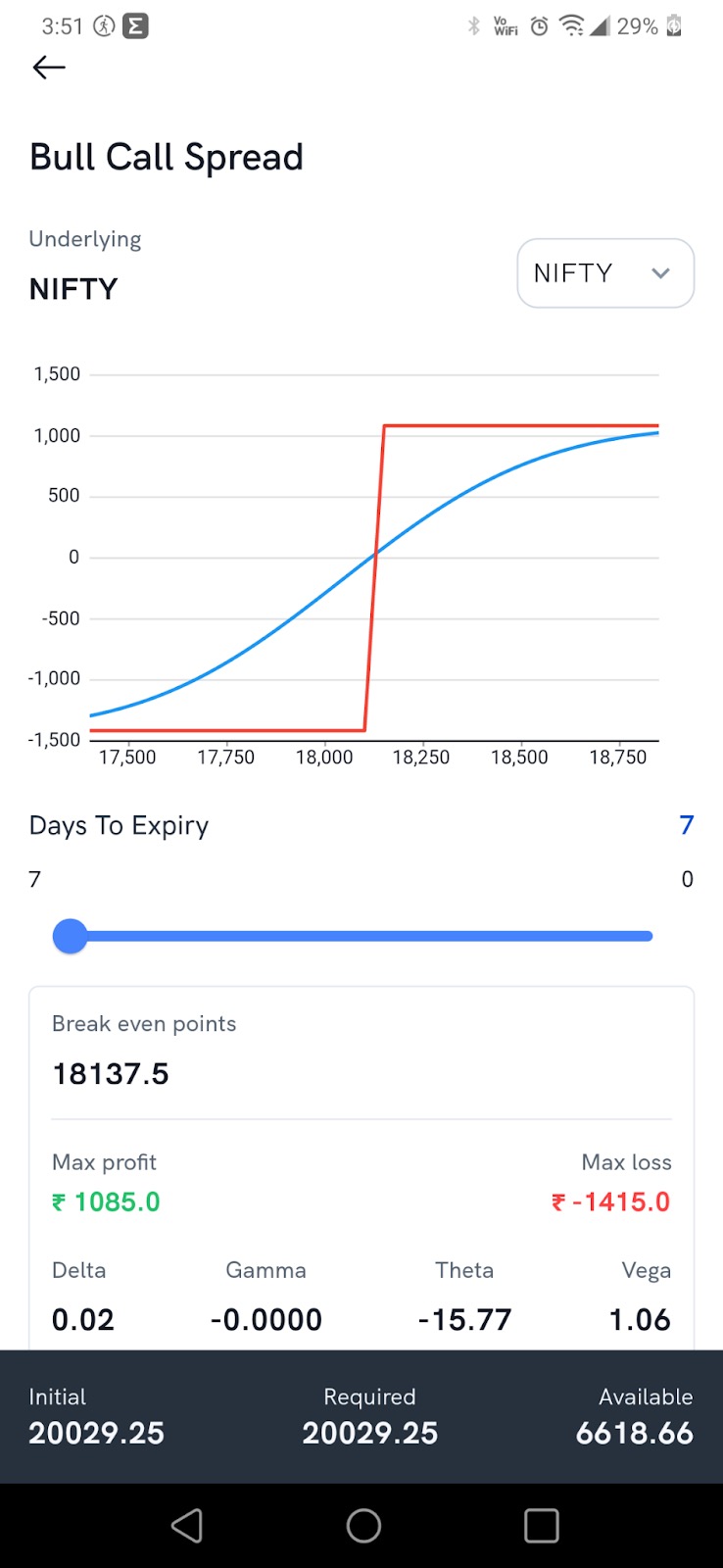
4. Check the payoff graph. Tap Analyse to see the payoff graph, the breakeven points, the maximum profit and loss, and the strategy's Greeks. Move the Days To Expiry slider to see how the payoff changes as expiry gets closer.
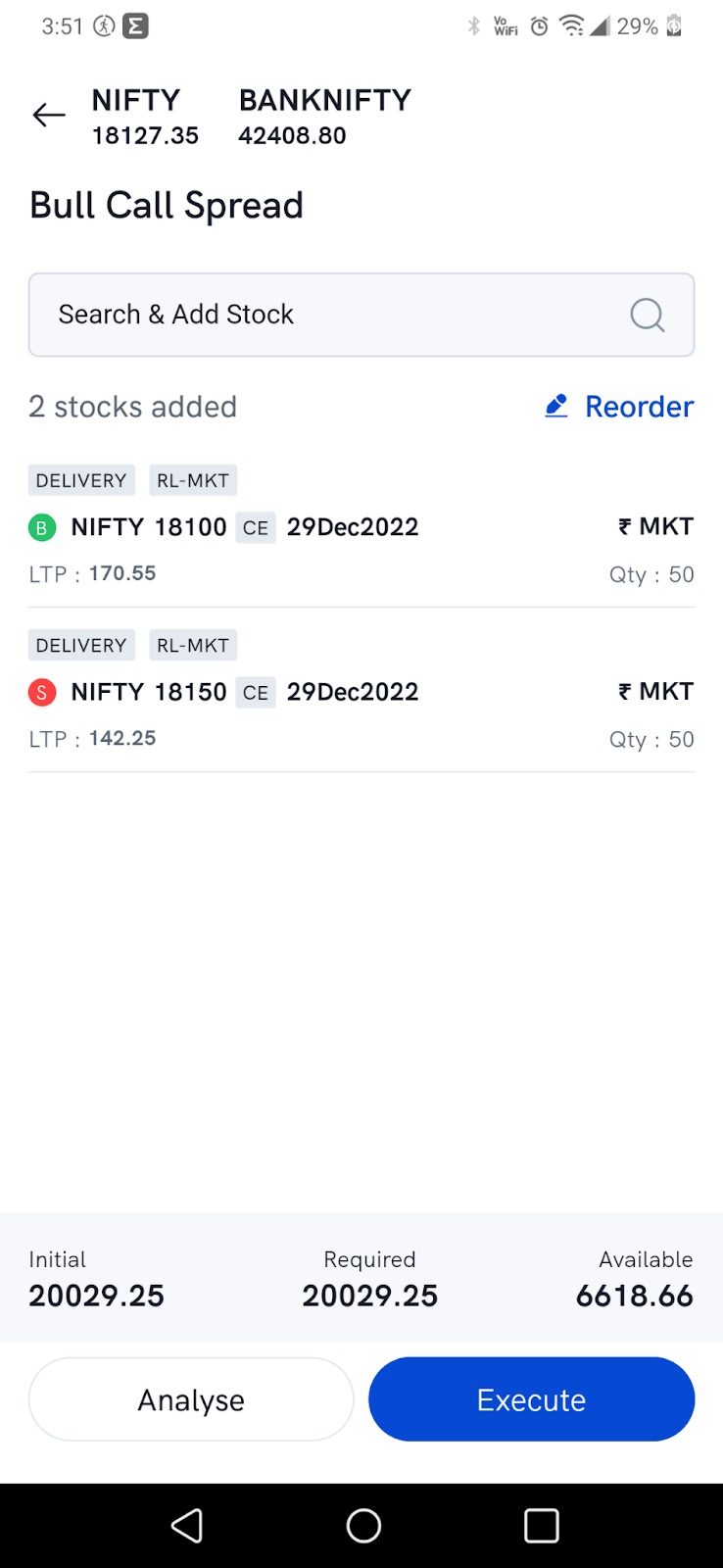
5. Review the basket and execute. Tap Continue to open the strategy basket, where you can add, reorder, modify or delete legs. Use Reorder to place Buy orders ahead of Sell orders — the hedge lowers the margin needed. Then tap Execute to place all the legs together.
How do I use a ready-made strategy from Strategy store?
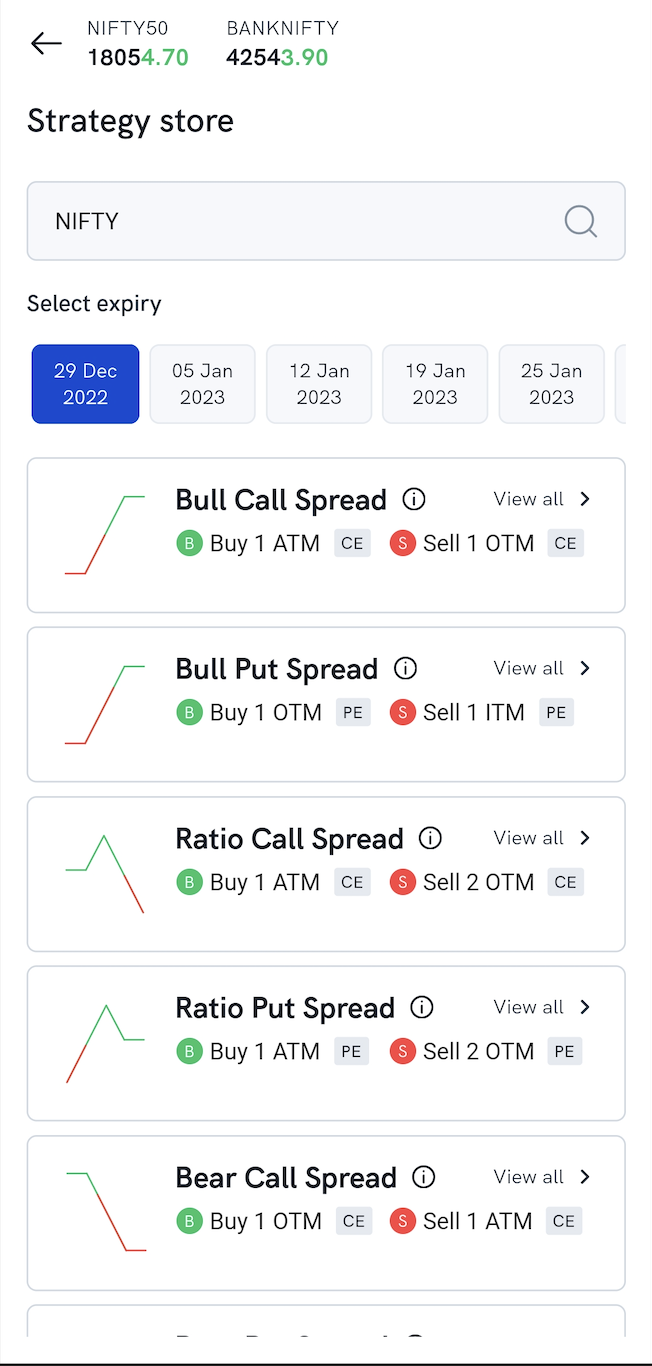
Strategy store lists common options strategies, such as bull and bear spreads and ratio spreads, ready to trade.
- Tap Options Strategy on the Futures & Options tab and choose Strategy store.
- Search for the stock or index, and select the expiry.
- Pick a strategy. You'll see each leg's buy or sell side and price, the breakeven points, the maximum profit and loss, and the margin required.
- Tap Analyse to check the payoff graph and the Greeks.
- Tap Continue to open the basket. Reorder the legs to put Buy orders first if you want a lower margin, then tap Execute.
Things to keep in mind
- If your orders don't seem to go through, swipe down to refresh, then check them under Orders in the Pending, Executed, Rejected or GTT tab.
- For the same tools on the TradingView Terminal, see How do I create options strategies on Rupeezy's TradingView Terminal?
- To build a strategy straight from the Option Chain, see How do I check Options Greeks and create options strategies on Rupeezy?