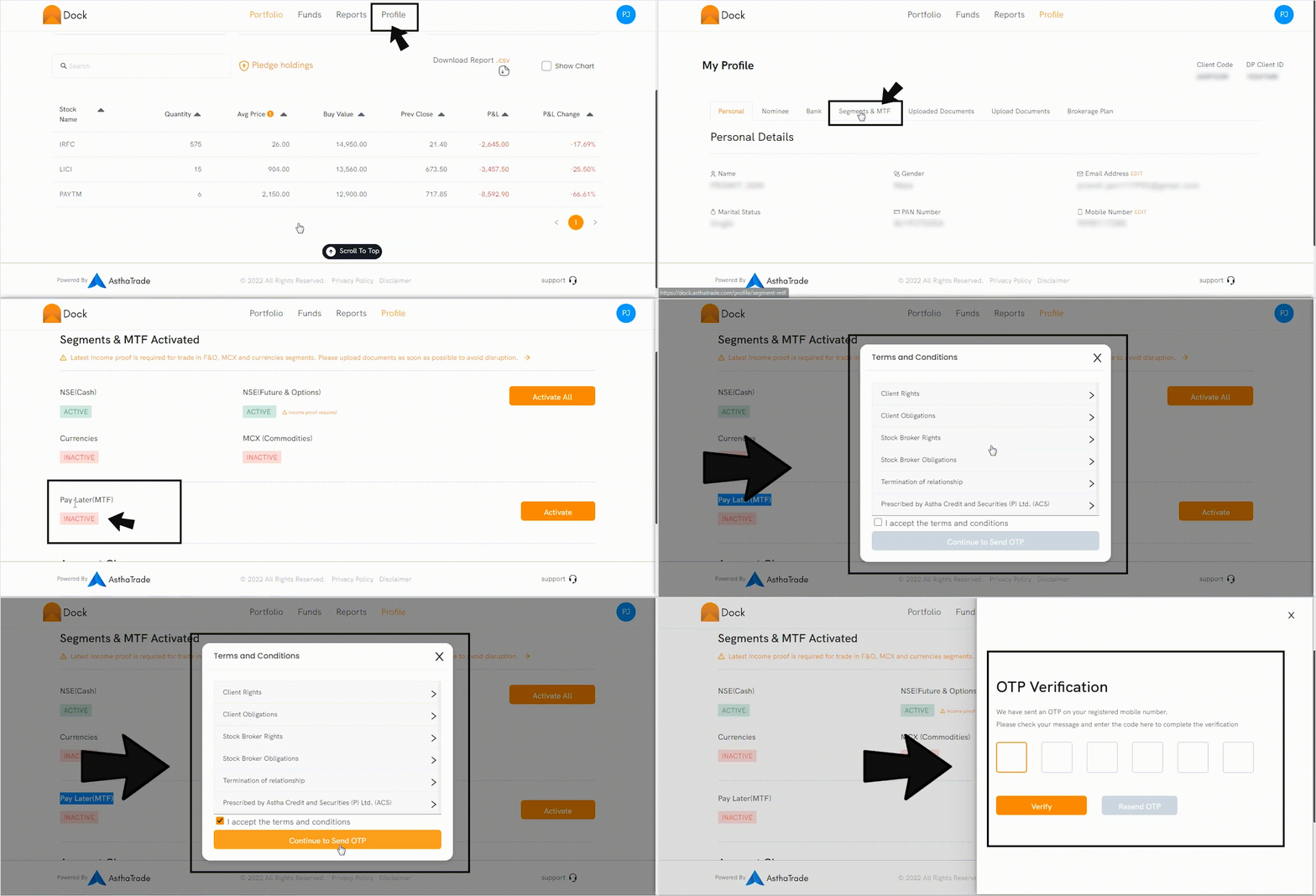
In case your trading application is not showing MTF option, you need to activate MTF.
-
Visit your Dock app.
-
Click on ‘Profile’
-
Go to ‘Segments & MTF’
-
Navigate to ‘MTF’
-
Click ‘Activate’
-
Accept to ‘Terms & Conditions’
-
Continue to send OTP
-
Verify OTP
Follow the steps in the GIF below: