
You can withdraw funds from your Rupeezy trading account to your linked bank account by placing a withdrawal request on the Rupeezy app, Rupeezy web or Dock. Choose Regular for your full withdrawable balance, or Instant if you need up to ₹2 Lakhs within 15 minutes.
How do I place a withdrawal request?
- Open the Withdraw screen — go to your Account, and under Funds tap Withdraw.
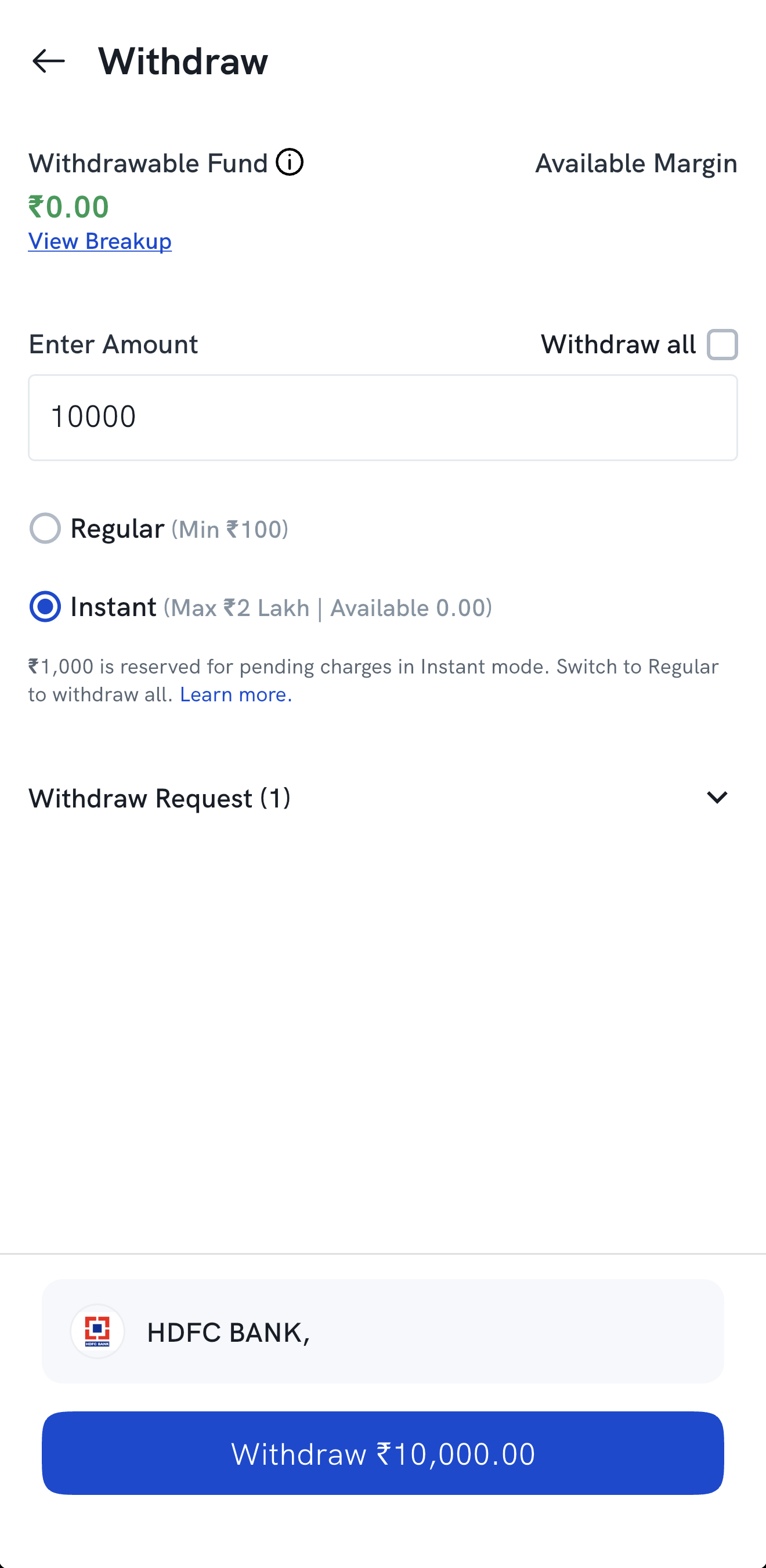
- Enter the amount you want to withdraw, or tick Withdraw all.
- Choose the type — Regular or Instant.
- Select your bank if you have more than one linked.
- Tap Withdraw to submit the request.
Should I choose Regular or Instant withdrawal?
- Regular — use it to withdraw your full withdrawable balance. The money reaches your bank in 24–48 hours; requests placed before the cut-off are processed on the next working day. See How much time does it take to process a withdrawal request? for the cut-off table.
- Instant — use it when you need money quickly. It is available 9:00 AM–4:00 PM, once a day, for ₹100 to ₹2 Lakhs, and has a few pre-conditions. In Instant mode, ₹1,000 stays reserved for pending charges, so to withdraw everything, use Regular. See How does Instant Withdrawal work?.
What happens after I submit the request?
Your request appears under Withdraw Request on the same screen, where you can track its status. See How do I check the status of my payout request?.
Why is my withdrawable balance lower than my available balance?
Money from shares you sold today, unsettled funds, and the day's charges are not always withdrawable straight away. See Why does my withdrawable balance not match the balance available to trade?.