
You can track your IPO application — from bid submission through UPI mandate, allotment and refund — under IPOs > Applied on the Rupeezy app.
How to Check Your IPO Bid and Allotment Status
-
Log in to the Rupeezy app.
-
Go to the IPOs tile from the home screen (under Products).
-
Tap the Applied tab.
Each of your applications is listed here with a status label — for example PENDING or CANCELLED — and a short line explaining it.
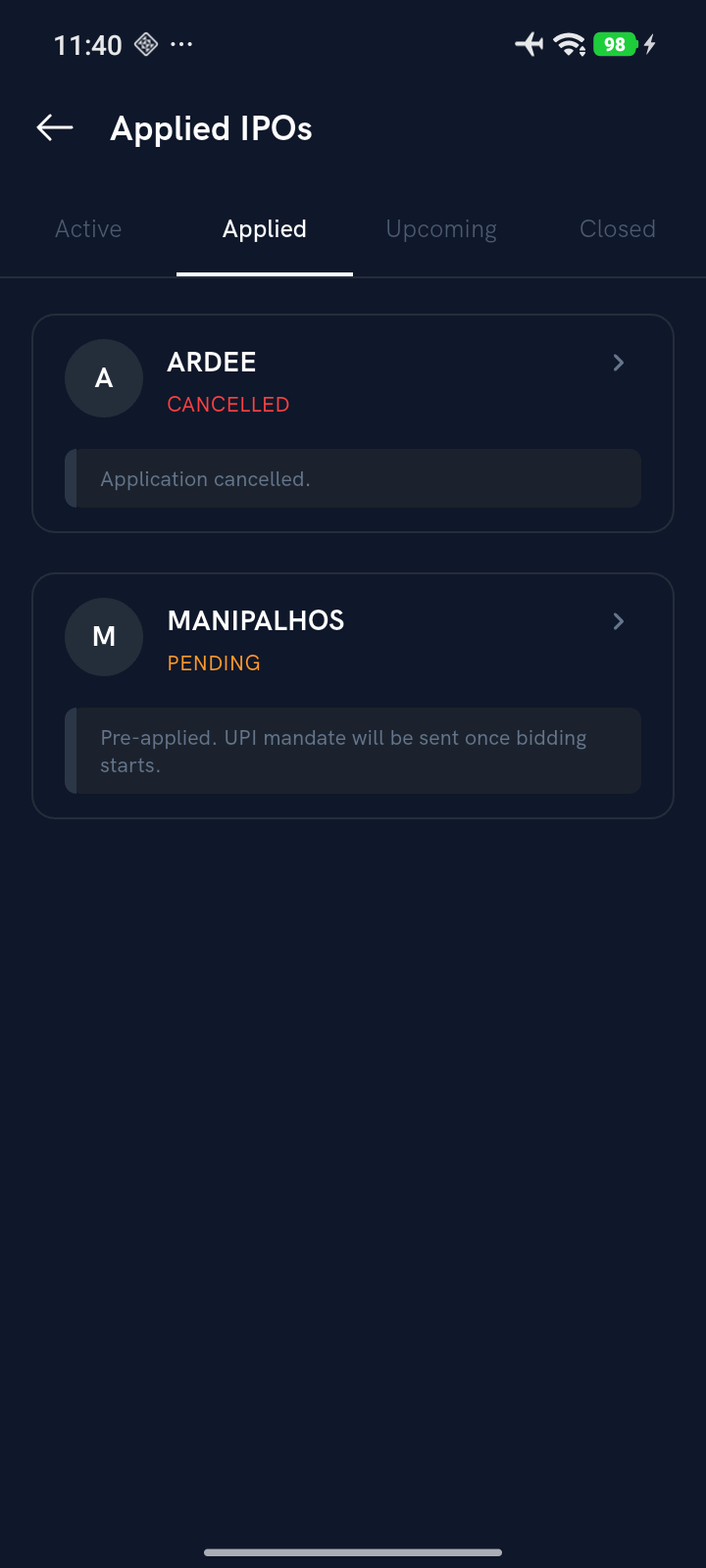
- Tap an application to open its full status timeline.
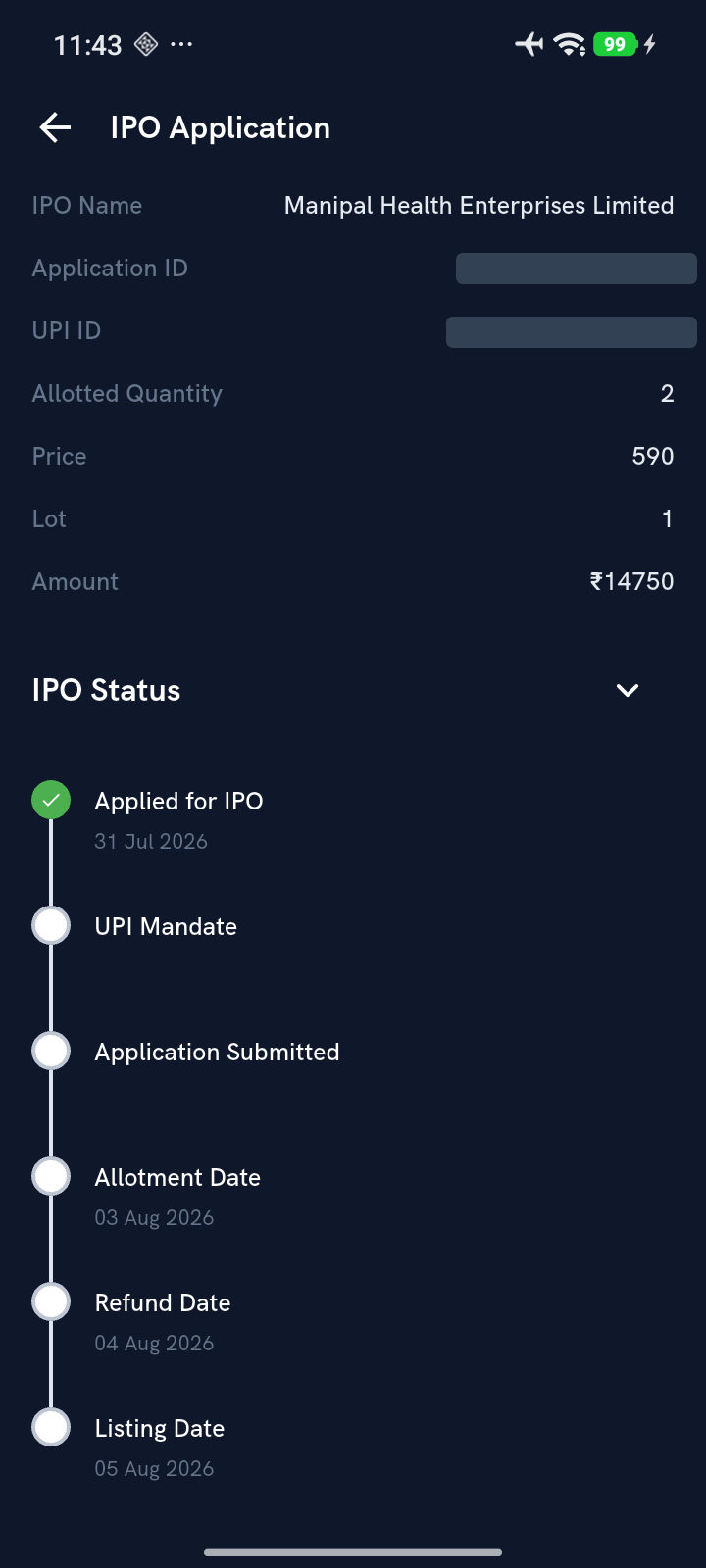
The detail screen shows your submitted bid (price, lot, amount) along with an IPO Status timeline: Applied for IPO → UPI Mandate → Application Submitted → Allotment Date → Refund Date → Listing Date. Each stage is checked off in green as it's completed, so you can see exactly where your application stands.
What do the status stages mean?
- Applied for IPO — your bid has been submitted.
- UPI Mandate — the UPI mandate request for your bid amount has been raised and approved.
- Application Submitted — your application has gone to the exchange/registrar.
- Allotment Date — shares are allotted (or not) against your bid on this date.
- Refund Date — if you weren't allotted shares (or were allotted fewer than you bid for), the unused amount is refunded to your bank account by this date.
- Listing Date — the date the stock lists and starts trading, if you were allotted shares.
Note: A cancelled application shows CANCELLED on the Applied tab instead of the status timeline.