
You can cancel a submitted IPO application any time before the IPO's bidding window closes — there's no separate, earlier cutoff for cancellation. "Withdraw," "delete," and "cancel" all mean the same thing here — Rupeezy doesn't have a separate delete option.
How to Cancel an IPO Application
-
Go to the IPOs tile on the home screen (under Products), then switch to the Applied tab.
-
Tap the application you want to cancel.
-
On the application details screen, tap Modify.
-
Tap Cancel Bid.
-
On the "Cancel IPO Application" prompt, tap Yes to confirm.
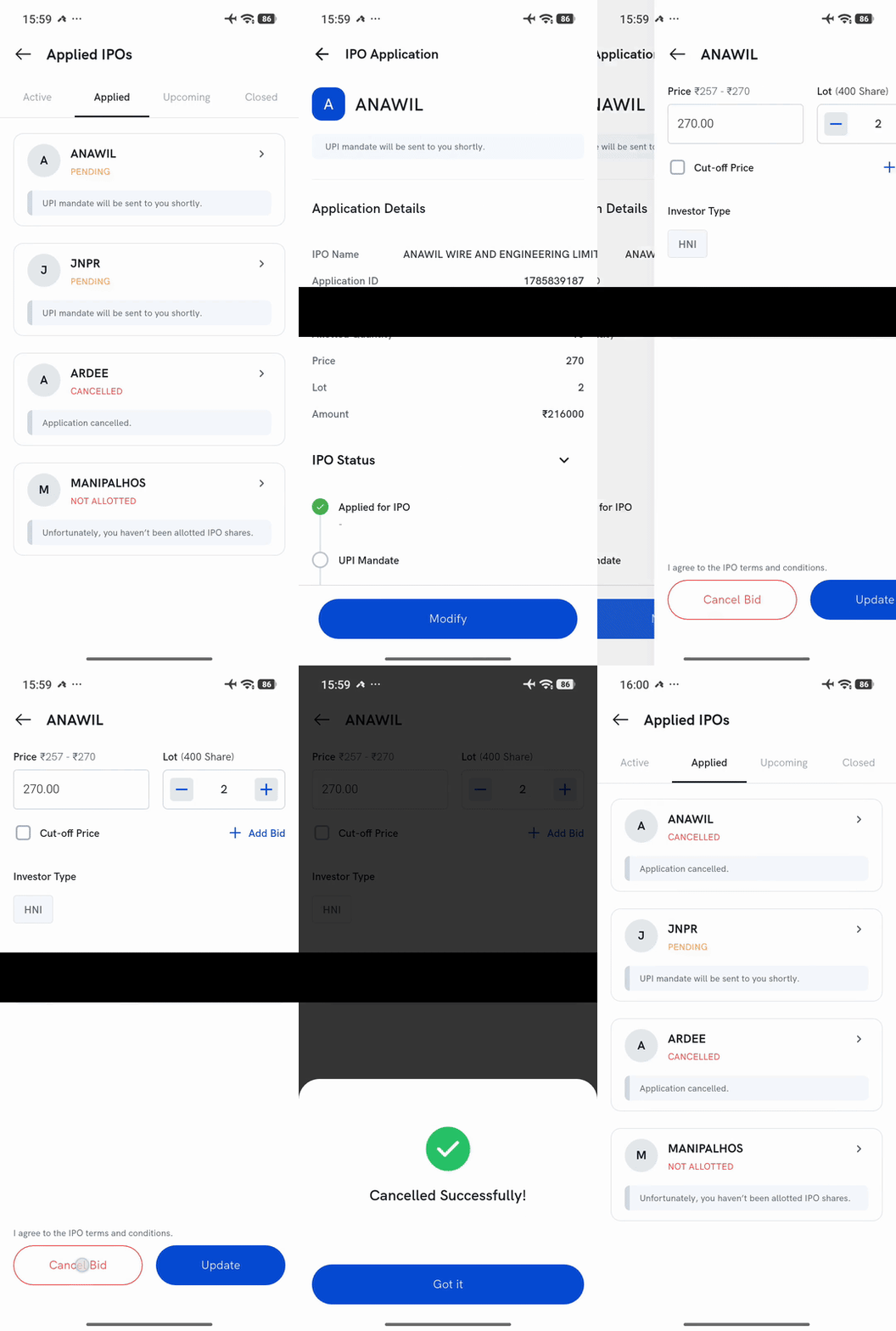
Once cancelled, the application shows as Cancelled back on the Applied tab, and the UPI mandate for it is automatically revoked.
For the full application flow, see How do I apply for an IPO?.