
Yes. SME IPOs show up alongside mainboard IPOs in the IPOs section of the Rupeezy app, marked with an SME tag, and you apply for them the same way as any other IPO.
Where do SME IPOs show up on Rupeezy?
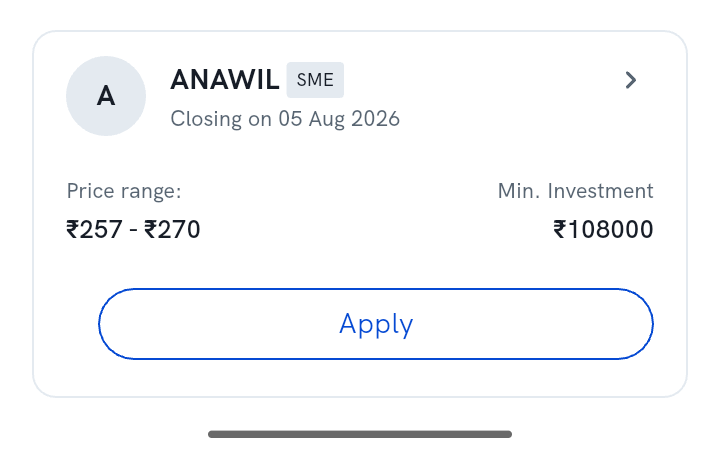
Go to IPOs > Active (or Upcoming) from the home screen. Any SME issue listed there carries an SME tag next to the company name so you can tell it apart from a mainboard IPO at a glance.
How do I apply for an SME IPO?
The same way you'd apply for any IPO on Rupeezy — tap Apply on the SME-tagged card, enter your investor category, price and lot count, and approve the UPI mandate. See How do I apply for an IPO? for the full step-by-step.
Note: SME IPOs need a much larger minimum investment than mainboard IPOs — as an individual investor you must bid at least 2 lots, worth more than ₹2 lakh. Check the Min. Investment figure on the card before applying, and see What is the minimum lot size for individual investors to apply for an SME IPO?
Things to keep in mind
- SME IPOs list on a separate SME platform of the exchange (NSE Emerge / BSE SME), not the mainboard — but on Rupeezy, browsing, bidding and tracking them works exactly like a mainboard IPO.
- There's no cut-off price option on an SME IPO — enter your own bid price within the price band.
- Modifying, cancelling and checking allotment status for an SME application follow the same flow as any other IPO application on Rupeezy.