
Deleting a SIP on the Rupeezy app stops all future instalments — it does not sell the units you've already bought. You'll find the option from Portfolio → SIPs → tap the SIP → Delete/Pause SIP → Delete SIP forever. If you only need a short break rather than to stop for good, you can pause the SIP instead and resume it later.
How do I delete a SIP on the Rupeezy app?
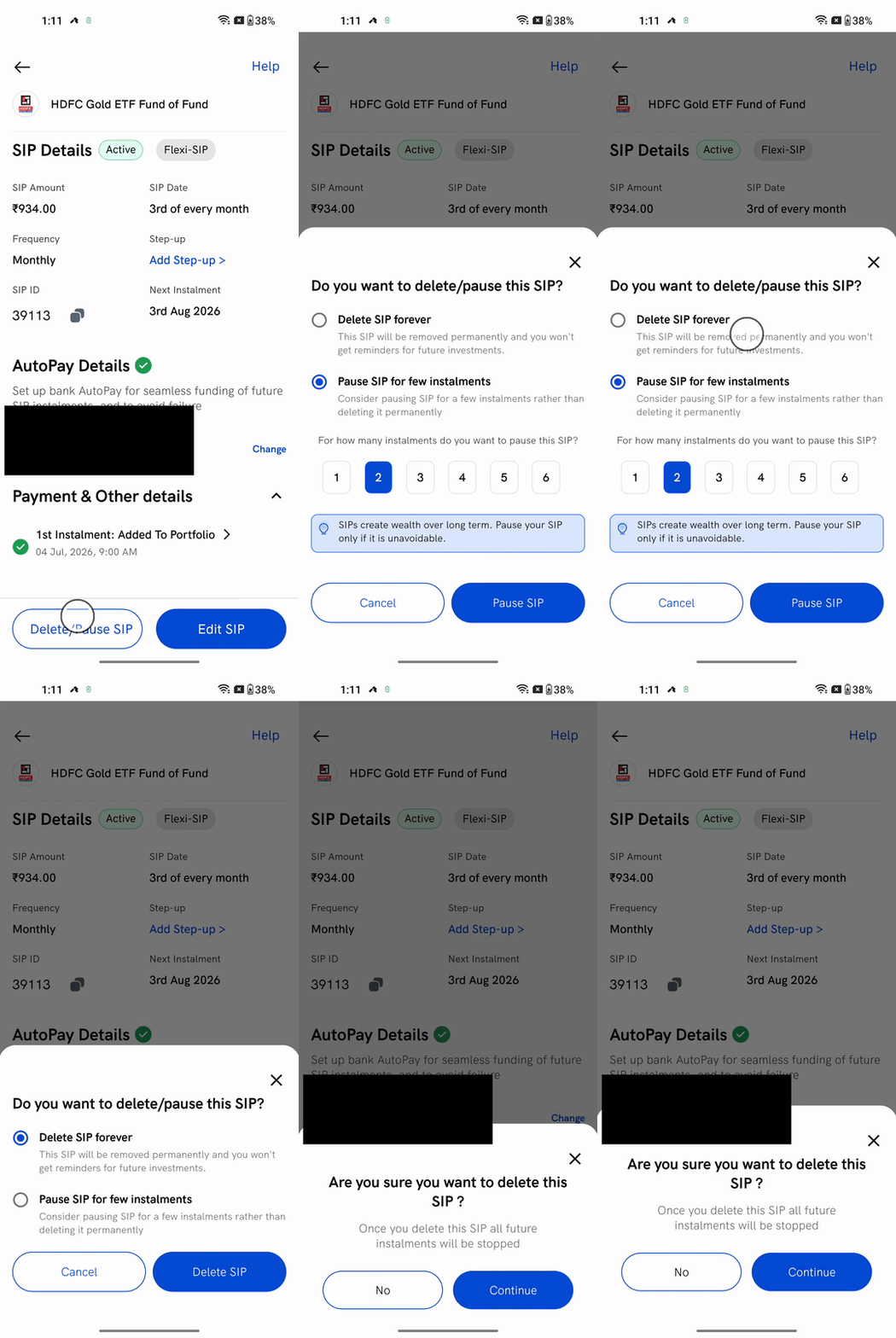
1. Open the SIP. Go to the Portfolio tab, tap the SIPs toggle at the top, and tap the SIP you want to stop to open its SIP Details page.
2. Tap Delete/Pause SIP, then choose Delete SIP forever.
3. Tap Delete SIP, then Continue on the Are you sure? confirmation.
The SIP is removed and you'll stop getting reminders for it. No more instalments are debited from your AutoPay bank.
Would pausing be better than deleting?
If it's only a short break — a tight month, or a gap between goals — you don't have to delete the SIP. Pause it for 1 to 6 instalments and resume whenever you're ready; your amount, date and setup all stay intact, so you don't have to create the SIP again later. See the pause steps in How to modify, pause or delete a SIP on the Rupeezy app.
Pausing and resuming apply to a standard Flexi-SIP — the SIP you set up in the app. An AMC SIP can only be deleted; it can't be paused.
Does deleting a SIP sell my units?
No. Deleting a SIP only stops future instalments — the money you've already invested stays in the fund. To take that money out, redeem your units from your Mutual Funds portfolio whenever you like; redeeming is a separate step from deleting the SIP.