
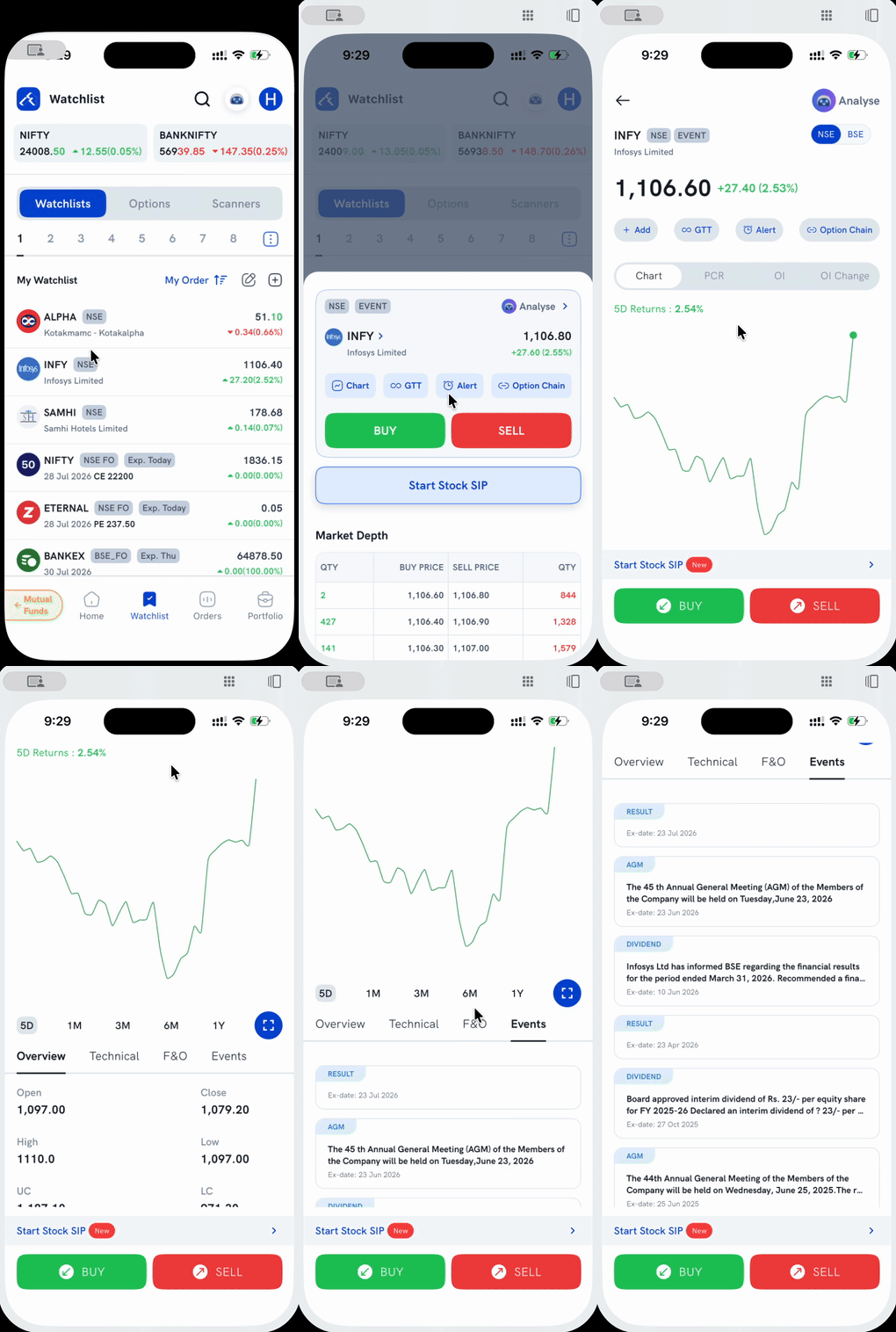
The Event tag next to a stock on your Watchlist or Holdings flags an upcoming corporate action on that stock. Which events show the tag — and whether you need to actually hold the stock to see it — depends on the event type.
Which events show the tag?
| Event | Shown to |
|---|---|
| Bonus | All users |
| Split / Consolidation | All users |
| OFS (Offer for Sale) | All users |
| FPO (Follow-on Public Offer) | All users |
| Merger / Demerger / Amalgamation | All users |
| Buyback / Takeover | All users before the record date; only holders after |
| Rights issue | All users before the record date; only holders after |
| Dividend | Holders only |
| Delisting | Holders only |
Where do I see the details?
Open the stock and go to its Events tab for a list of that stock's events with descriptions and ex-dates. You can also see corporate actions as markers on the stock's chart, or browse the full Corporate Action events list (Home > Tools > Corporate Action) across all stocks. See How do I view corporate actions on Rupeezy? for the full walkthrough.