
You can change an active Stock SIP's amount, frequency, or trigger time anytime from the Stock SIP tab on the Orders screen, and pause, resume or delete it from the same place.
How do I modify a Stock SIP?
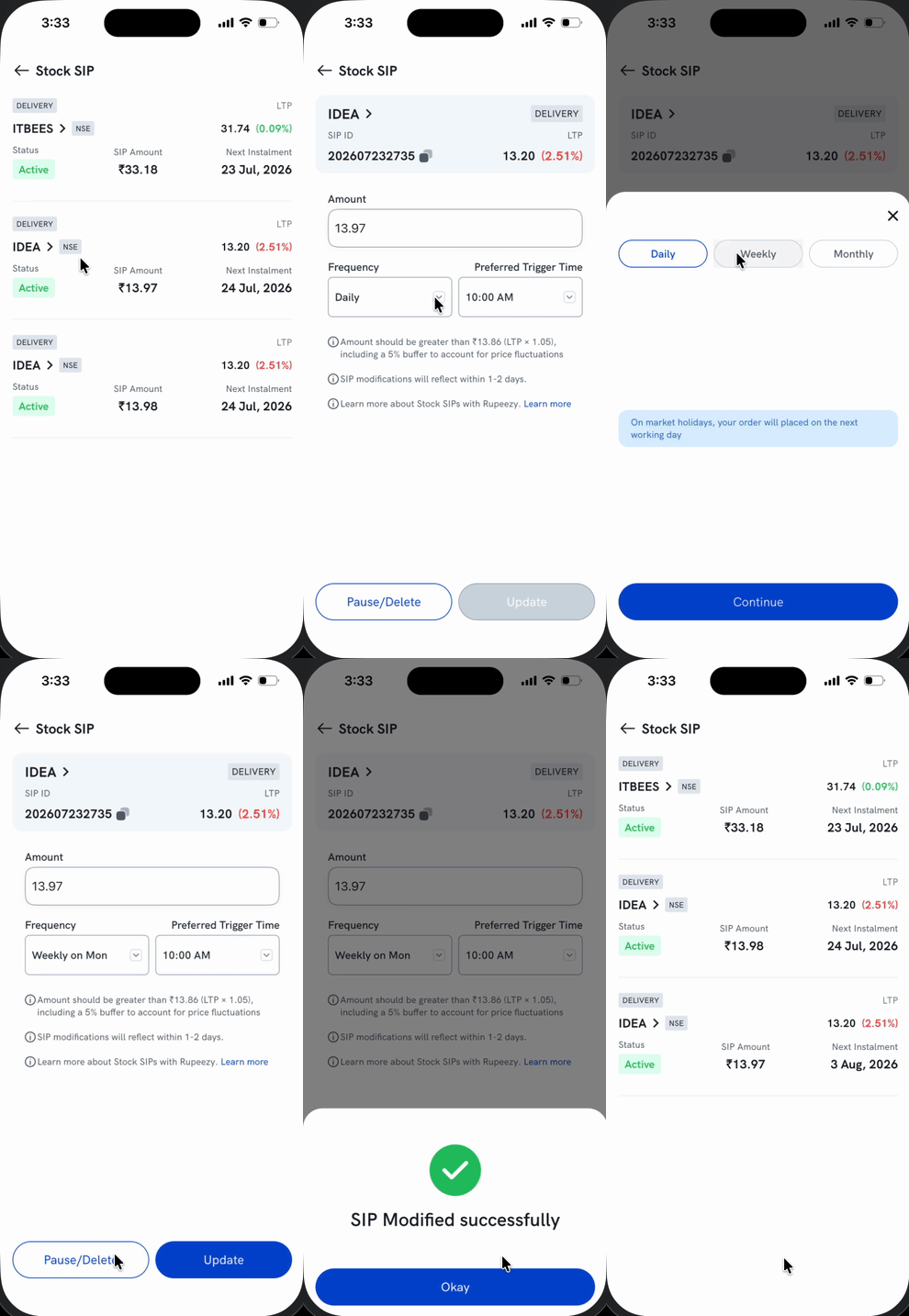
- Go to the Orders tab and open Stock SIP to see all your SIPs.
- Tap the SIP you want to change.
- Update the Amount, Frequency, or Preferred Trigger Time.
- Tap Update to save. A confirmation shows once the change is applied.
Important: Your change applies from the next day.
How do I pause, resume or delete a Stock SIP?
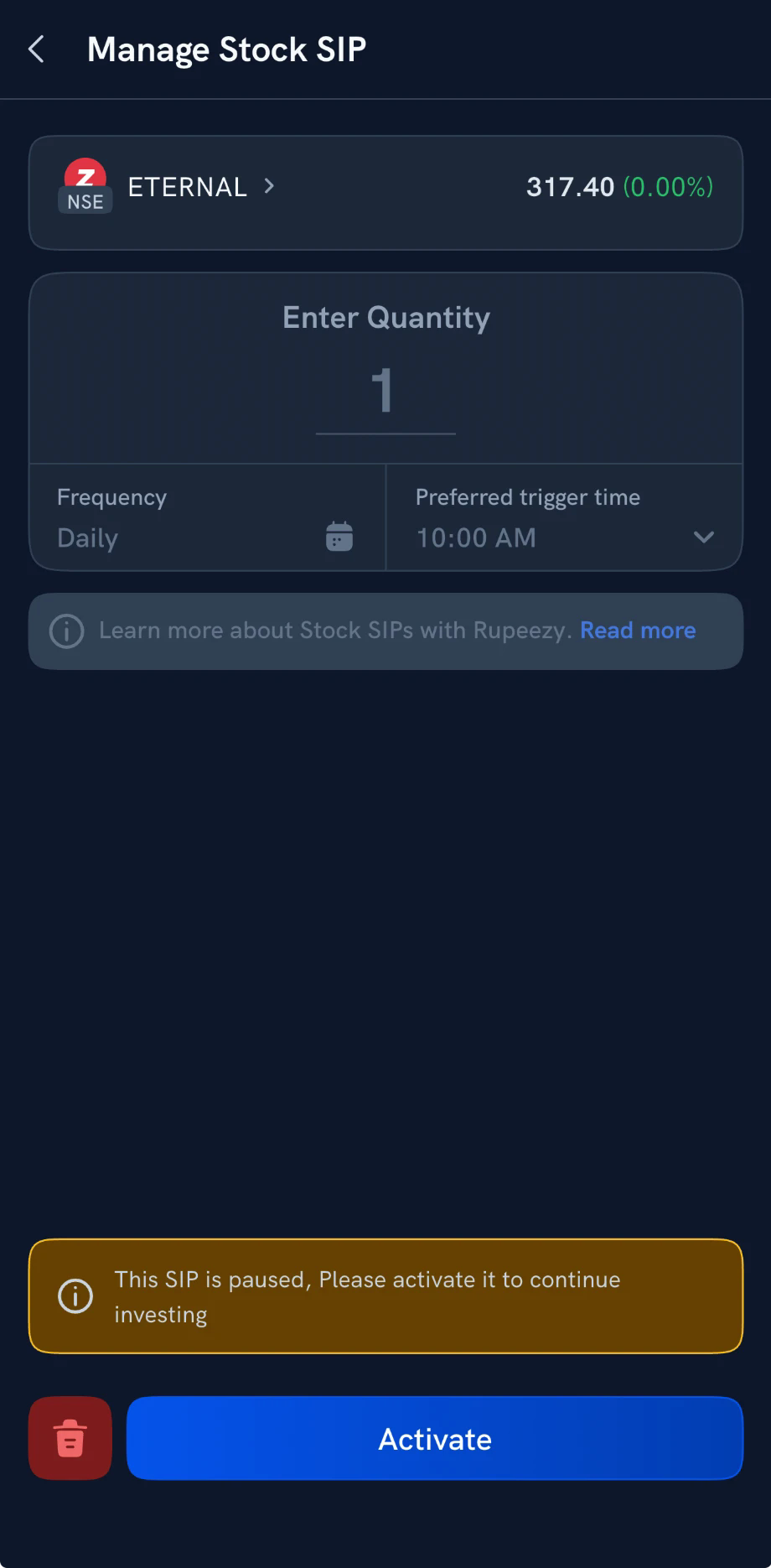
From the same screen, tap Pause/Delete. A paused SIP shows PAUSED in the Stock SIP list. To start it again, open it and tap Activate; the bin icon next to it deletes the SIP.
To set up a new SIP, see How do I set up and manage a Stock SIP?