
You can view several charts on a single screen on Rupeezy — both on the mobile app (Multi Layout chart) and on the web platform. Pick a multi-chart layout, then load a different scrip in each panel to track them side by side.
On the Rupeezy mobile app
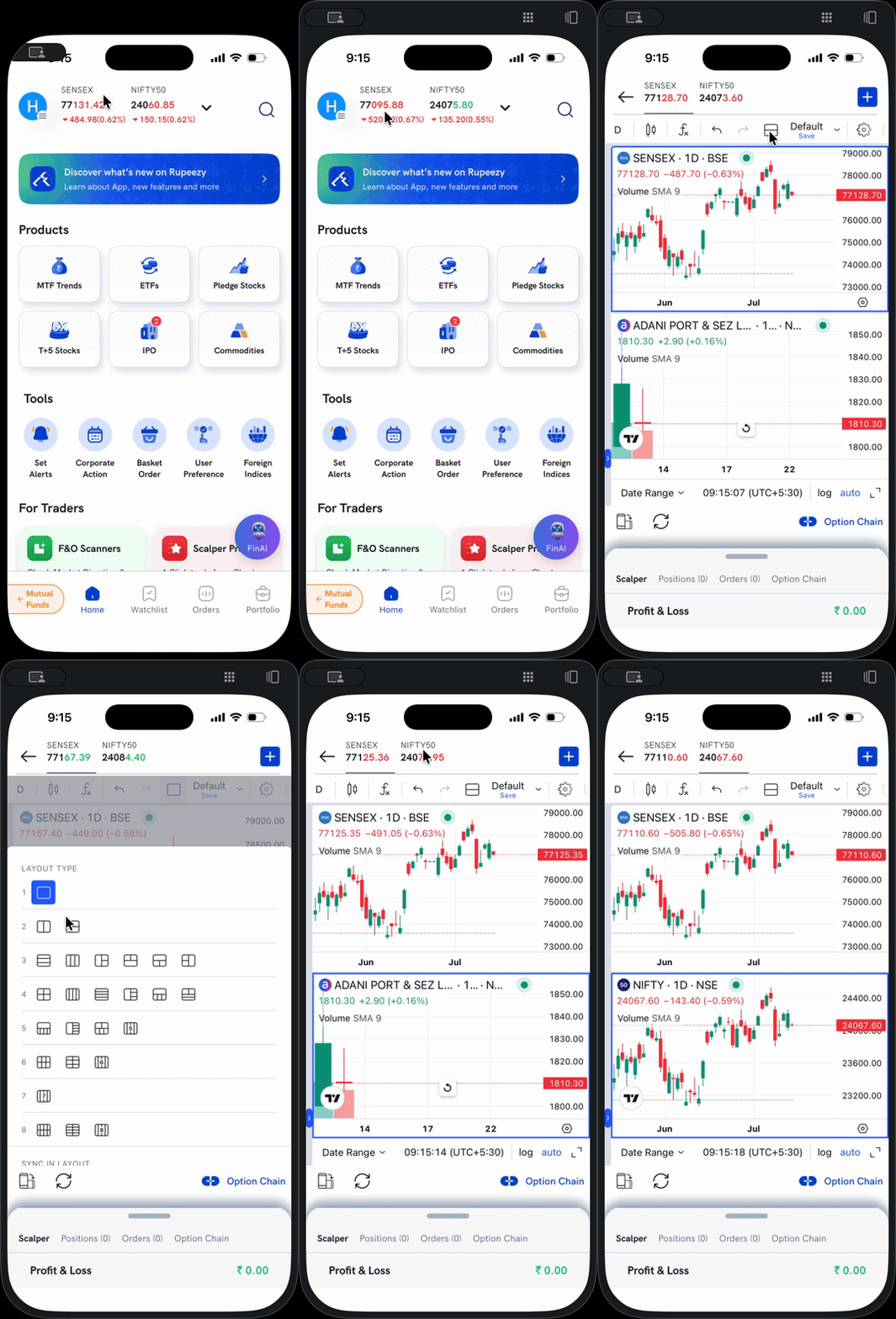
1. Open a chart for any scrip.
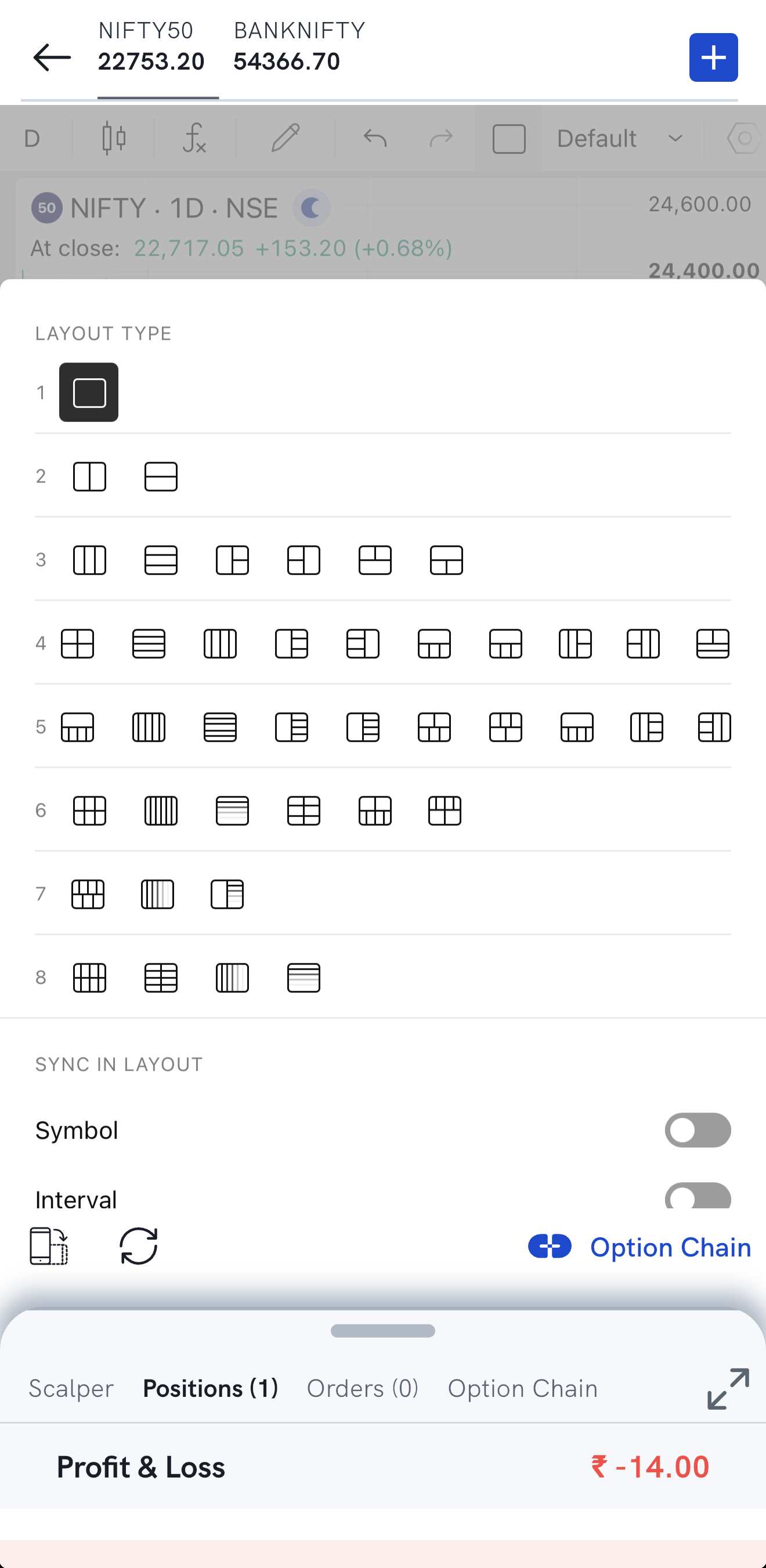
2. Tap the Layout Type icon in the chart's top toolbar.

3. Pick a layout from the Layout Type grid — up to eight charts in various arrangements. The chart area splits into the panels of that layout. Under Sync in Layout, turn on Symbol or Interval to keep every panel on the same scrip or the same interval.
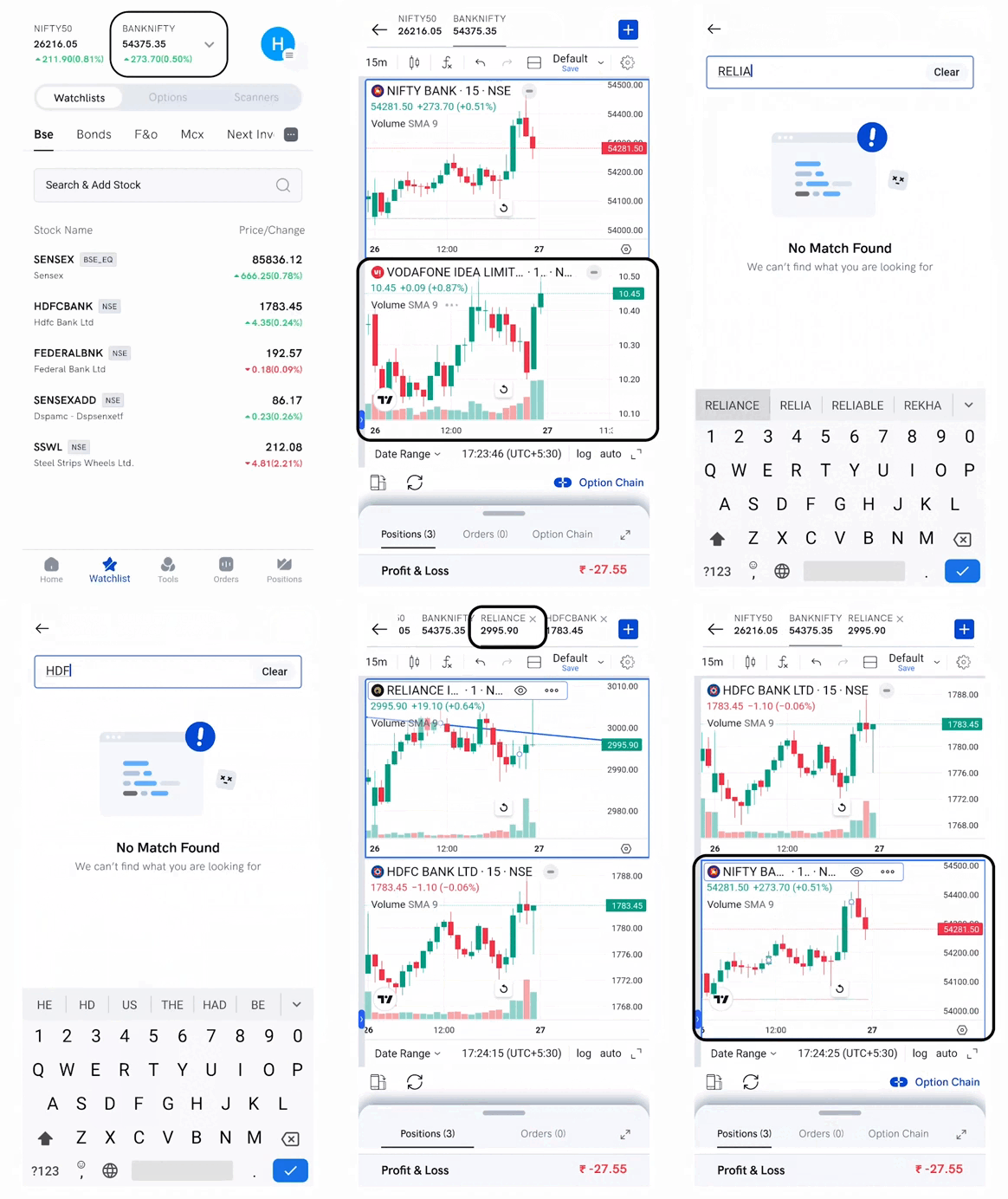
4. Tap the panel where you want to add a scrip.
5. Tap the plus (+) button at the top-right corner of the screen, then search for and select the scrip. Its chart loads in the selected panel and the scrip is added to the header for quick access. You can add up to 6 scrips to the header; tap any header scrip to switch between charts.

On Rupeezy web
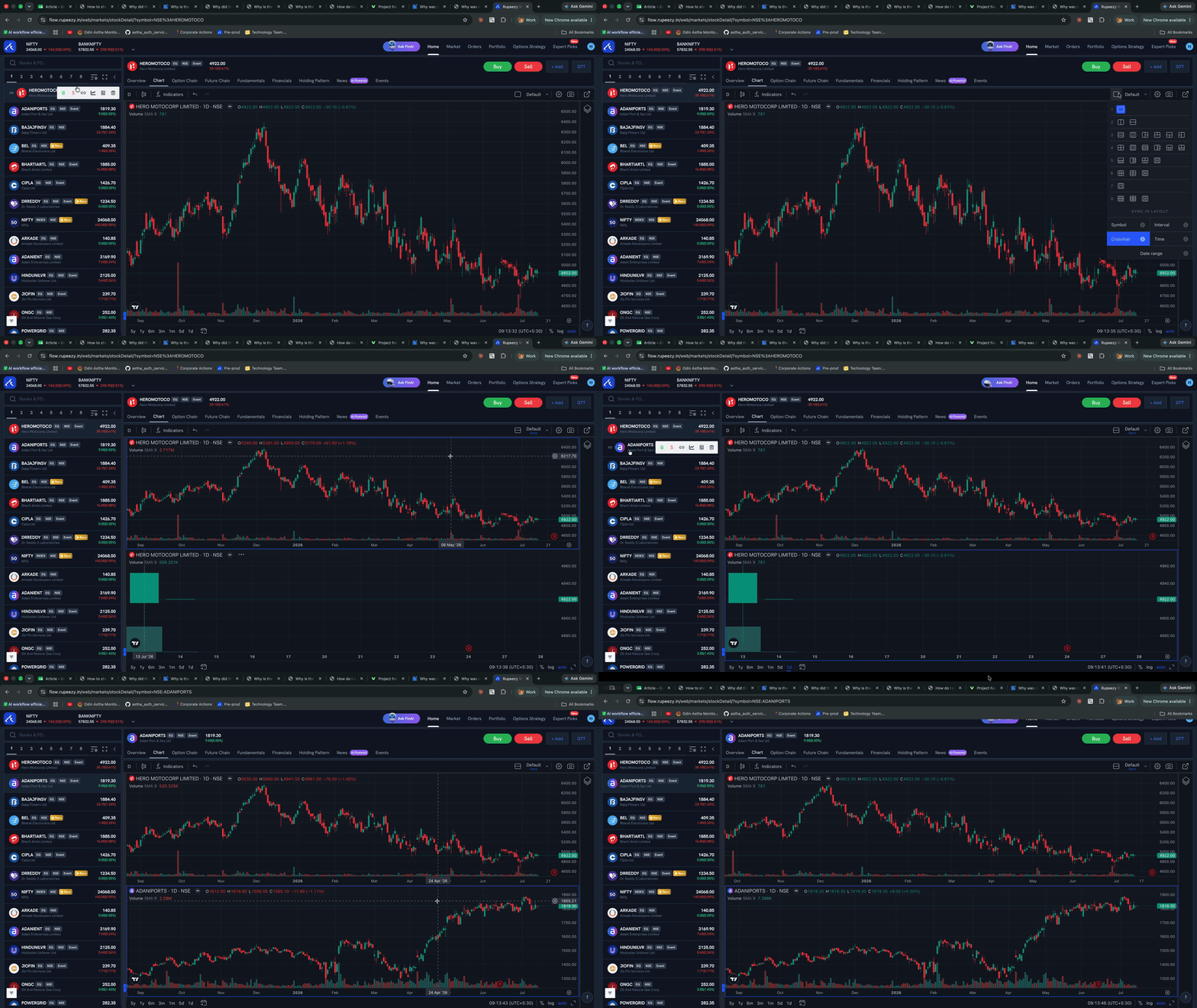
1. Open a chart on the Rupeezy web platform.
2. Click the layout icon in the chart's top toolbar.
3. Pick a multi-chart layout from the grid — for example two, three, or four charts.
4. Set a symbol for each panel. Every panel is its own chart, so you can load a different scrip in each and watch them all at once.
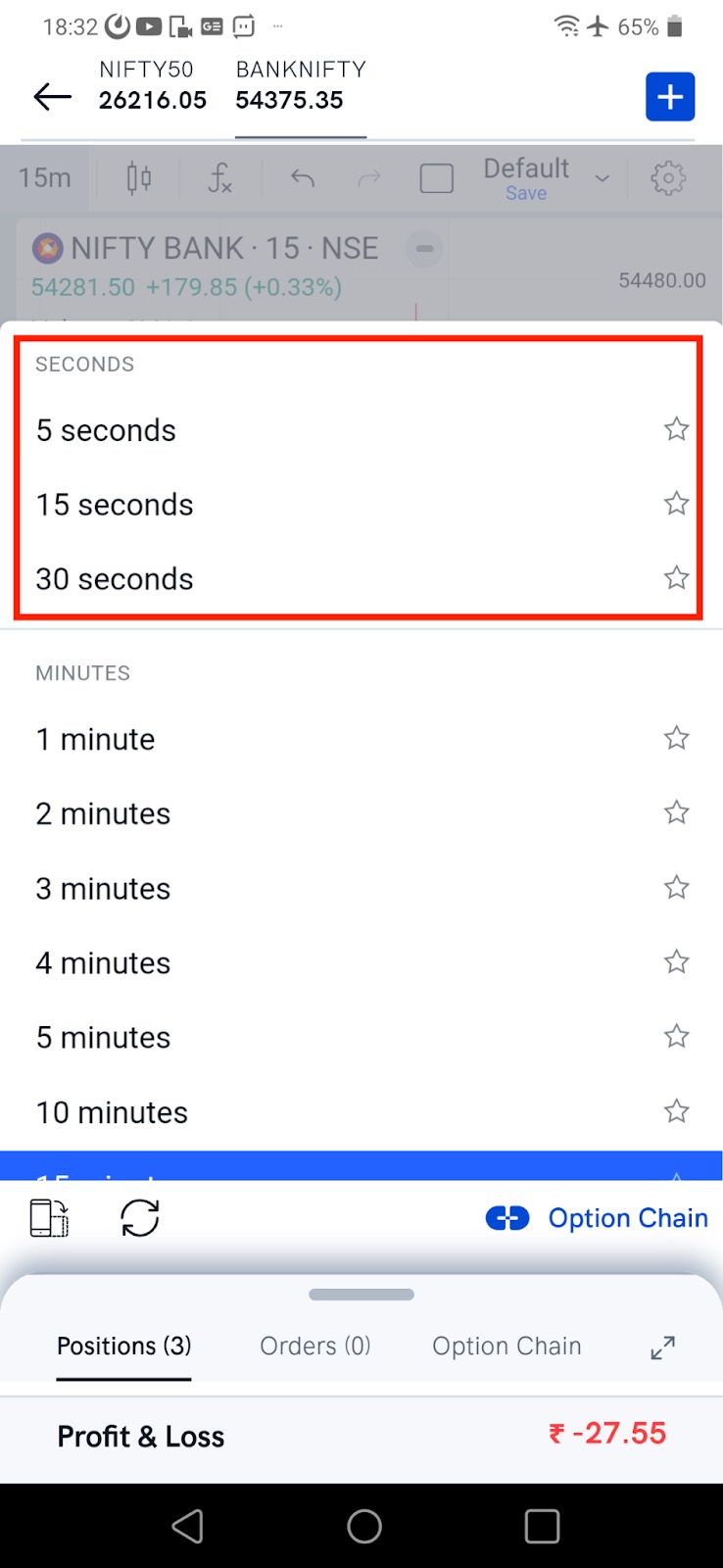
Can I use time intervals in seconds on the app?
Yes. Tap the Interval button (it shows the current interval, such as 15m) and pick an interval from the Seconds group.
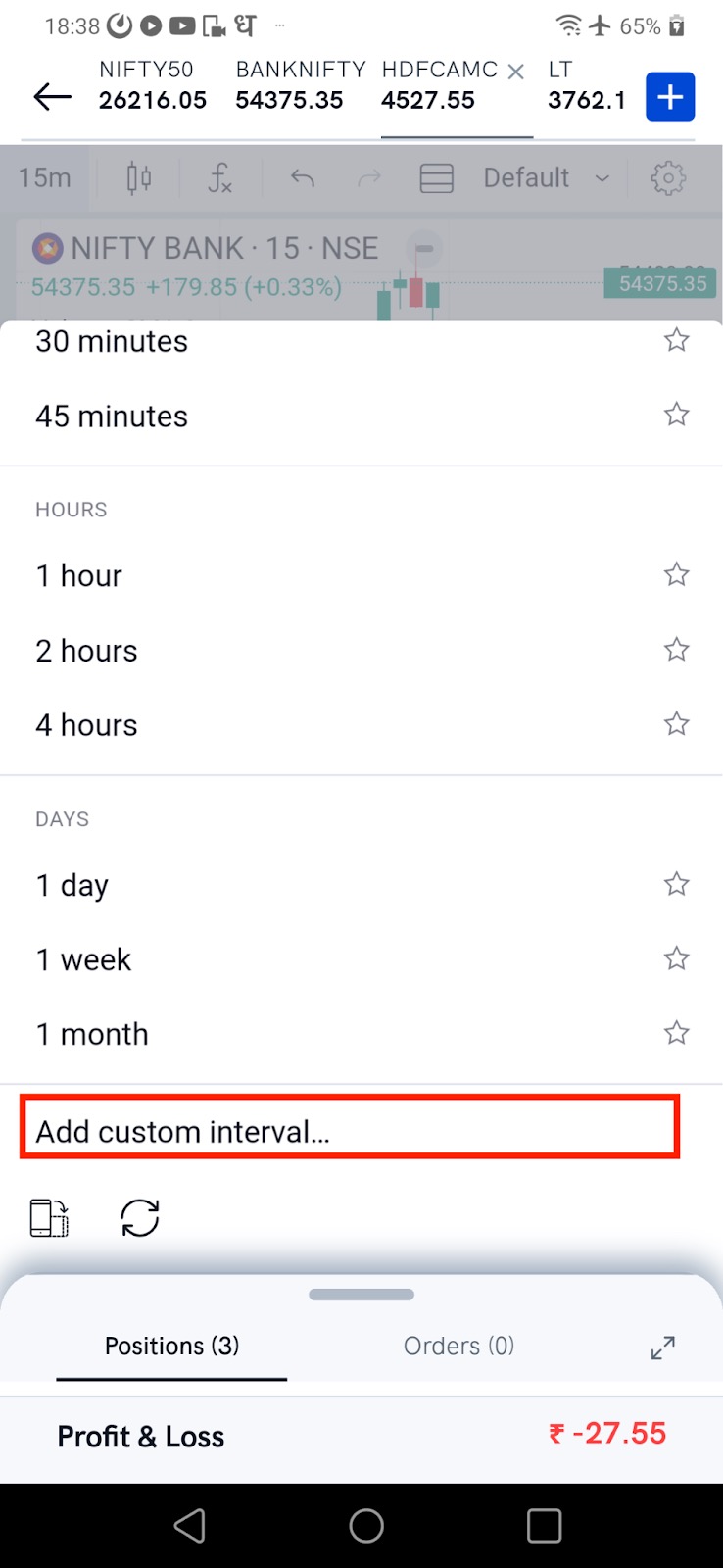
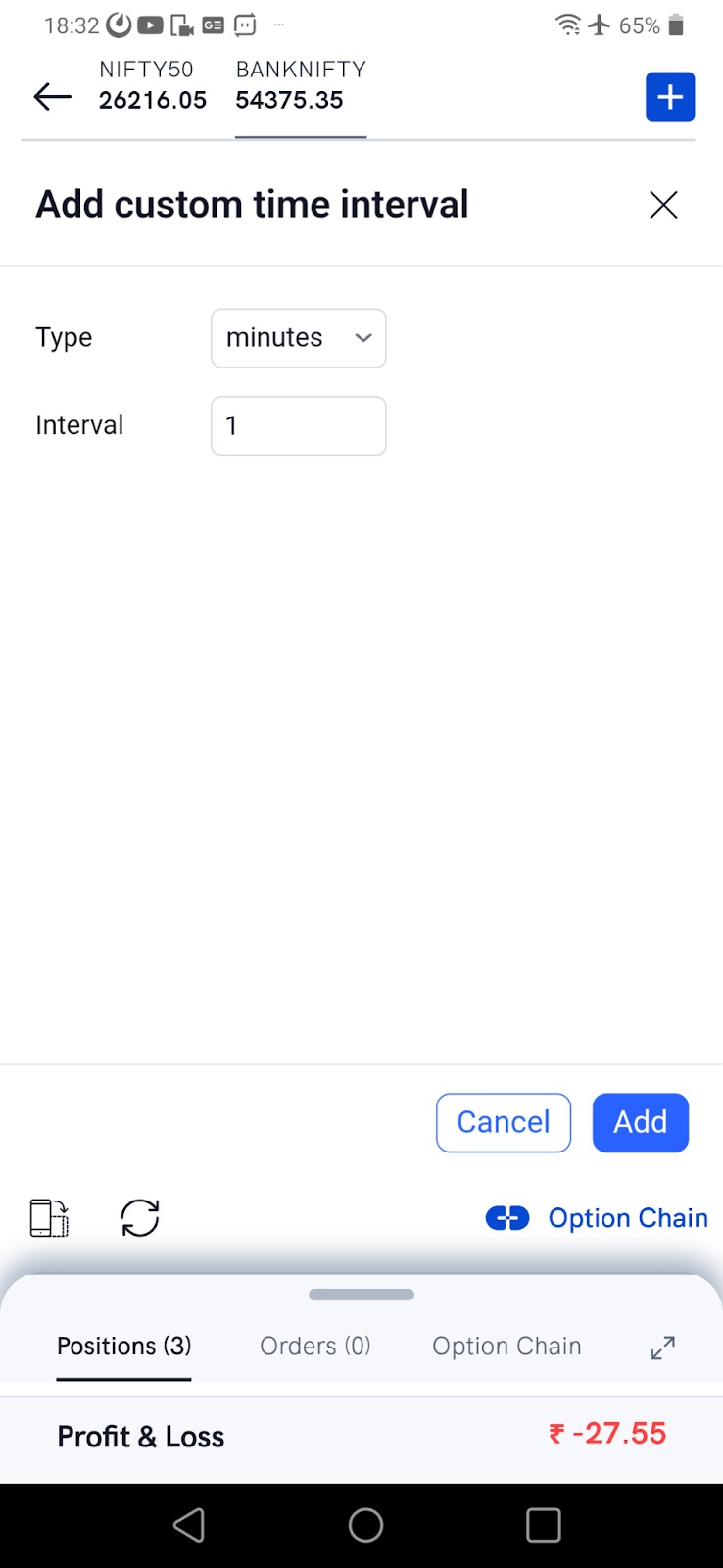
How do I add a custom time interval on the app?
- Tap the Interval button and scroll to the bottom of the list.
- Tap Add custom interval.
- Enter your interval and add it. It now appears in the list of intervals.
- Tap the new interval to apply it to the chart.
Is my chart layout saved?
Yes. The layout saves automatically, or you can save it straight away by tapping Save at the top of the chart screen. If a saved layout doesn't load later, see Why is the saved layout of TradingView charts not loading even when the names are displayed?
Good to know
- Each chart panel is independent — different symbol, interval, and drawings per panel.
- Use it to compare stocks or watch several positions on a single screen.
- To keep the lines and drawings you add to a chart, see How do I save my TradingView chart drawings on the Rupeezy app?