
Goals is a Rupeezy feature that lets you invest in mutual funds toward something specific — a home, a vacation, a gadget, a car, your child's education, a wedding, an emergency fund, or a custom target you name yourself. You tell Rupeezy your target amount and timeline, and Rupeezy recommends a ready-made basket of funds matched to it, then tracks your progress toward that target.
Does Goals cost anything extra?
No. Goals simply organises the mutual funds you're already investing in — it isn't a separate product with its own fees. There's no lock-in period, and you pay the same charges as any regular mutual fund investment on Rupeezy. You can redeem any part of your investment, tagged to a goal or not, whenever you want.
How do I invest in a Goal on the Rupeezy app?
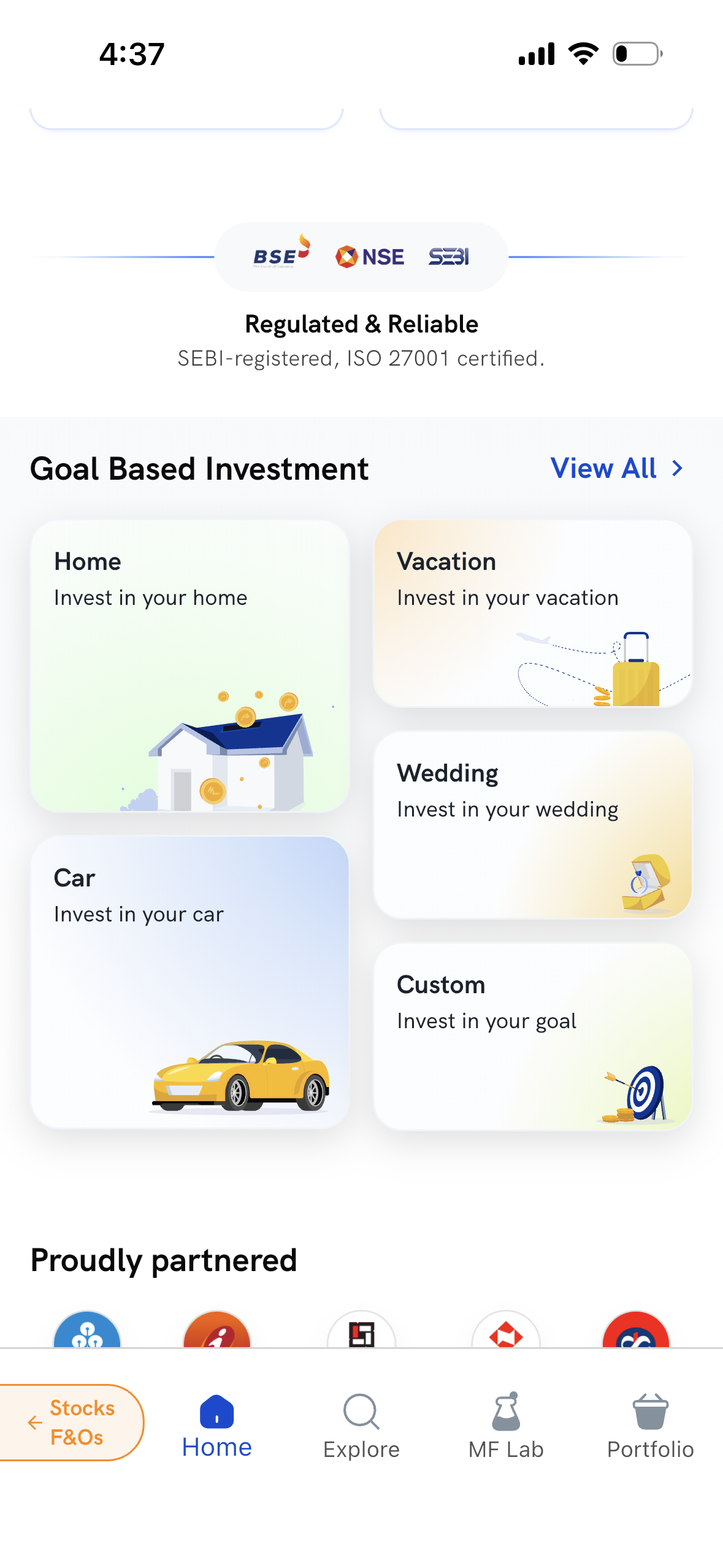
1. Open a goal card — go to the MF Home screen, scroll to the "Goal Based Investment" section, and tap a goal card: Home, Vacation, Gadgets, Car, Education, Wedding, Custom, or Emergency. (If you don't see this section, you may not be part of the Goals rollout yet.)
2. Name a Custom goal — if you pick Custom, you'll be asked to name your goal, for example "Dream Home," and can personalise it further on the next screen. Preset goals like Home or Vacation skip this step — the name is already set.
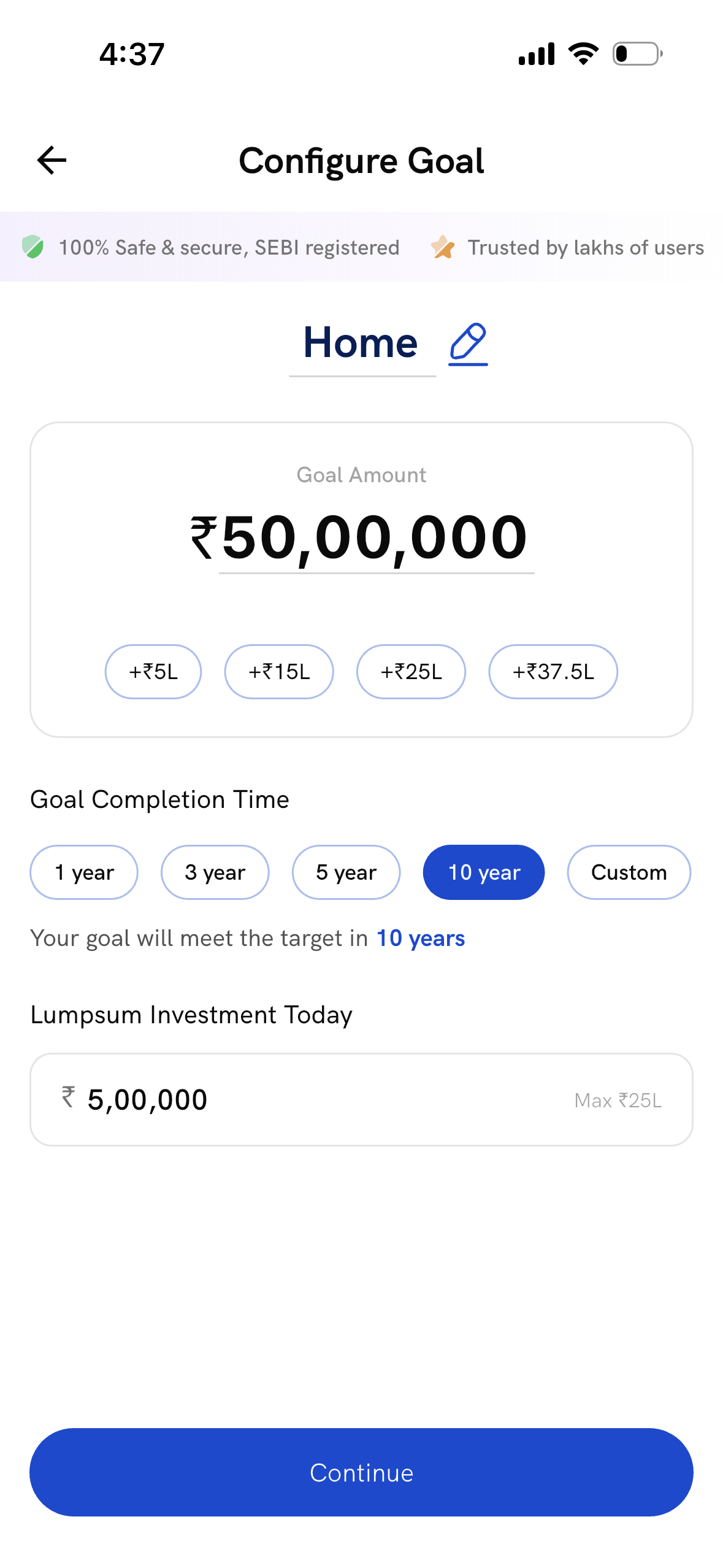
3. Set your target — on the Configure Goal screen, Rupeezy pre-fills:
- Goal Amount — your target amount, with quick add options scaled to your target (e.g., +₹5L / +₹15L / +₹25L / +₹37.5L for a large goal), or enter your own.
- Goal Completion Time — a preset of 1, 3, 5, or 10 years, or a Custom date.
- Lumpsum Investment Today — an optional upfront amount; leave this at ₹0 if you'd rather invest only through a SIP.
Adjust any of these to match your own plan, then tap Continue.
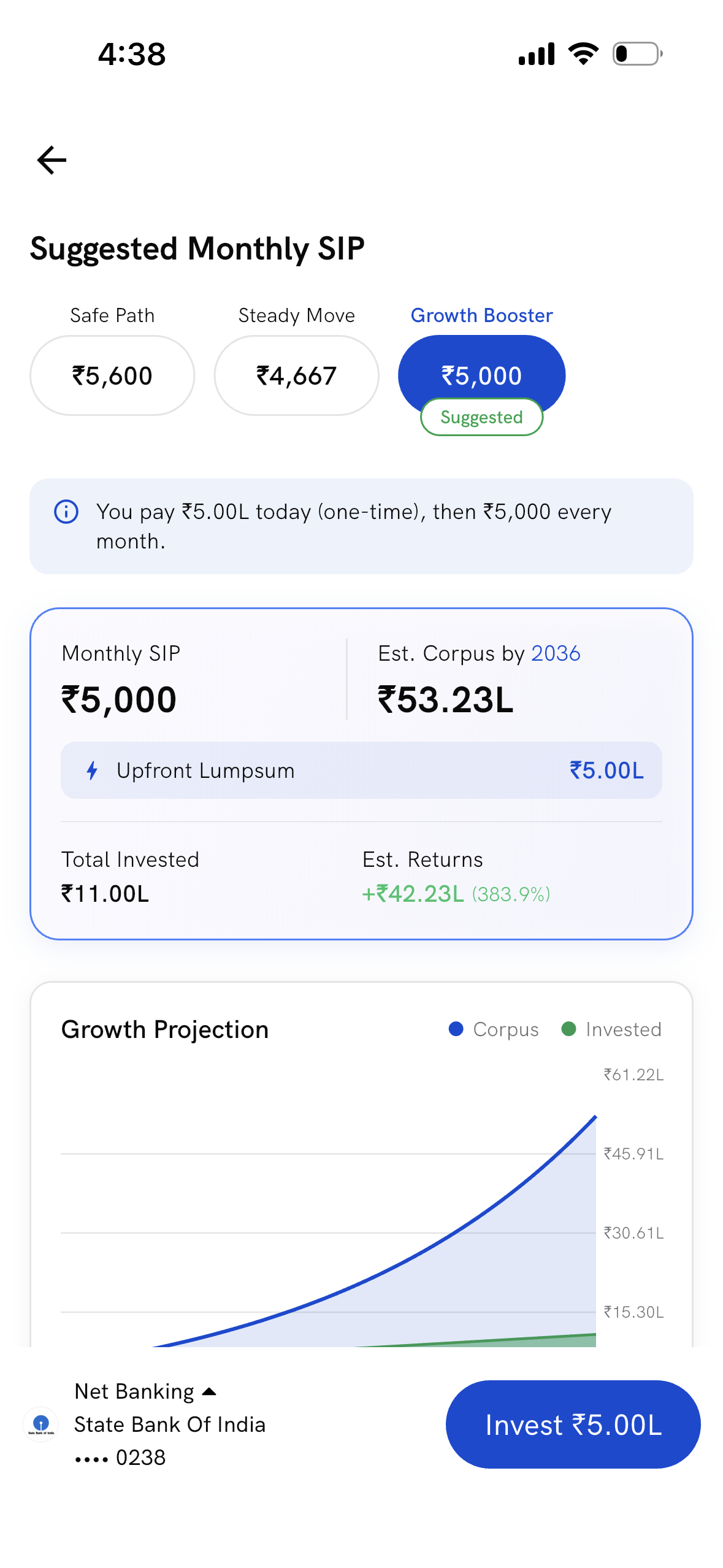
4. Review your suggested SIP — Rupeezy suggests a monthly SIP amount for your goal (with Safe Path / Steady Move / Growth Booster pace options), alongside an estimated corpus and a Growth Projection chart.
5. Invest — tap Invest to pay any upfront lumpsum through your linked bank account and start the SIP. You'll see a confirmation screen — your goal is created and your investment is on its way.
What happens after I invest in a Goal?
Your investment is tagged to that specific goal, so Rupeezy tracks your progress toward it separately from your other investments. Your goal card shows a status based on whether you're likely to reach your target in time:
- On Track — you're projected to reach your goal by your target date.
- Off Track — at your current pace, you may fall short. You can top up the goal to help get back on track.
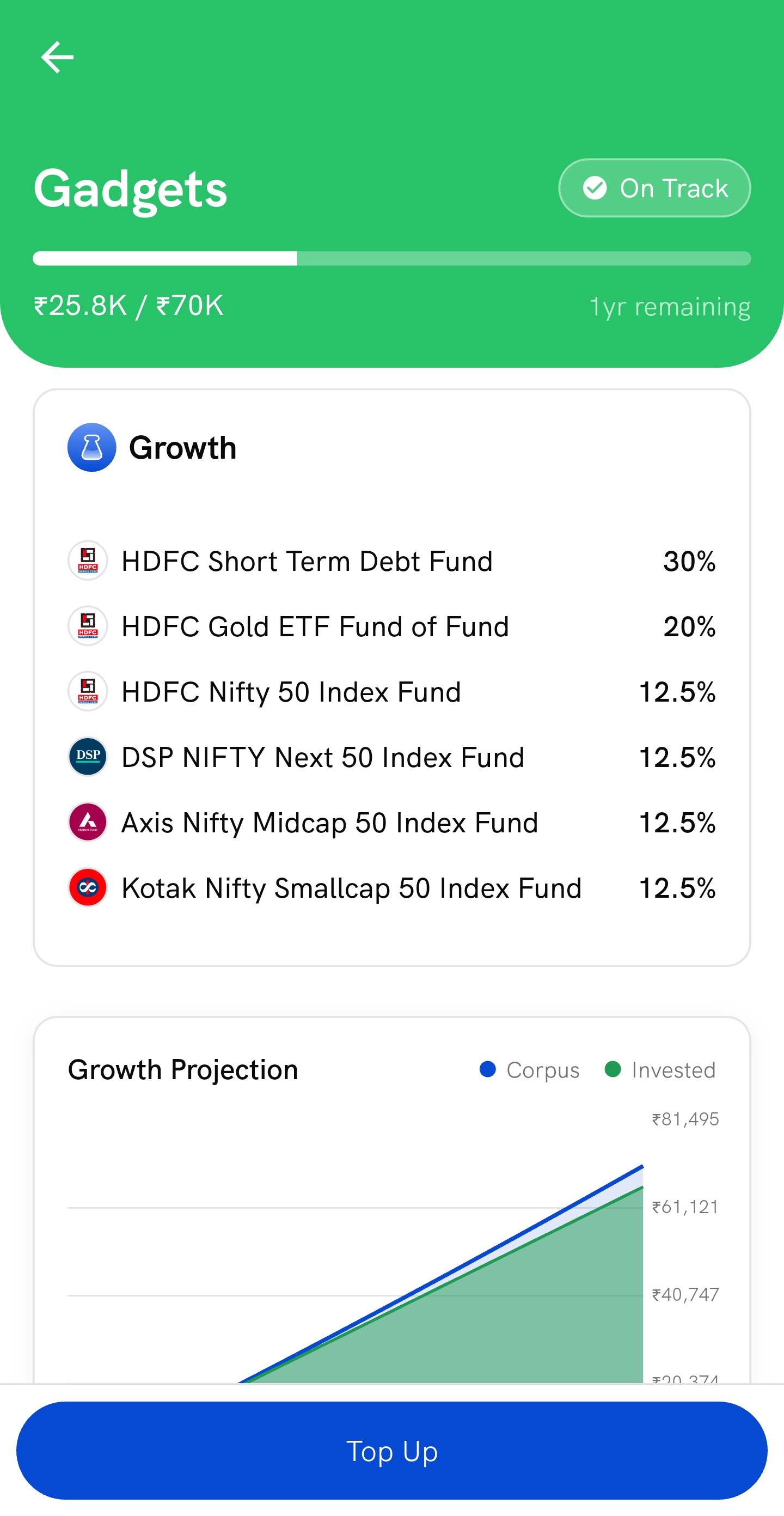
Tap into a goal card to see its fund basket, progress bar, and Growth Projection chart, with a Top Up button to invest more toward it at any time.
If one mutual fund is shared across more than one goal, your Holdings screen shows exactly how much of that fund belongs to each goal — for example, "Kotak Large Cap — Home ₹4,000, Car ₹6,000."
You can top up any goal at any time to reach your target faster. If you have a SIP running toward a goal, you can change the SIP amount or cancel it — see the FAQ below on why we'd suggest leaving it as is.
What happens if I redeem money from a Goal?
Goals has no lock-in — you can redeem any part of your investment at any time. For the steps, see How to redeem or sell mutual fund investments on the Rupeezy app?
- Redeeming directly from a goal — the amount comes out of that goal only; your other goals are unaffected.
- Redeeming from your regular (non-goal) holdings, with enough non-goal balance — your goals aren't touched at all.
- Redeeming from your regular holdings, with an insufficient non-goal balance — the remaining amount is split proportionally across your active goals holding that fund. You'll see the exact breakdown before you confirm.
How do I edit or remove a Goal?
Edit and Delete for Goals are under development. Until they launch, top up the goal to invest more, or redeem from it as described above.
Frequently asked questions
Is there a lock-in period for Goals? No. You can redeem any part of your investment, whether it's tagged to a goal or not, at any time.
Can I change my goal amount, duration, or SIP amount after creating the goal? Not directly from the goal yet — Edit is coming soon. You can top up the same goal at any time to invest more toward it. You can also change or cancel the SIP itself, though we wouldn't suggest it — it can change your goal's fund mix and throw your goal off track.
Can I have more than one goal at a time? Yes, up to 5 active goals at once.
What's the minimum and maximum amount for a Goal? The minimum goal amount is ₹15,000. The maximum is ₹10,00,00,000.
If I redeem money from a fund shared across two goals, how is it split? Redeeming directly from one goal affects only that goal. Redeeming from your general (non-goal) holdings, when that balance isn't enough to cover it, splits the shortfall across your goals in proportion to how much each goal holds in that fund — you'll always see the exact breakdown before confirming.