
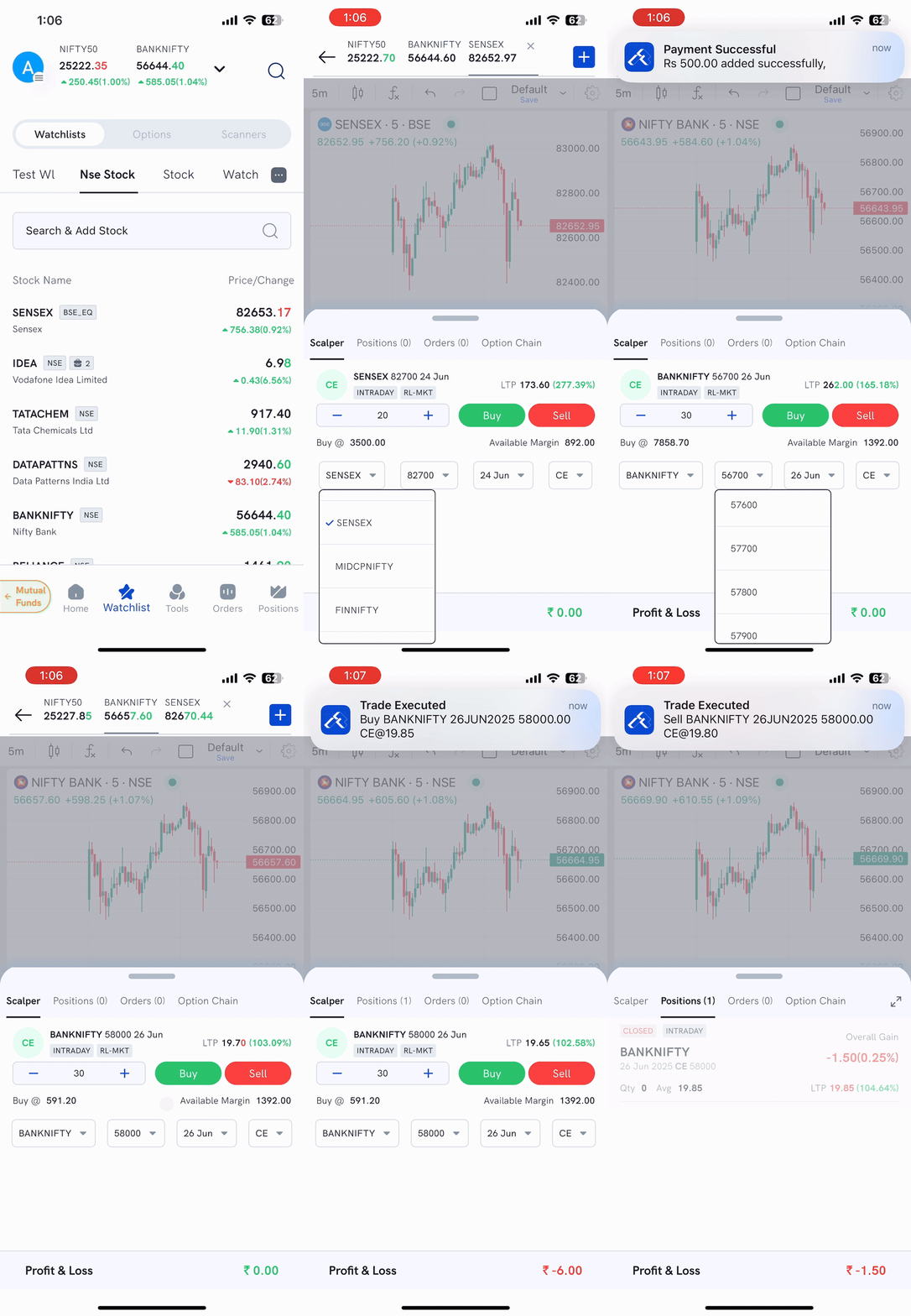
The Scalper feature in the Rupeezy Mobile App is built for speed and efficiency, allowing traders to place quick buy or sell orders with just a single tap. Ideal for high-frequency intraday traders, it enables fast execution of option trades without navigating through detailed order forms.
How to Use Scalper
-
Open the Chart
- Launch the chart of any index (e.g., Nifty, BankNifty, Sensex) from the app.
-
Access Scalper Panel
- Pull up the draggable bottom sheet at the bottom of the chart.
- Tap on the ‘Scalper’ tab to activate the tool.
-
Configure Trade Parameters
- Select your Index (Nifty, BankNifty, Sensex, etc.)
- Adjust the Strike Price you want to trade
- Choose the desired Expiry Date
- Select the Option Type: CE (Call) or PE (Put)
-
Place Orders Instantly
- Tap “Buy” to place a market buy order
- Tap “Sell” to place a market sell order
Orders are executed immediately as market orders in the Intraday segment.
-
Track Open Positions
- Switch to the “Positions” tab (next to Scalper tab) to monitor your open trades and live P&L.
Important Notes
- All orders are placed as market orders under the Intraday product.
- Orders are executed instantly. Please ensure all trade parameters (index, strike, expiry, type) are correctly set before tapping Buy/Sell.
- Displayed margin is indicative only. It is the user’s responsibility to ensure sufficient balance and margin availability for successful execution.