
The F&O Scanner on the Rupeezy app scans futures and options contracts on indices and popular stocks and shows you, in one place, the most active contracts, the contracts gaining or losing open interest (OI), the biggest price gainers and losers, and the OI build-up for the index or stock you pick. It saves you scanning the market contract by contract.
How do I use the F&O Scanner?
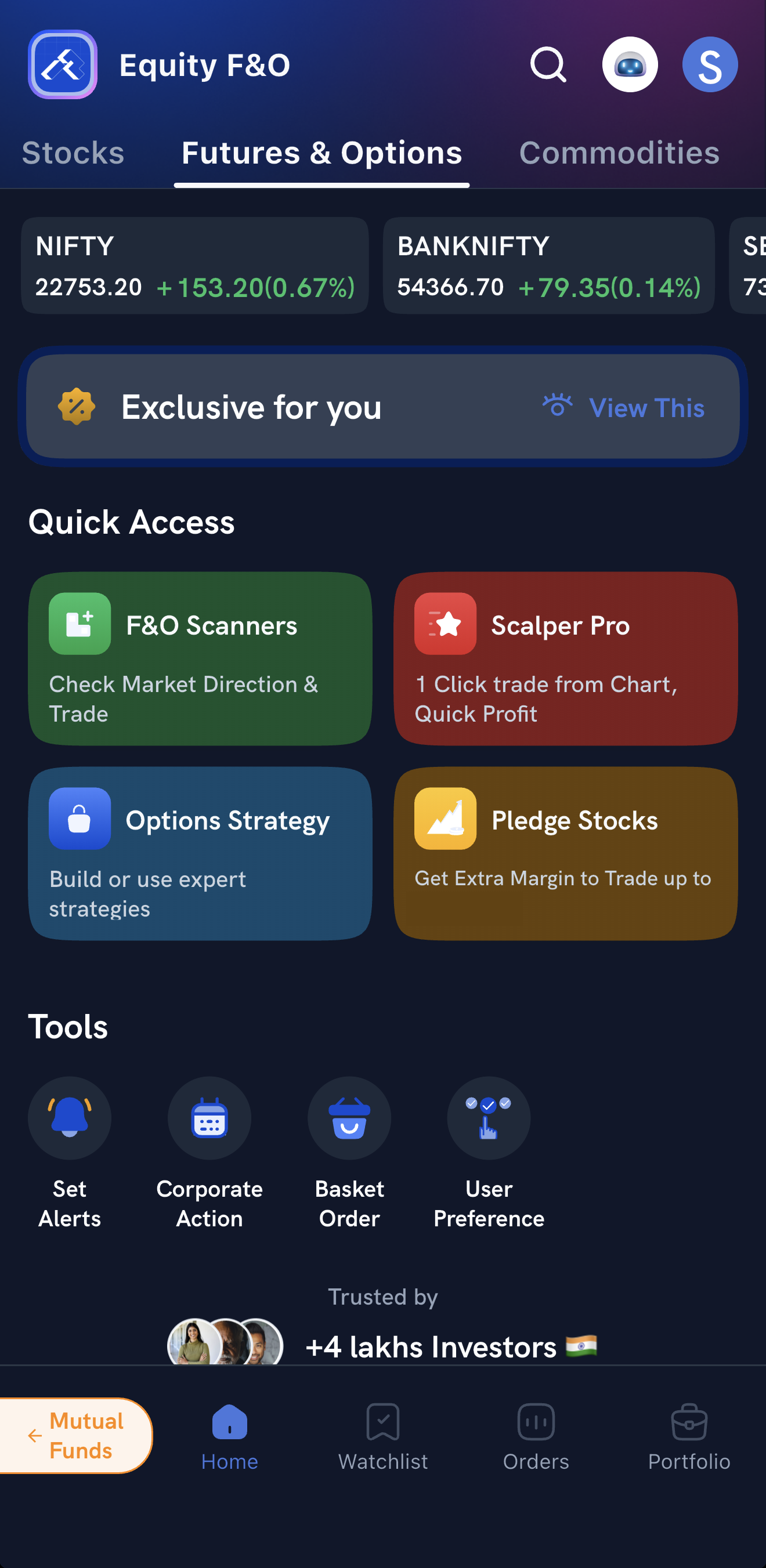
1. Open it. On the Home screen, open the Futures & Options tab and tap F&O Scanners under Quick Access.
2. Choose Index or Stock, then pick the index from the list or search for the stock.
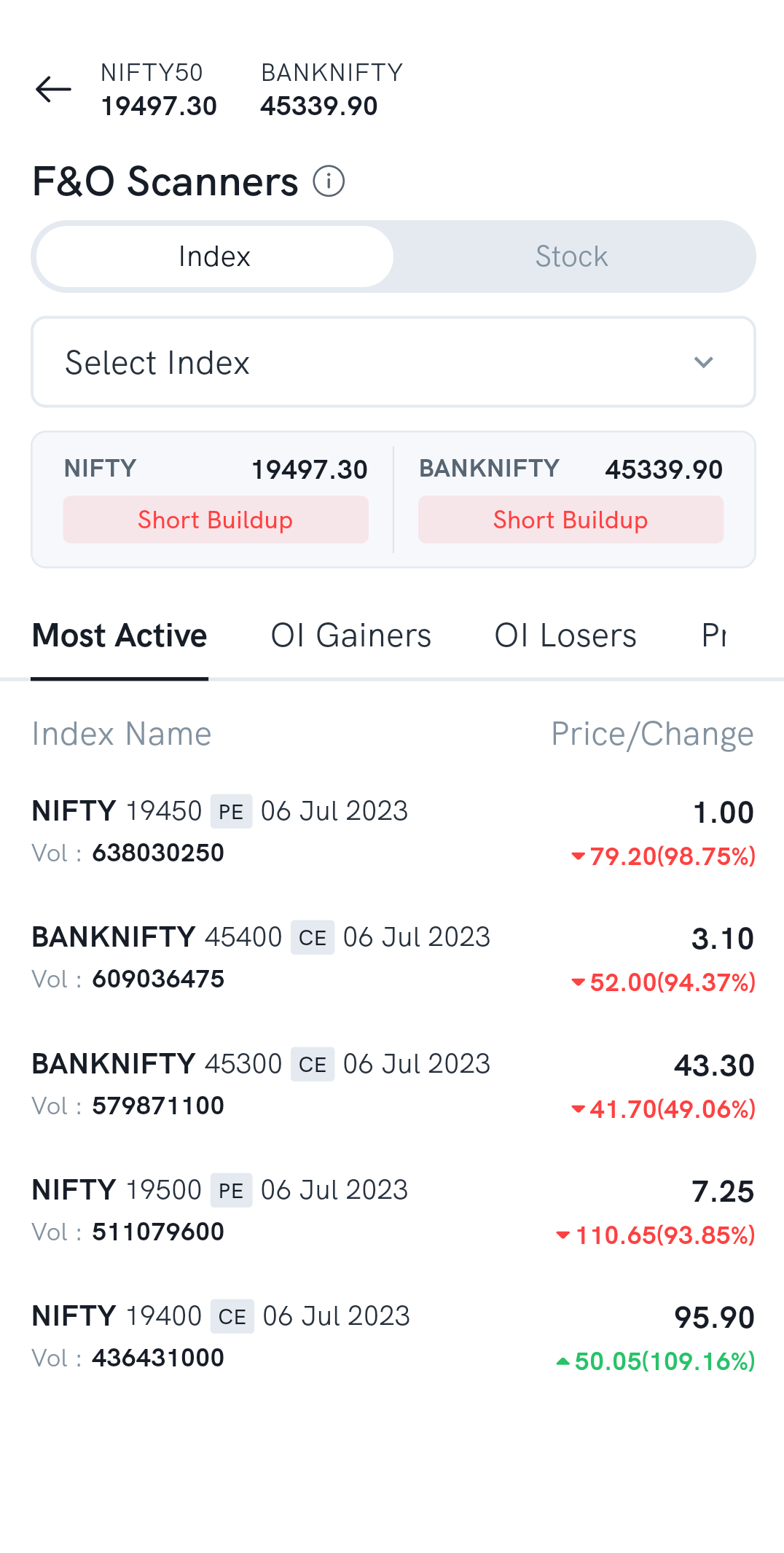
3. Switch between the tabs to see what you need:
- Most Active — the contracts with the most trading, with their volume.
- OI Gainers — the contracts whose open interest is rising.
- OI Losers — the contracts whose open interest is falling.
- Price Gainer and Price Loser — the contracts whose prices have moved most.
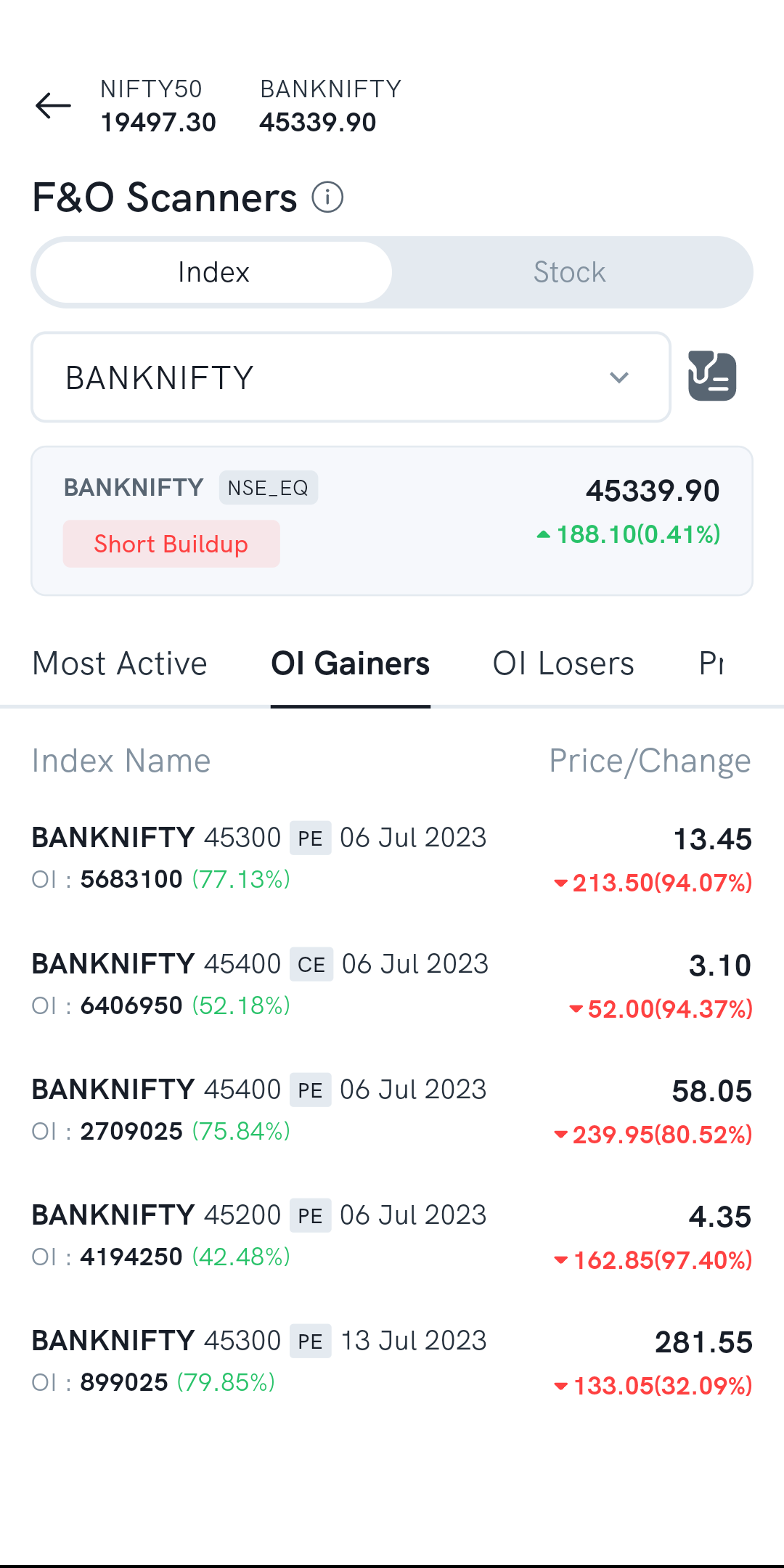
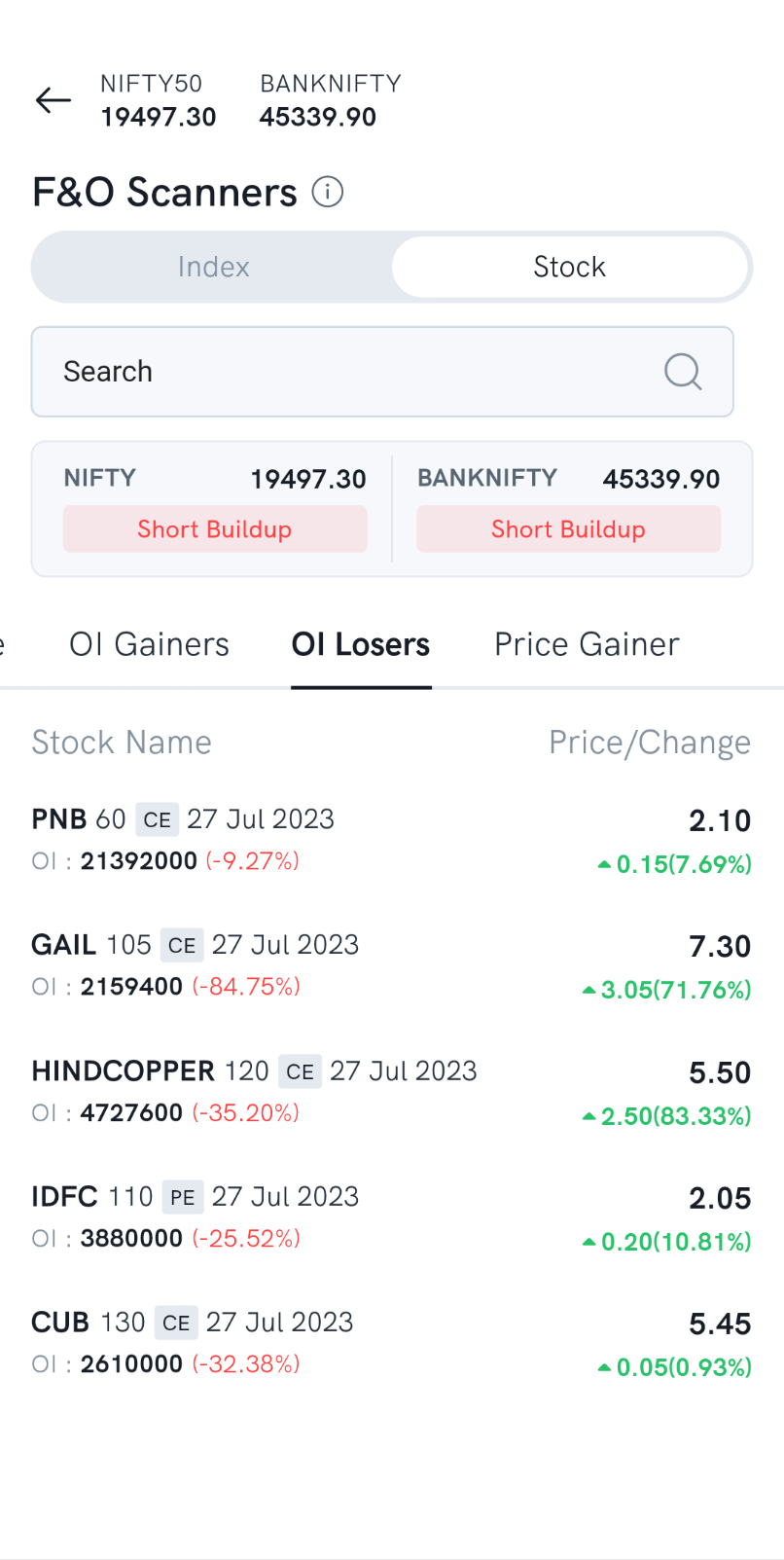
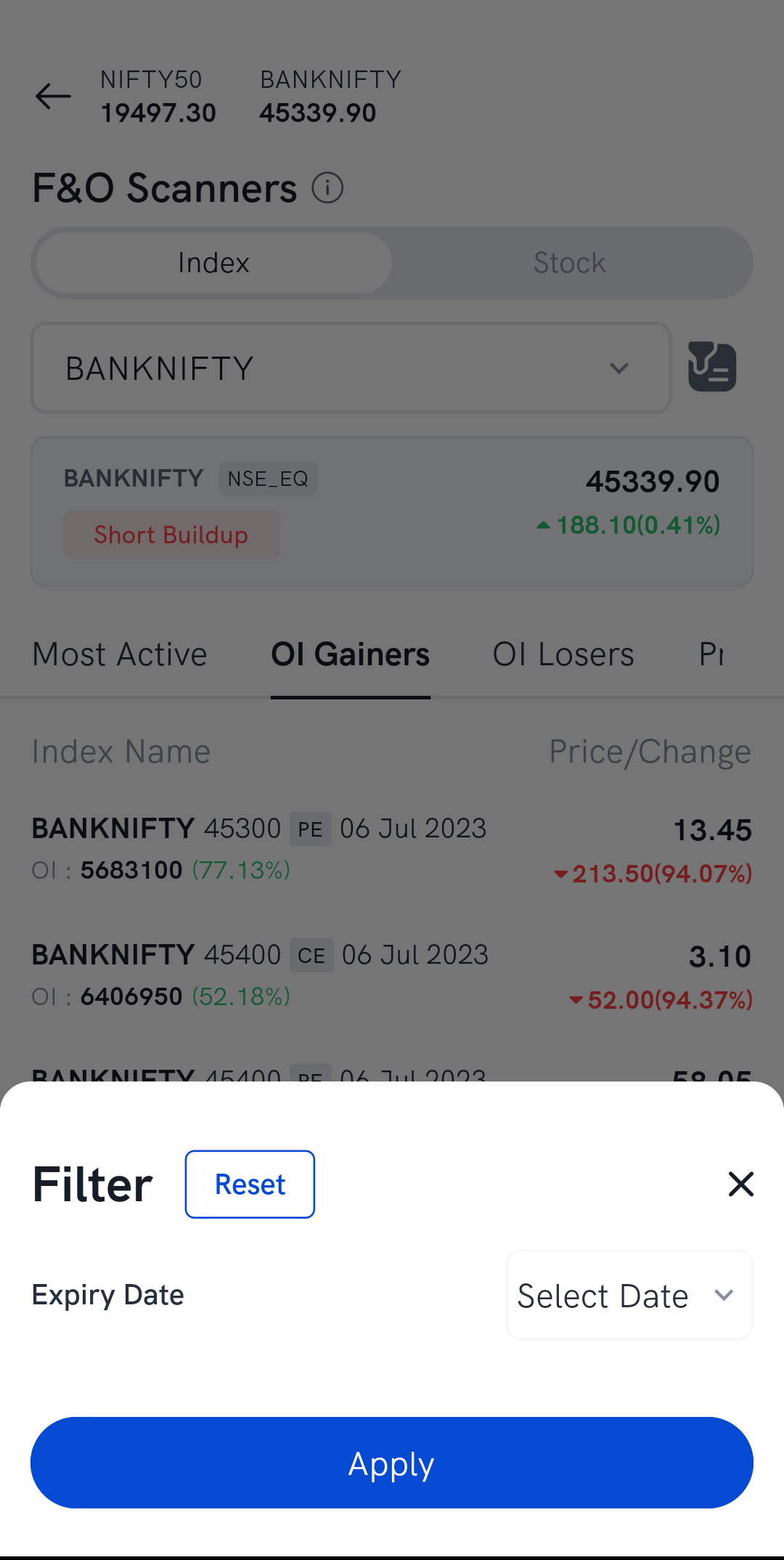
4. Filter by expiry — tap the filter icon and choose an expiry date.
What does the OI build-up mean?
The scanner labels each index or stock with its OI build-up, which reads the change in price together with the change in open interest:
| Price | Open interest | Build-up | What it may suggest |
|---|---|---|---|
| Up | Up | Long build-up | A strong uptrend |
| Down | Down | Long unwinding | A weakening uptrend |
| Up | Down | Short covering | A weakening downtrend |
| Down | Up | Short build-up | A strong downtrend |
| Flat | Flat | No change | A sideways market |
The OI build-up is calculated on the near-month future of the index or stock, and it updates every 15 minutes from 9:30 AM. For more on what these mean, see What is open interest (OI)? and What is OI buildup, long buildup, short buildup and unwinding?
Things to keep in mind
- All the scanner's figures are calculated on an intraday basis.
- The F&O Scanner is not a buy or sell recommendation, and you shouldn't trade on its results alone. Rupeezy doesn't guarantee the accuracy of the data and isn't responsible for any losses from using it.