
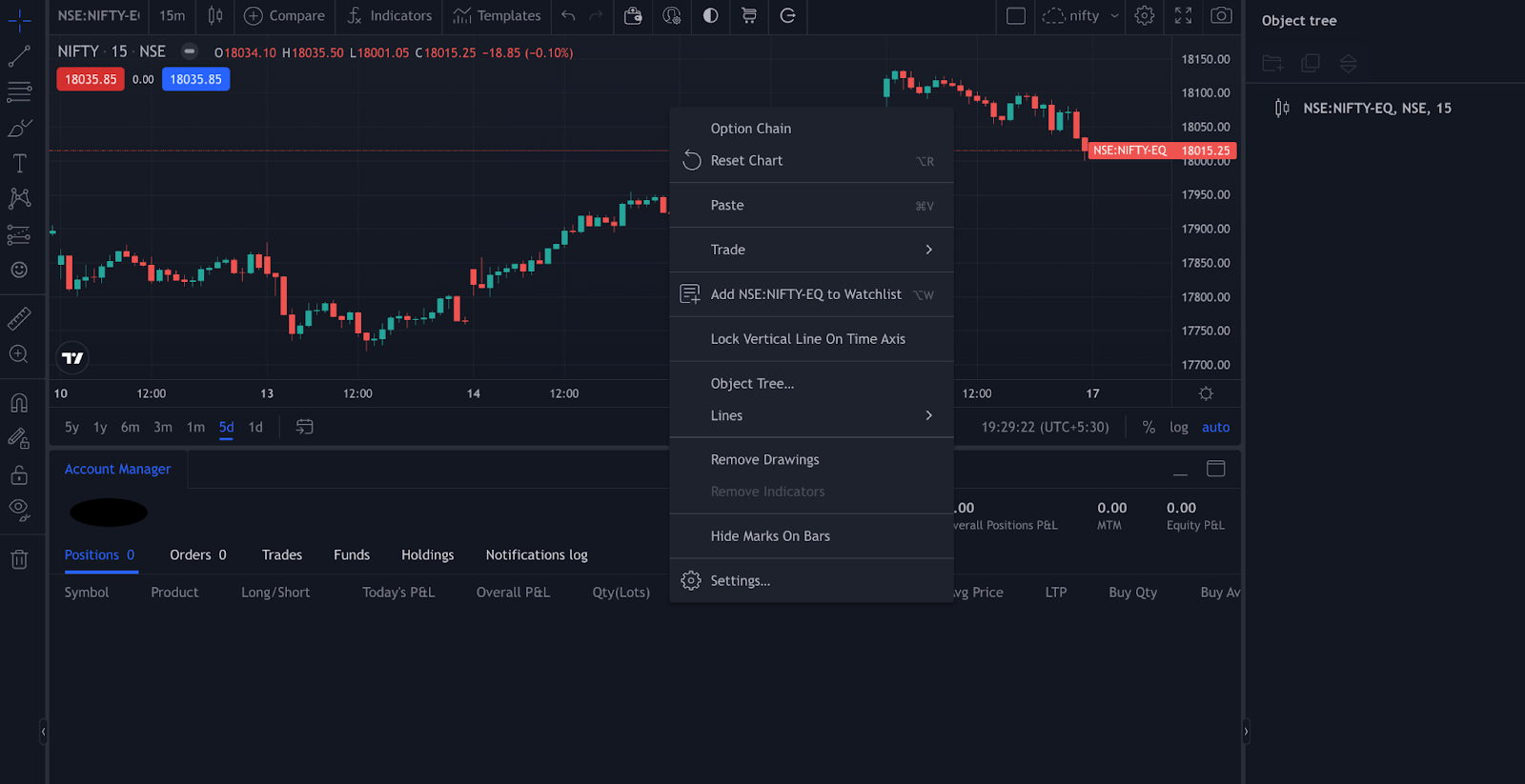
On the Rupeezy app, open a scrip's Option Chain and switch the toggle at the top from LTP to Greeks to see the Call and Put Greeks next to the strike prices. On the TradingView Terminal, right-click a chart, open Option Chain, and pick the Greeks you want from the filter. From the app's Option Chain you can also add several options to a strategy and execute them together.
What do the Greeks measure?
Options Greeks measure what moves an option's price, which helps you decide which options to trade and when. The four main ones are:
- Delta: how much the option's premium changes when the underlying moves.
- Gamma: how fast Delta itself changes as the underlying moves.
- Vega: how much the premium changes when volatility changes.
- Theta: how much the premium loses as expiry gets closer — its time decay.
How do I see the Greeks on the Rupeezy app?
- Open the Option Chain for the stock or index.
- Tap Greeks on the LTP / Greeks toggle at the top. The Call and Put Greeks appear next to the Strike Price and IV columns. Tap the target icon in the top-right corner to jump back to the spot price.
How do I see the Greeks on the TradingView Terminal?
- Search for the index or stock and open its chart.
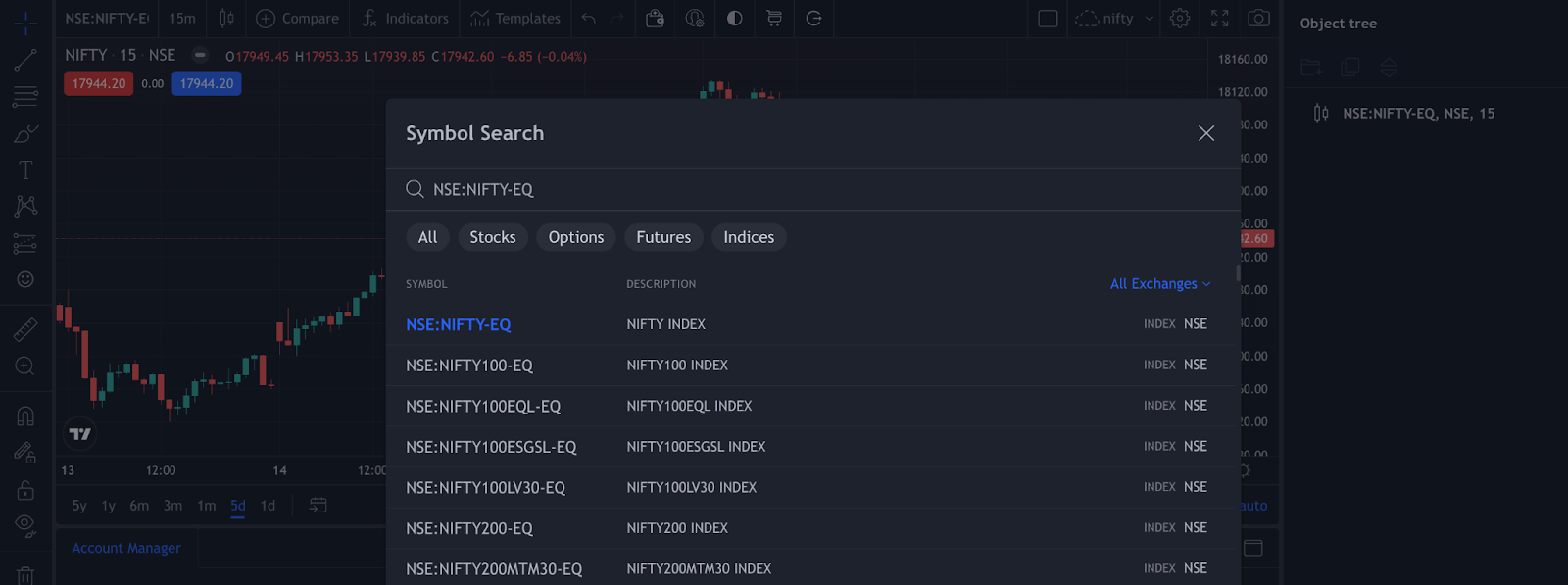
- Right-click the chart and select Option Chain.
- Click the filter icon next to Select Date at the top of the option chain.

- Under Filters, select the Greeks to show — Delta, Gamma, Theta and Vega — and how many strikes to show above and below the ATM strike (10, 20 or 30).
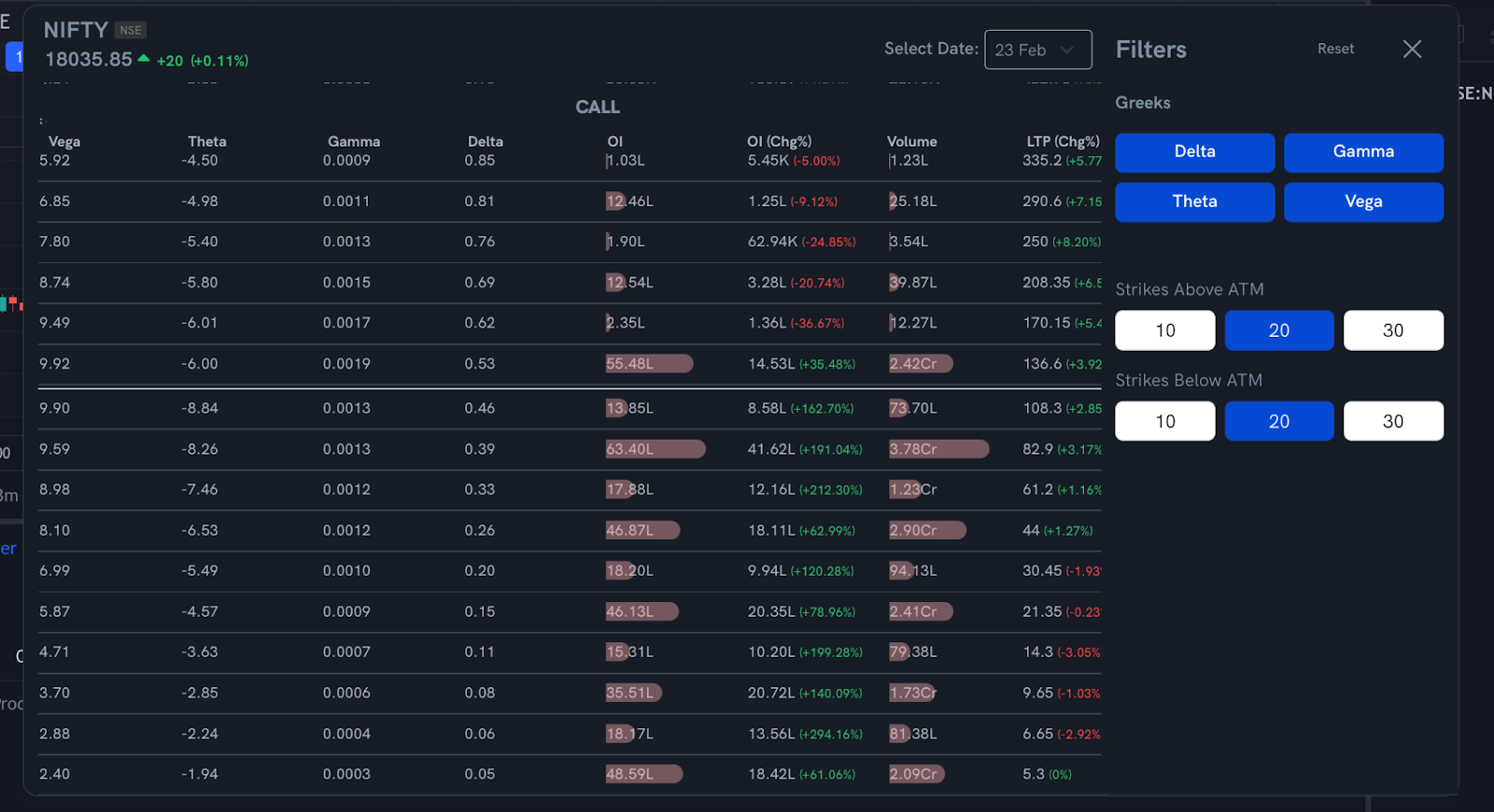
Prices refresh on their own; click the refresh icon to update the Greek values straight away.
What can I do from an option on the chain?
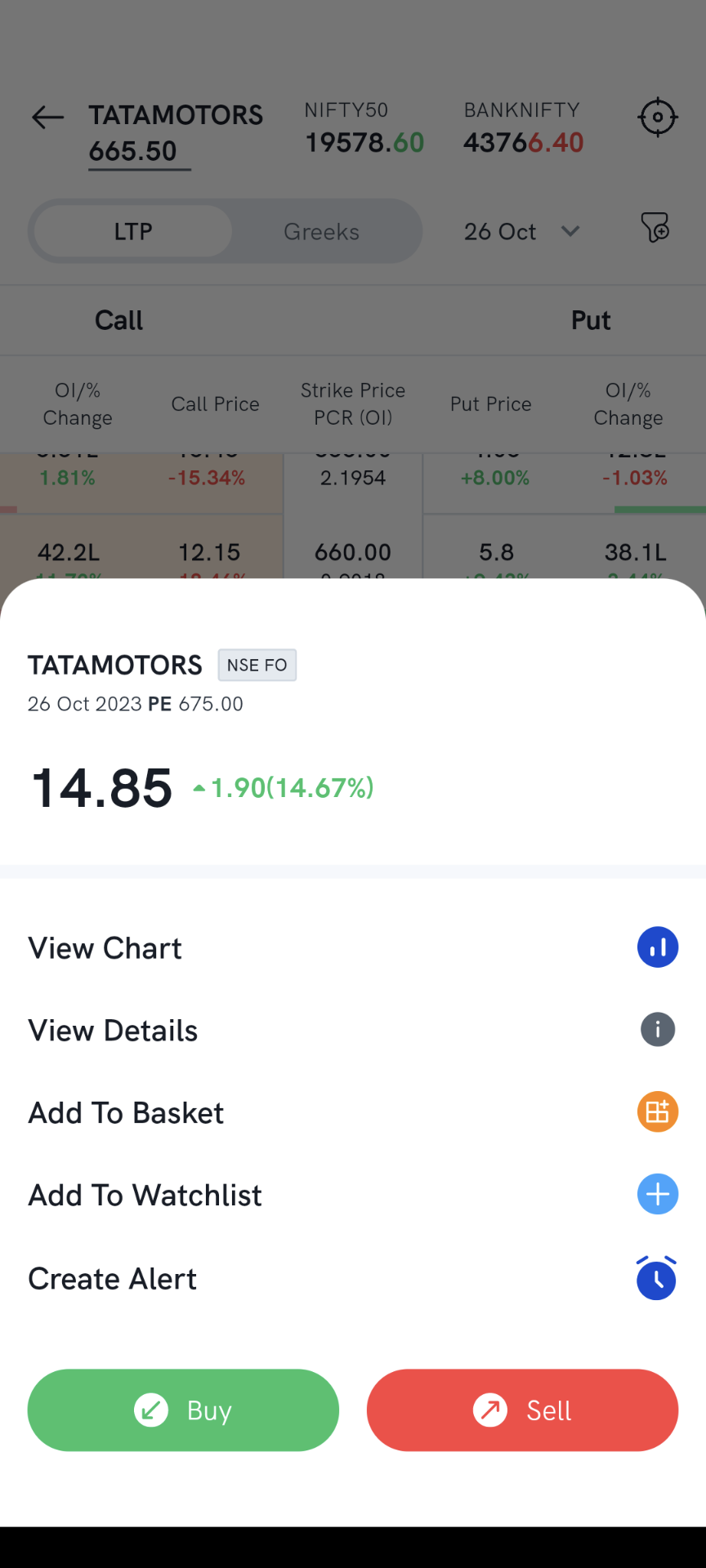
With Basket Mode off, tap an option to open its sheet. From there you can view its chart or details, add it to a basket or your watchlist, create an alert, or buy or sell it.
How do I build a strategy from the Option Chain?
1. Turn on Basket Mode at the bottom of the Option Chain.
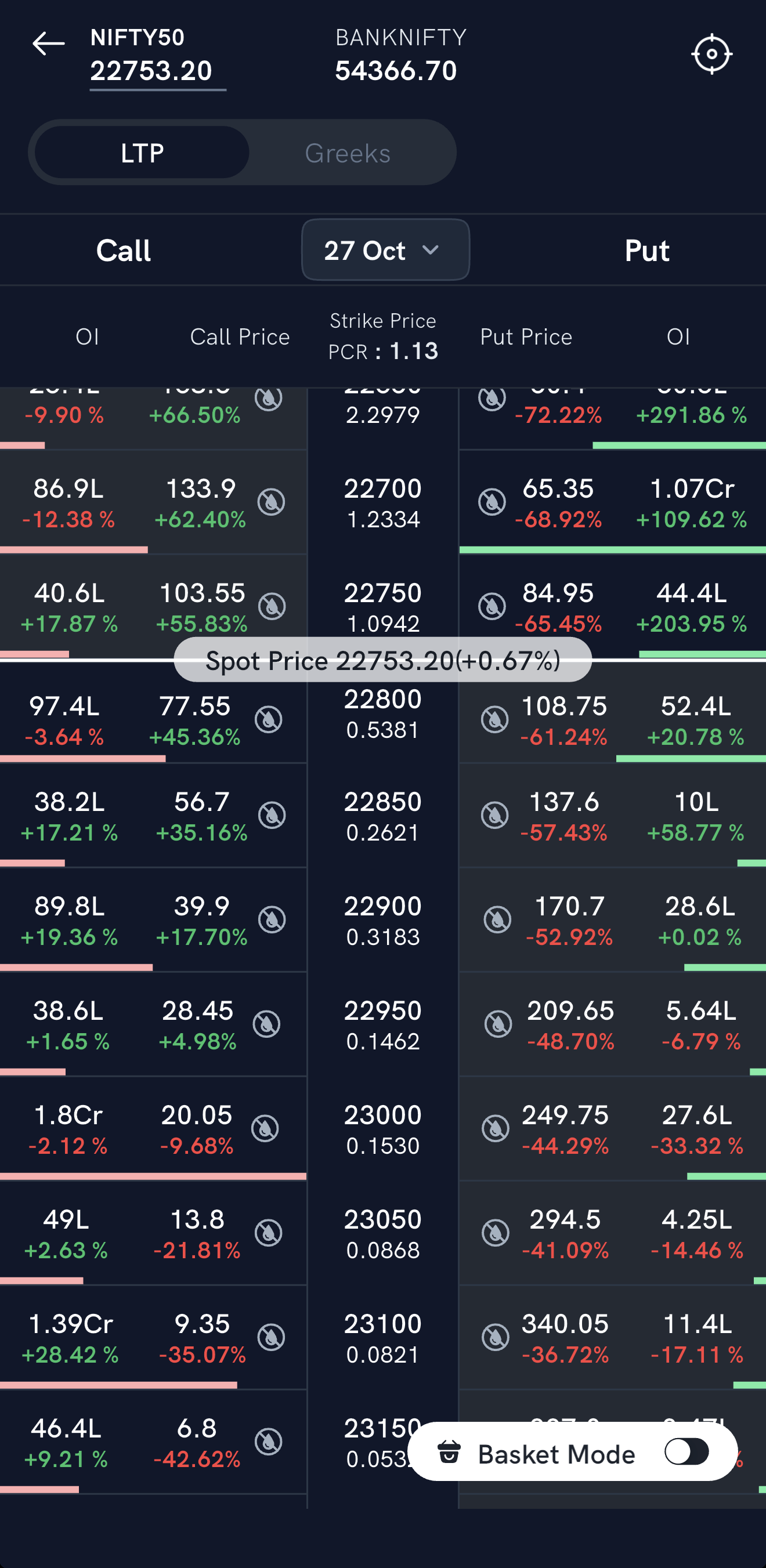
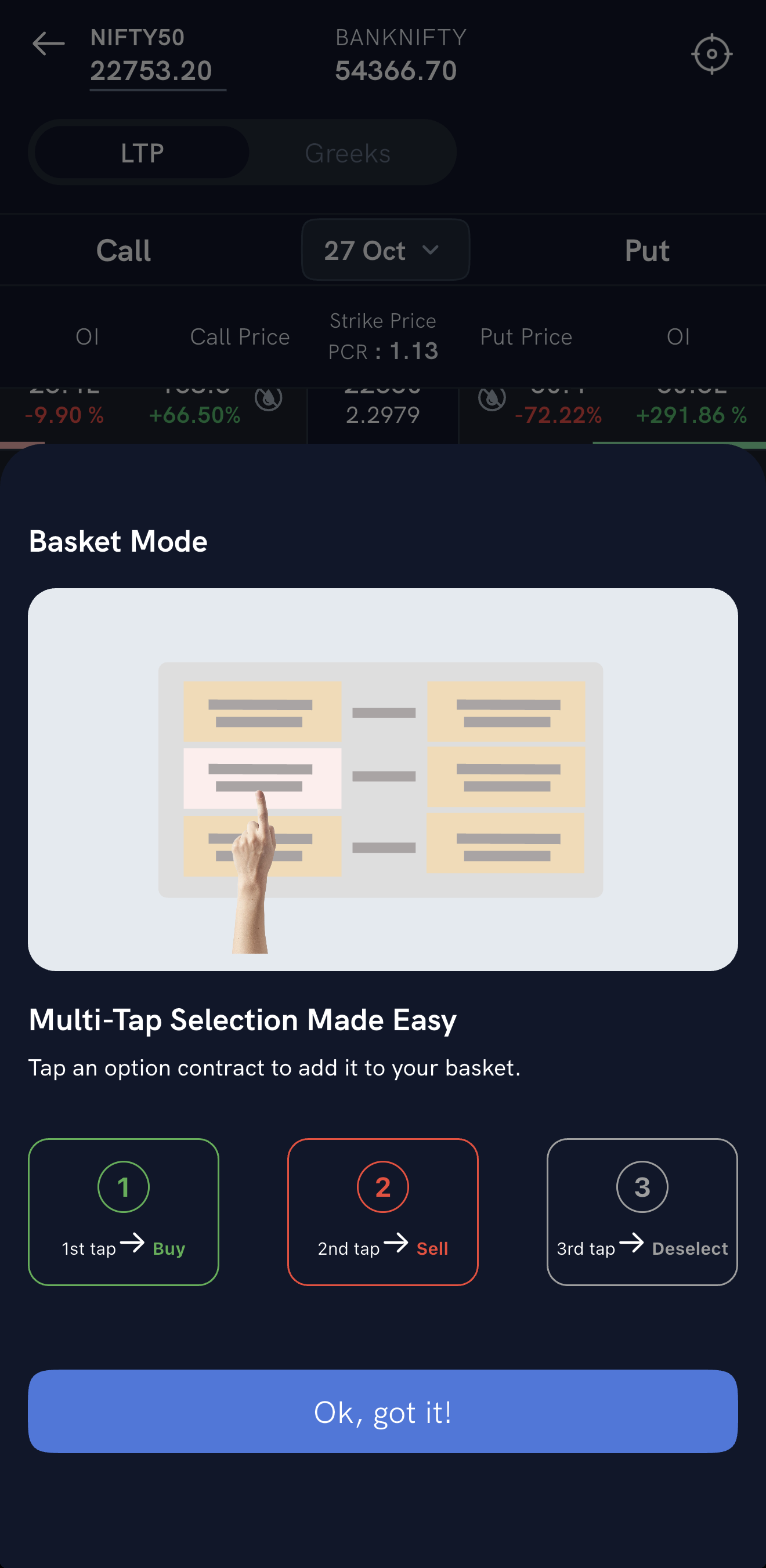
2. Tap options to add them. Tap an option once to add it as a Buy, twice to make it a Sell, and a third time to remove it.
3. Review the basket. The bar at the bottom shows how many orders you've added — up to 10 — with a multiplier to scale every leg in the same ratio. Open it to review the orders and execute them. Place Buy orders ahead of Sell orders: the hedge lowers the margin needed for the whole strategy.
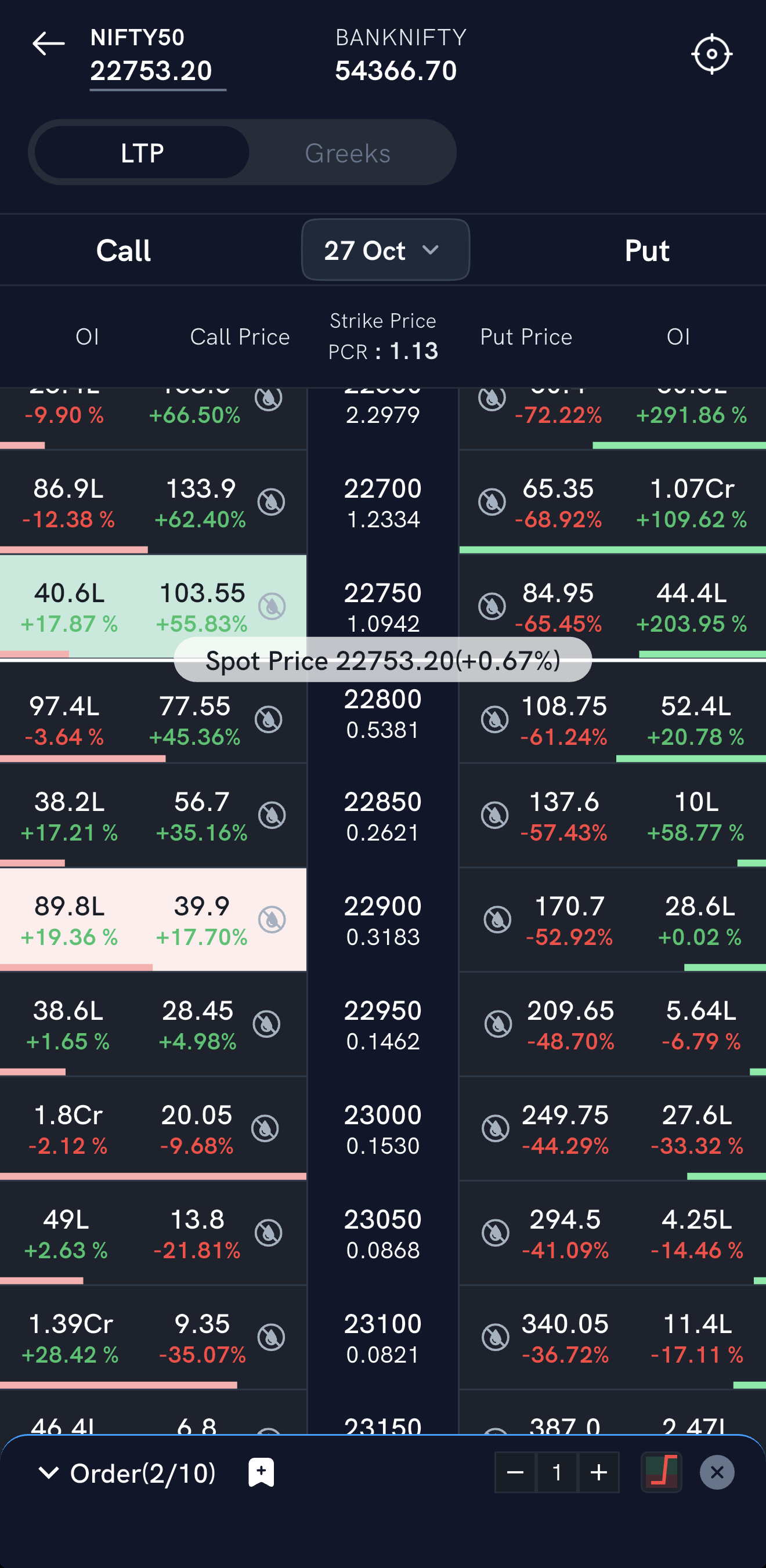
To discard the basket, tap ✕ on the basket bar.
Things to keep in mind
- To build a strategy from your market view instead, see How do I create options strategies on the Rupeezy app?.
- For how Rupeezy calculates the Greeks, see How are Option Greeks Calculated?