
Your tax Profit & Loss report on Rupeezy is the Combined Tax Reports statement in Dock. Go to Reports, open Downloads, select Combined Tax Reports for the financial year you need, and Dock emails the spreadsheet to your registered address.
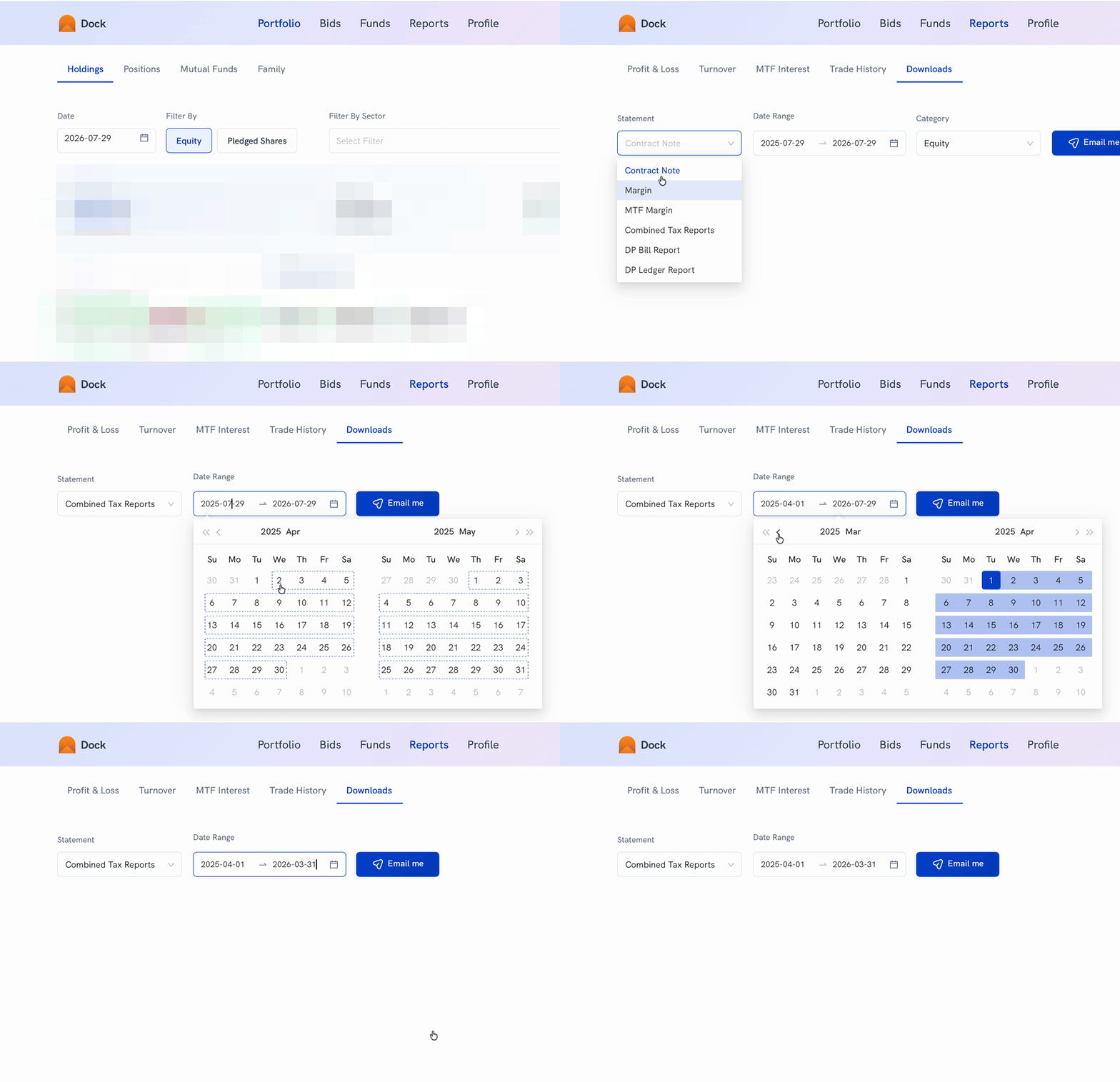
- Sign in to Dock.
- Go to Reports, then open the Downloads tab.
- Select Combined Tax Reports from the Statement dropdown.
- Set the Date Range to the financial year you need, for example 1 April to 31 March.
- Click Email me. Dock confirms with "Report will be sent to your registered email."
The report reaches your registered email address in a few minutes. It is a spreadsheet with a separate tab for each segment — equity, F&O, currency and MCX P&L, your equity trade exits, mutual funds, and any other debits and credits.